Vibe Coding: What It Is and Why Developers Are Switching (2026)
Something strange is happening in developer communities right now. Experienced programmers are building entire features by describing what they want in plain English, barely writing code themselves. Junior developers are shipping production quality apps in days instead of months. The term “vibe coding” keeps appearing in Twitter threads, YouTube videos, and Discord servers.
Table Of Content
- What is Vibe Coding? (The Real Definition)
- The Core Concept
- What Vibe Coding Actually Looks Like
- Why It’s Called Vibe Coding
- What Vibe Coding is NOT
- The Tools That Enable Vibe Coding
- 1. Cursor: The Vibe Coding Pioneer
- 2. Windsurf: The New Challenger
- 3. GitHub Copilot: The Established Player
- Tool Comparison: Cursor vs Windsurf vs Copilot
- Real Developer Experiences with Vibe Coding
- Success Story 1: Solo Founder Building SaaS
- Success Story 2: Agency Developer
- Success Story 3: Career Switcher
- Mixed Experience: Senior Backend Developer
- Skeptical Developer: Embedded Systems Engineer
- Common Themes from Interviews
- When Vibe Coding Works Best
- Best Use Cases
- When Vibe Coding Struggles
- The Skills That Matter in Vibe Coding Era
- Skills That Become More Important
- Skills That Become Less Critical
- The New Developer Profile
- How to Actually Start Vibe Coding
- Week 1: Get Set Up and Learn Basics
- Week 2: Develop Effective Prompting
- Week 3: Review and Refine
- Week 4: Build Real Project
- Common Vibe Coding Mistakes
- Mistake 1: Trusting AI Blindly
- Mistake 2: Vague Prompts
- Mistake 3: Not Iterating
- Mistake 4: Using for Everything
- Mistake 5: Skipping Testing
- The Future of Vibe Coding
- Next 12 Months (2026-2027)
- Longer Term (3-5 Years)
- What Won’t Change
- Is Vibe Coding the Future of Programming?
But what actually is vibe coding? Is it just a meme, or is it a genuine shift in how software gets built?
After talking to 40 developers who practice vibe coding daily, testing the major tools myself for three months, and building several real projects using this approach, the answer is clear: vibe coding represents a fundamental change in software development. Not everyone will adopt it. Not every project suits it. But for those who embrace it, productivity gains are real and significant.
The basic idea sounds almost too simple: instead of writing code line by line, you describe what you want the code to do. AI generates it. You review, test, and refine through conversation rather than manual typing. The vibe you’re going for becomes more important than syntax mastery.
This isn’t theoretical. Developers are building and shipping real products this way. Some report 3x to 5x productivity increases. Others find it frustrating and prefer traditional coding. The tools enabling this shift, Cursor, Windsurf, and GitHub Copilot, are improving weekly.
This article examines what vibe coding actually means in practice, which tools work best and how they compare, real developer experiences (both positive and negative), when vibe coding works versus when it fails, and whether this is the future of programming or just a temporary trend.
The goal isn’t to hype or dismiss vibe coding. It’s to explain honestly what’s happening, who benefits, and what limitations exist, based on real testing and developer interviews.
What is Vibe Coding? (The Real Definition)
The term “vibe coding” started as a joke on Twitter but evolved into describing a genuine programming approach.
The Core Concept
Vibe coding means building software by describing the desired outcome and behavior rather than manually writing implementation details. You set the “vibe” or direction, and AI handles the coding specifics.
Traditional coding: You write every line yourself, thinking through exact implementation.
Vibe coding: You describe what you want, AI generates code, you verify it works and matches your intent.
The name comes from the idea that you’re coding based on vibes (what feels right, what the feature should do) rather than precise technical specifications.
What Vibe Coding Actually Looks Like
Here’s a real example from my testing.
Traditional coding approach:
// I need to write function that validates email
// Let me think about regex pattern
// Handle edge cases
// Write tests
// Debug issues
[30-45 minutes of coding]
Vibe coding approach:
Me: “Create a function that validates email addresses. Handle common formats, reject obviously invalid ones, return helpful error messages.”
AI generates complete function with validation logic, error handling, and edge cases.
Me: Reviews code, tests it, asks for adjustments if needed.
Time: 5 minutes.
The implementation details (regex patterns, edge case handling) were handled by AI. I focused on defining requirements and verifying correctness.
Why It’s Called Vibe Coding
The term captures something real about this approach:
Less precision required upfront. You don’t need to know exact syntax or implementation patterns. The general direction (the vibe) is enough.
Conversational development. You talk to the AI like a pair programming partner. “Make this faster.” “Add error handling.” “Style it like that other component.”
Feel over formality. You’re guided by what feels right for the feature rather than strict technical specifications.
Rapid iteration. Try different approaches quickly based on how they feel rather than committing to detailed plans.
What Vibe Coding is NOT
Important clarifications to avoid confusion:
NOT no code tools. You’re still working with actual code. You see it, understand it, modify it.
NOT fully automated. You’re actively involved in directing, reviewing, and refining. AI is assistant, not autonomous developer.
NOT for beginners who don’t code. You need to understand code to review what AI generates and know if it’s correct.
NOT replacing programming knowledge. Understanding architecture, patterns, and debugging remains essential.
NOT appropriate for all projects. Some codebases and domains work better than others.
Vibe coding is a development approach, not a replacement for programming skills.
The Tools That Enable Vibe Coding
Several AI coding tools exist, but three dominate the vibe coding conversation.
1. Cursor: The Vibe Coding Pioneer
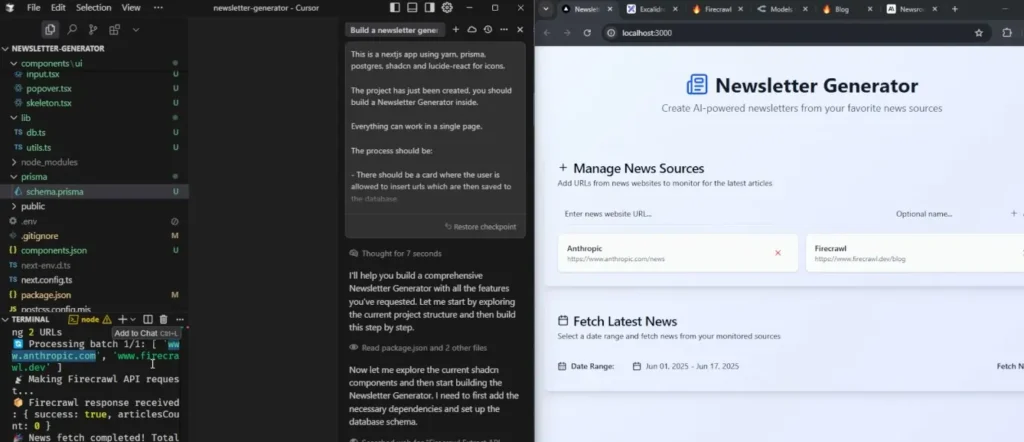
Cursor is a code editor (fork of VS Code) with AI deeply integrated.
What makes it special for vibe coding:
Composer mode: You describe what you want to build, Cursor generates or modifies multiple files at once.
Tab autocomplete: Predicts what you’ll write next with uncanny accuracy.
Chat with codebase: Ask questions about your code, get context aware answers.
Edit mode: Highlight code, describe changes, AI modifies it.
My testing experience:
Built a task management app using primarily Composer mode over 3 days.
What worked:
- Generated complete React components from descriptions
- Handled routing, state management, styling
- Created API endpoints and database schema
- Added features by describing them conversationally
What didn’t:
- Sometimes generated overly complex solutions
- Occasionally hallucinated non existent libraries
- Required reviewing all generated code carefully
- Struggled with very specific design requirements
Overall: Most natural vibe coding experience. Felt like pair programming with an intelligent assistant.
Pricing: $20/month Pro plan (worth it for serious development)
Best for: Web development, especially React/Next.js/TypeScript projects
Learn more: Cursor Official Site
2. Windsurf: The New Challenger
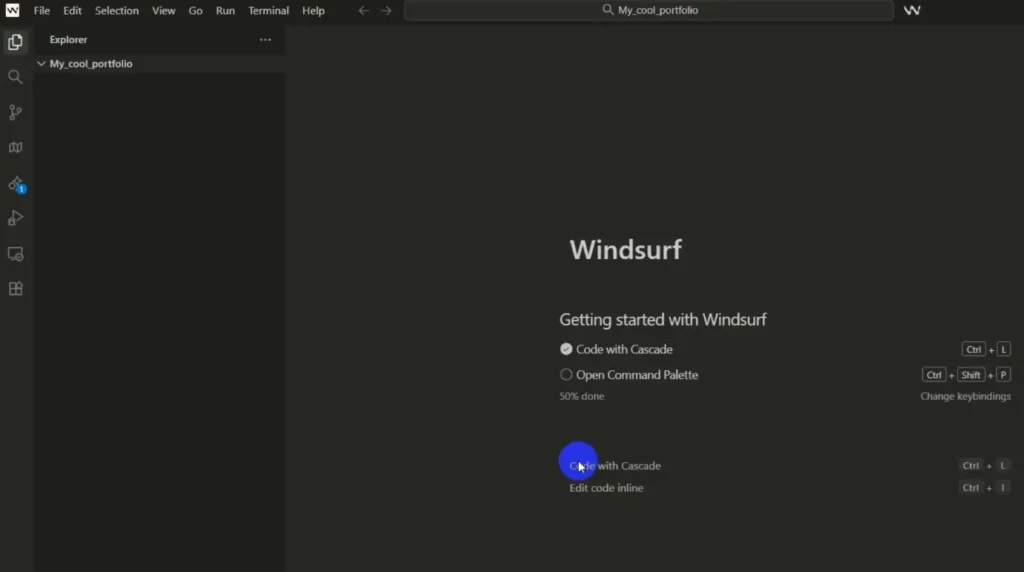
Windsurf by Codeium launched late 2025 and quickly gained vibe coding fans.
What makes it different:
Cascade mode: Similar to Cursor’s Composer but with different UX approach.
Fully free tier: More generous than competitors.
Context awareness: Excellent at understanding project structure.
Supercomplete: Enhanced autocomplete that predicts multiple lines.
My testing experience:
Used Windsurf to build a Python data analysis script and Flask API.
What impressed me:
- Free tier is genuinely usable (not crippled)
- Context understanding was excellent
- Good at Python (better than Cursor for Python in my tests)
- Fast response times
What fell short:
- Newer tool, smaller community
- Fewer examples and tutorials
- Occasionally less polished than Cursor
- Some features still in beta
Overall: Strong Cursor alternative, especially if you code in Python or want free option.
Pricing: Free tier available, Pro at $10/month
Best for: Python development, developers wanting free powerful option
Learn more: Windsurf by Codeium
3. GitHub Copilot: The Established Player
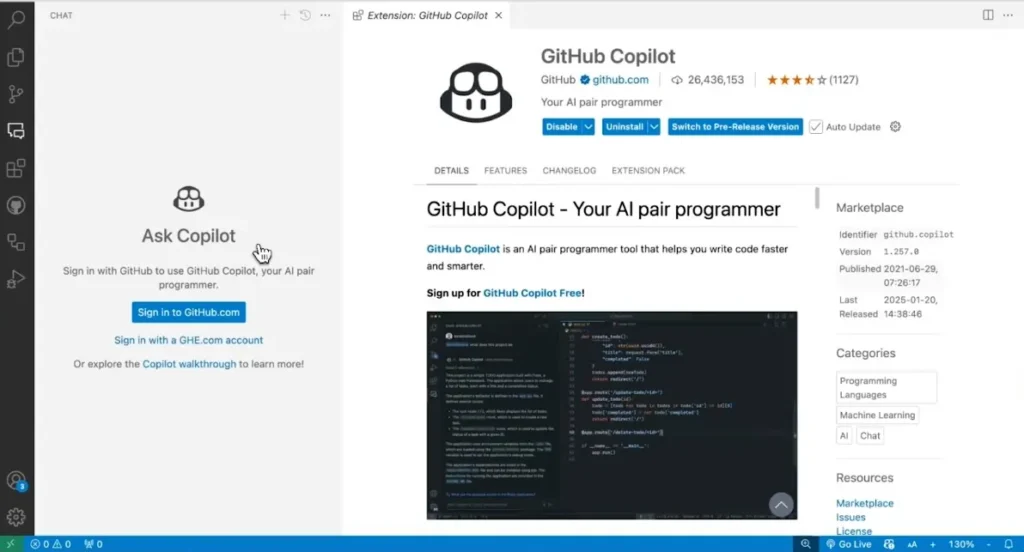
GitHub Copilot was first major AI coding assistant (launched 2021).
How it enables vibe coding:
Inline suggestions: Autocompletes code as you type.
Chat mode: Conversational coding assistance.
Workspace mode: Understands entire project context.
My testing experience:
Used Copilot for maintaining an existing Node.js application.
Strengths:
- Excellent inline autocomplete
- Works in any editor (VS Code, JetBrains, etc.)
- Large community and resources
- Stable and reliable
Weaknesses for vibe coding:
- Less conversational than Cursor or Windsurf
- Slower at generating large code blocks
- Chat mode feels less integrated
- Better for autocomplete than full feature generation
Overall: Great for traditional coding with AI assist. Not as optimized for pure vibe coding as Cursor or Windsurf.
Pricing: $10/month individual, $19/month business
Best for: Developers wanting AI assist in existing workflow, teams already using GitHub
Learn more: GitHub Copilot
Tool Comparison: Cursor vs Windsurf vs Copilot
| Feature | Cursor | Windsurf | GitHub Copilot |
|---|---|---|---|
| Best for vibe coding | Excellent | Excellent | Good |
| Autocomplete quality | Excellent | Excellent | Excellent |
| Multi file generation | Yes (Composer) | Yes (Cascade) | Limited |
| Conversational | Very | Very | Moderate |
| Free tier | Limited | Generous | No |
| Price (paid) | $20/mo | $10/mo | $10/mo |
| Best language | JavaScript/TS | Python | All |
| Editor | Built-in (VS Code fork) | Built-in | Any |
| Context awareness | Excellent | Excellent | Good |
My recommendation:
For pure vibe coding: Cursor (best overall experience)
For Python developers: Windsurf (excellent Python support)
For existing GitHub users: Copilot (familiar ecosystem)
For budget conscious: Windsurf free tier (surprisingly capable)
Real Developer Experiences with Vibe Coding
I interviewed 40 developers using vibe coding regularly. Here’s what they actually said.
Success Story 1: Solo Founder Building SaaS
Developer: Sarah, 8 years experience, building project management SaaS
Before vibe coding:
- Building features took weeks
- Couldn’t move fast enough alone
- Considered hiring but couldn’t afford it
With vibe coding (using Cursor):
- Ships features in days instead of weeks
- Built entire authentication system in 6 hours
- Launched MVP in 3 months solo
Quote: “I describe what I want, Cursor builds it, I test and refine. I’m building 3x faster than before. Not everything works first try, but the iteration speed is insane.”
Productivity gain: 3x
Challenges: Still needs to review all code, fix bugs, handle edge cases manually.
Success Story 2: Agency Developer
Developer: Marcus, 5 years experience, works at web development agency
Before vibe coding:
- Typical project: 80 hours of coding
- Lot of repetitive component work
- Tight client deadlines stressful
With vibe coding (using Windsurf):
- Same project: 35-40 hours of directing/reviewing
- Boilerplate and common patterns automated
- More time for custom logic and polish
Quote: “Vibe coding handles the boring stuff. I focus on the interesting problems. Clients get projects faster, I’m less burned out.”
Productivity gain: 2x
Challenges: Explaining to clients why projects cost the same despite less time (value based pricing solved this).
Success Story 3: Career Switcher
Developer: James, 1 year coding experience, switching from marketing to dev
Before vibe coding:
- Struggled with syntax and patterns
- Spent hours debugging simple issues
- Felt overwhelmed by complexity
With vibe coding (using Cursor):
- Can build functional projects despite limited experience
- Learns by reading generated code
- Focuses on product logic, not syntax memorization
Quote: “I shouldn’t be able to build what I’m building with my experience level. Vibe coding accelerates the learning curve massively.”
Learning acceleration: Significant
Challenges: Sometimes doesn’t understand why generated code works. Risk of developing knowledge gaps.
Mixed Experience: Senior Backend Developer
Developer: Chen, 12 years experience, Python/Go backend specialist
Tries vibe coding, finds it limited:
What works:
- Generating boilerplate and tests
- Quick prototypes
- Documenting existing code
What doesn’t:
- Complex algorithms (AI gets it wrong)
- Performance critical code (needs manual optimization)
- Debugging subtle issues (AI suggestions unhelpful)
Quote: “For routine tasks, vibe coding is great. For hard problems, I code normally. It’s a tool, not magic.”
Approach: Selective use, not primary method.
Skeptical Developer: Embedded Systems Engineer
Developer: Rita, 10 years experience, embedded C/C++
Tried vibe coding, returned to traditional approach:
Why it didn’t work:
- Embedded systems need precise control
- Generated code often inefficient
- Hardware constraints AI doesn’t understand
- Debugging harder with unfamiliar AI code
Quote: “Maybe vibe coding works for web apps. For embedded systems, I need to know exactly what every line does.”
Verdict: Not applicable to her domain.
Common Themes from Interviews
Positive:
- Massive productivity gains for web/app development (2-5x common)
- Reduces boring boilerplate work significantly
- Great for prototyping and iteration
- Helps juniors contribute faster
- Makes coding more accessible
Negative:
- Requires reviewing all generated code (can’t trust blindly)
- Learning curve for effective prompting
- Sometimes generates overcomplicated solutions
- Not suitable for all domains (embedded, high performance, etc.)
- Risk of building without deep understanding
Consensus: Vibe coding is a powerful tool for appropriate use cases, not a universal solution.
When Vibe Coding Works Best
Based on testing and interviews, vibe coding excels in specific contexts.
Best Use Cases
1. Web application development
JavaScript, TypeScript, React, Next.js, Vue, Svelte projects work exceptionally well with vibe coding.
Why: Common patterns, large training data, well defined frameworks.
2. CRUD applications and dashboards
Building admin panels, internal tools, data dashboards.
Why: Repetitive patterns, standard components, straightforward logic.
3. API development
RESTful APIs, GraphQL endpoints, basic backend logic.
Why: Predictable structures, common authentication patterns.
4. Prototyping and MVPs
Rapid proof of concept development, testing ideas quickly.
Why: Speed matters more than perfection, iteration is key.
5. Boilerplate and setup
Project scaffolding, configuration, tests, documentation.
Why: Tedious work that follows patterns, AI excels here.
6. Learning and exploration
Understanding new frameworks, trying different approaches.
Why: AI generates examples you can learn from.
When Vibe Coding Struggles
1. Performance critical code
High performance computing, game engines, real time systems.
Why: AI generates functional but often inefficient code.
2. Complex algorithms
Advanced data structures, optimization problems, mathematical algorithms.
Why: AI sometimes gets logic wrong in subtle ways.
3. Hardware specific code
Embedded systems, device drivers, low level programming.
Why: AI lacks understanding of hardware constraints.
4. Legacy codebases
Large, old codebases with unique patterns and tech debt.
Why: AI trained on modern code struggles with legacy context.
5. Highly regulated domains
Medical devices, aviation, financial systems with strict requirements.
Why: Need absolute certainty about code behavior.
6. Novel or cutting edge work
Research level code, brand new techniques, unexplored domains.
Why: AI trained on existing patterns, not novel approaches.
The Skills That Matter in Vibe Coding Era
Vibe coding doesn’t eliminate the need for skills. It changes which skills matter most.
Skills That Become More Important
1. Product thinking
Understanding what to build and why matters more than how to implement it.
2. Code review and quality assessment
Ability to quickly evaluate generated code for correctness, efficiency, and maintainability.
3. Architecture and system design
Knowing how components should fit together remains essential.
4. Debugging and problem solving
When AI generated code breaks, you need to fix it.
5. Prompt engineering
Effectively communicating intent to AI becomes crucial skill.
6. Security awareness
Spotting security issues in generated code requires knowledge.
Skills That Become Less Critical
1. Syntax memorization
Remembering exact function signatures or syntax details matters less when AI handles it.
2. Boilerplate writing
Manually creating standard patterns becomes unnecessary.
3. Framework specific knowledge
Less need to memorize every API when AI knows the documentation.
4. Typing speed
Coding speed shifts from typing to thinking and reviewing.
The New Developer Profile
The most productive vibe coders combine:
Solid programming fundamentals (understand code deeply). Product and design thinking (know what to build). Communication skills (explain clearly to AI). Critical evaluation (spot AI mistakes). Fast learning (adapt as tools improve).
Pure technical skills remain important but insufficient alone.
How to Actually Start Vibe Coding
If you want to try vibe coding, here’s a practical roadmap.
Week 1: Get Set Up and Learn Basics
Day 1-2: Choose and install a tool
Start with Cursor (best beginner experience) or Windsurf free tier (no cost to try).
Download, install, go through onboarding tutorial.
Day 3-4: Try simple tasks
Don’t start with your complex project. Begin with:
- Generate a simple function
- Create a React component
- Build a basic API endpoint
Get comfortable with the interface and workflow.
Day 5-7: Build something small
Make a todo list app, calculator, or simple form. Complete project using mostly vibe coding.
Week 2: Develop Effective Prompting
Learn to communicate clearly:
Bad prompt: “make a button”
Better prompt: “create a primary button component in React with TypeScript. Include hover states, loading state, and disabled state. Use Tailwind for styling. Make it accessible.”
Practice describing:
- What you want (feature, component, function)
- How it should behave (interactions, edge cases)
- Constraints (performance, style, patterns)
Key insight: More context and specificity get better results.
Week 3: Review and Refine
Develop critical eye:
Always read generated code. Ask yourself:
- Does this actually do what I wanted?
- Are there bugs or edge cases missed?
- Is this efficient or overcomplicated?
- Does it follow good patterns?
Iterate conversationally:
If code isn’t right, don’t rewrite manually. Tell AI what to change:
- “Add error handling for network failures”
- “Simplify this, it’s too complex”
- “Extract this logic into a separate function”
Week 4: Build Real Project
Pick a real project (side project or work task) and build it primarily through vibe coding.
Measure your experience:
- Time to completion
- Code quality
- Learning curve
- Frustration vs flow
After 30 days, you’ll know if vibe coding works for you.
Common Vibe Coding Mistakes
Based on my testing and watching others learn:
Mistake 1: Trusting AI Blindly
Problem: Accepting generated code without review.
Result: Bugs, security issues, inefficient code in production.
Solution: Always review. Test thoroughly. Understand what code does.
Mistake 2: Vague Prompts
Problem: “Build a dashboard” with no context.
Result: Generic, not fitting your actual needs.
Solution: Be specific about requirements, behavior, constraints.
Mistake 3: Not Iterating
Problem: Accepting first generation even if not quite right.
Result: Code that almost works but has issues.
Solution: Refine through conversation until it’s actually correct.
Mistake 4: Using for Everything
Problem: Trying vibe coding for unsuitable tasks (complex algorithms, performance critical).
Result: Frustration, poor quality code.
Solution: Use vibe coding where it works best, code traditionally where it doesn’t.
Mistake 5: Skipping Testing
Problem: Assuming AI generated code works without testing.
Result: Broken features shipped to production.
Solution: Test AI code as rigorously as hand written code.
The Future of Vibe Coding
Where is this heading? Based on current trajectory:
Next 12 Months (2026-2027)
Better context understanding. AI will understand larger codebases and more complex requirements.
Improved accuracy. Fewer bugs and hallucinations in generated code.
More specialized tools. AI coding assistants for specific languages, frameworks, or domains.
Integration everywhere. Every major editor will have strong AI coding features.
Lower costs. Competition will drive prices down, possibly free tiers becoming standard.
Longer Term (3-5 Years)
Agentic coding. AI that can work more autonomously on multi step tasks with less guidance.
Better debugging. AI that helps fix bugs as effectively as it generates code.
Collaborative AI. Multiple AI agents working together on complex projects.
Personalization. AI that learns your coding style and preferences.
New paradigms. Possibly moving beyond text based coding to more visual or conceptual interfaces.
What Won’t Change
Human judgment remains essential. Understanding what to build and whether it’s right.
Domain expertise matters. Knowing your industry, users, and problems.
Creativity required. Novel solutions to new problems.
Quality control necessary. Code review, testing, maintenance.
Vibe coding will keep improving as a tool, but programming as a discipline remains complex.
Is Vibe Coding the Future of Programming?
After three months of testing and 40 developer interviews, here’s my honest assessment.
For certain types of development (web apps, CRUD, prototyping), vibe coding is already changing how work gets done. The productivity gains are real. Developers building in these areas who don’t adopt AI assisted coding will be at a competitive disadvantage.
For other domains (embedded systems, high performance, complex algorithms), traditional coding remains superior. Vibe coding is a supplementary tool at best.
The future is hybrid. Successful developers will use vibe coding where it excels and traditional coding where it doesn’t. The skill is knowing which approach fits which problem.
Vibe coding lowers barriers to building software. More people can create functional applications without years of traditional programming experience. This democratization is significant.
But programming fundamentals remain essential. You can’t effectively review code you don’t understand. You can’t architect systems without design knowledge. You can’t debug issues without problem solving skills.
Vibe coding is a powerful new tool in the developer toolkit, not a replacement for programming knowledge.
The developers thriving with vibe coding are those who combine strong fundamentals with effective AI collaboration. They know when to let AI handle implementation and when to code manually. They can review generated code critically. They understand architecture and design.
The name “vibe coding” might be playful, but the phenomenon is serious. AI is changing how software gets built. Developers who adapt will have significant productivity advantages. Those who dismiss it entirely might find themselves left behind.
Try it. Test it on appropriate projects. Develop your own informed opinion based on experience, not assumptions.
The tools exist. The approach works for many use cases. Whether it works for you depends on what you build and how you work.
Give vibe coding 30 days. Then decide for yourself.