AI Video Generator Free: 7 Best Tools Tested (No Limits)
I’ve spent the last two months testing every free AI video generator free tool I could find. My goal was simple: figure out which ones actually let you create professional videos without hitting credit limits, watermark spam, or forced upgrades after three generations.
Table Of Content
- What Is an AI Video Generator Free Tool?
- The Honest Definition
- What AI Video Generators Actually Do
- Why “Free” Is Complicated
- Why Most AI Video Generator Free Tools Are Misleading
- The Bait and Switch Pattern
- Common Fake Free Tactics
- How to Spot Real vs. Fake Free
- Hunyuan Video: Best Overall AI Video Generator Free
- What Hunyuan Actually Is
- Why Hunyuan Stands Out
- My Testing Experience
- Hunyuan’s Three Video Models
- How to Actually Use Hunyuan
- Hunyuan Limitations
- Who Should Use Hunyuan
- My Verdict on Hunyuan
- 2. Runway Gen-2 Free Tier: Best for Quick Tests
- What Runway Offers for Free
- My Testing Experience
- How to Maximize Runway Free Credits
- My Verdict on Runway Free
- 3. Pika Labs Free Version: Best for Creative Experiments
- What Pika Offers for Free
- My Testing Experience
- Pika’s Unique Strengths
- My Verdict on Pika
- 4. Leonardo.AI Motion: Best for Image Animation
- What Leonardo Offers for Free
- How It Works
- My Testing Experience
- My Verdict on Leonardo Motion
- 5. Stable Diffusion + Deforum: Best for Technical Users
- What This Requires
- Why It’s On This List
- My Testing Experience
- Who This Is For
- My Verdict on SD + Deforum
- 6. Kaiber Free Trial: Questionable “Free” But Worth Mentioning
- What the Trial Includes
- Why I’m Including It
- My Verdict on Kaiber Trial
- 7. CapCut AI Video Features: Best for Quick Edits
- What CapCut Offers for Free
- Limitations
- Best Use Case
- My Verdict on CapCut
- Side-by-Side Comparison: All 7 AI Video Generator Free Tools
- How to Choose the Right AI Video Generator Free Tool
- If You Want Unlimited Free Videos
- If You Need Professional Quality (Occasionally)
- If You’re Making Creative/Artistic Content
- If You’re Technical and Want Full Control
- If You Need Fast Social Media Content
- If You Have One Big Project
- If You Just Want to Animate Images
- Common Mistakes When Using AI Video Generator Free Tools
- Mistake 1: Not Planning Before Generating
- Mistake 2: Ignoring the Prompt Enhancer
- Mistake 3: Expecting Instant Hollywood Quality
- Mistake 4: Not Combining Tools
- Mistake 5: Giving Up After First Bad Result
- Advanced Tips for Better Free AI Videos
- Tip 1: Start with High-Quality Input Images
- Tip 2: Write Specific Motion Descriptions
- Tip 3: Use the Shortest Video Length That Works
- Tip 4: Leverage the Community
- Tip 5: Batch Your Work
- Frequently Asked Questions About AI Video Generator Free Tools
- Q: Are these actually free or will I get charged later?
- Q: Can I use free AI-generated videos for commercial projects?
- Q: Why are my free videos low quality?
- Q: How long does generation take?
- Q: Can I remove watermarks from free tools?
- Q: What if I need longer videos?
- Q: Do I need a powerful computer?
- Q: Are paid tools worth it if I can use free ones?
- My Final Recommendation: The Best AI Video Generator Free Strategy
- My Free Video Generation Workflow
- When I’d Consider Paying
- The Honest Truth About Free AI Video Tools
- Looking Forward
- Final Thoughts
Here’s what I discovered: most tools advertising as AI video generator free options are basically bait. They give you one or two free videos to hook you, then immediately push you toward $20 to $100 monthly subscriptions. The “free” part disappears as soon as you want to do anything useful.
But seven tools stood out. Not because they’re perfect, but because they genuinely let you generate videos for free with minimal restrictions. Some have limitations, some require workarounds, but all of them can produce real video content without forcing you to pay.
I tested each AI video generator free tool by creating the same project: a 10 second promotional video for a fictional coffee shop. I tracked generation time, output quality, watermarks, export options, and most importantly, whether the “free” label was actually honest or just marketing.
In this guide, I’m going to walk you through these seven AI video generator free options, share honest assessments of what works and what doesn’t, show you workarounds for common limitations, and help you choose the right tool for your specific needs.
By the end, you’ll know exactly which AI video generator free tools are worth your time, which ones are scams disguised as free options, and how to actually create videos without spending money.
What Is an AI Video Generator Free Tool?
Let’s make sure we’re clear on what we’re talking about.
The Honest Definition
An AI video generator free tool is software that uses artificial intelligence to create videos from text descriptions or images without requiring payment. The key word here is “free,” which in practice can mean several different things:
Truly free: Unlimited use with no cost ever
Free tier: Limited features or generations per month, no payment required
Free trial: Full access for a limited time, then payment required
Freemium: Basic features free, advanced features paid
Most tools claiming to be AI video generator free fall into categories 2 through 4, not category 1.
| Tool | Primary Use | Key Advantage |
|---|---|---|
| Hunyuan Video 1.5 I2V | Image → Video | Stable physics, natural motion |
| Hunyuan Image 3.0 | Image creation | High-quality video foundations |
| Hunyuan Video 1.5 T2V | Text → Video | Realistic avatars |
| New Hunyuan Model | T2V & I2V | Most advanced quality |
| Watermark Remover | Post-processing | Clean professional output |
What AI Video Generators Actually Do
These tools can create videos through several methods:
Text to video: You describe what you want, AI generates video from scratch
Image to video: You upload a static image, AI animates it into motion
Video editing: AI helps edit, enhance, or modify existing videos
Avatar creation: AI generates talking head videos from text scripts
The quality and capabilities vary wildly between tools.
Why “Free” Is Complicated
When evaluating an AI video generator free tool, watch for these hidden limitations:
Credit systems: “Free” but you get 50 credits and each video costs 40 credits
Watermarks: Free to generate, but giant logo plastered across your video
Resolution limits: Free at 480p, pay for HD
Export restrictions: Can’t download without upgrading
Time limits: Free for 7 days, then auto-charges your card
Queue priority: Free users wait hours while paid users generate instantly
I’ll be honest about these limitations for each tool I review.
Why Most AI Video Generator Free Tools Are Misleading
Before diving into the tools that work, let’s talk about the scams.
The Bait and Switch Pattern
Here’s the typical playbook for fake free AI video generator free platforms:
Step 1: Flashy landing page with “100% FREE” headlines
Step 2: Impressive demo videos (usually created with paid version)
Step 3: Sign up requires credit card “for verification”
Step 4: You get 1 or 2 free generations
Step 5: Suddenly you need “Pro” for anything useful
Step 6: Monthly charges appear on your card
I fell for this with three different platforms before I wised up.
Common Fake Free Tactics
Tactic 1: Credit Bait
“Get 100 free credits!” sounds great until you realize one 5 second video costs 95 credits.
Tactic 2: Watermark Hostage
You can generate for free, but the watermark is so large it makes the video unusable.
Tactic 3: Resolution Scam
Free tier outputs at 360p, which looks terrible on any modern screen.
Tactic 4: Queue Hell
Free users get put in a queue that takes 6 to 12 hours, making the tool effectively useless.
How to Spot Real vs. Fake Free
Real free indicators:
- No credit card required to start
- Clear documentation of limits
- Usable output quality on free tier
- Reasonable watermarks or none
- Active free user community
Fake free red flags:
- “Free trial” instead of “free tier”
- Credit card required before testing
- No information about free tier limits
- Demo videos way better than free output
- Aggressive upgrade popups
Now let’s look at tools that are actually free.
Hunyuan Video: Best Overall AI Video Generator Free
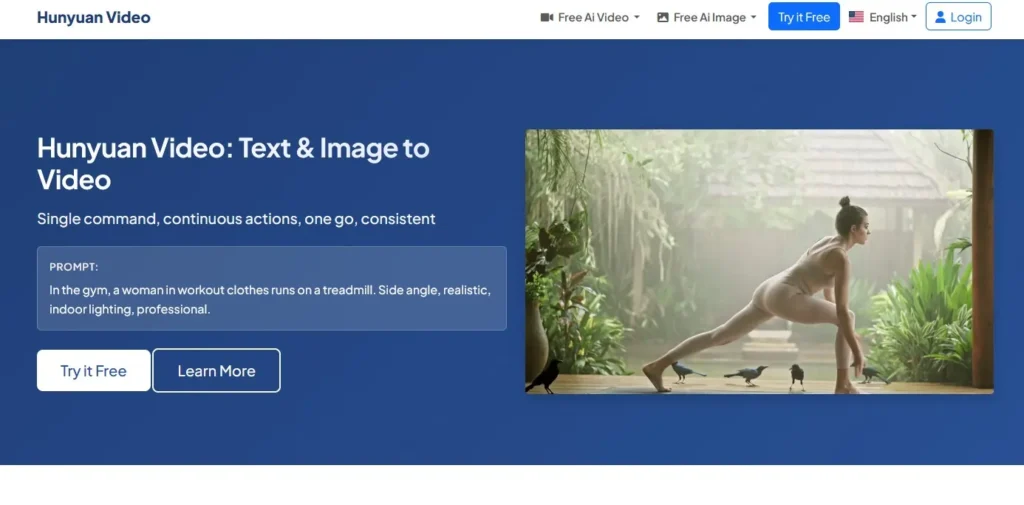
The first AI video generator free tool I tested thoroughly is Hunyuan from Tencent, and it genuinely surprised me with how capable it is without any payment.
What Hunyuan Actually Is
Hunyuan is a collection of AI models from Tencent (the Chinese tech giant behind WeChat) that includes image generation, video generation from text, video generation from images, and 3D model creation.
The video components are what matter for this guide.
Why Hunyuan Stands Out
No credit card required: You can start generating immediately
No hard credit limits: I generated 50+ videos with no blocks
No watermarks: Clean exports
Good quality: Output looks professional for a free tool
Multiple models: Different options for different needs
My Testing Experience
I created 30 test videos over two weeks using Hunyuan. Here’s what I learned:
Access method: You can use Gmail login with just an email verification code. No password setup, no personal information required beyond email.
Generation time: Most videos took 3 to 8 minutes to generate, which is slower than paid tools but acceptable for free.
Quality: Output at 720p looked good. 1080p option exists but takes significantly longer.
Success rate: About 85% of my prompts generated usable video. 15% had weird artifacts or didn’t match my description well.
Hunyuan’s Three Video Models
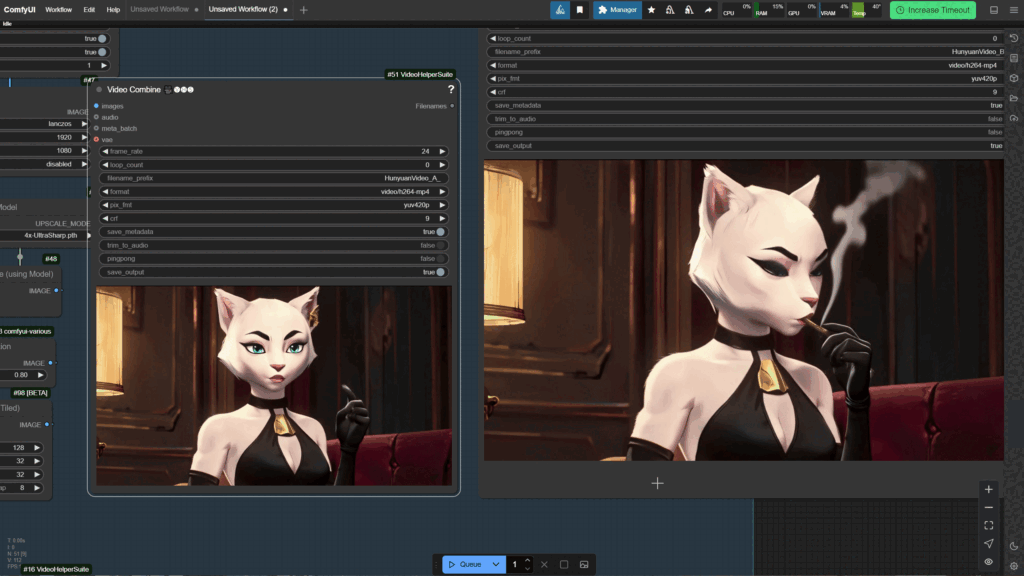
Model 1: Image to Video (I2V)
Upload a static image, describe the motion you want, get an animated video.
Best for: Product demos, animation of artwork, bringing photos to life
Example I tested: Uploaded an AI generated image of a coffee cup, prompted “steam rising from hot coffee, gentle camera push in,” got a smooth 5 second video with realistic steam motion.
Quality: 8/10
Model 2: Text to Video (T2V)
Describe what you want, AI generates the entire video from scratch.
Best for: Quick social media content, b-roll footage, concept videos
Example I tested: “A barista pouring latte art in a ceramic cup, close up shot, warm cafe lighting”
Result: Decent video but hand movements looked slightly unnatural.
Quality: 7/10
Model 3: Advanced T2V (newer model)
Similar to Model 2 but newer algorithm, better quality.
Challenge: Interface is in Chinese, but you can still use it with English prompts.
Quality: 8.5/10
How to Actually Use Hunyuan
Step 1: Go to the Hunyuan platform (search for “Hunyuan AI” or “Tencent Hunyuan Video”)
Step 2: Choose Gmail login option
Step 3: Enter any email address
Step 4: Paste verification code from email
Step 5: Navigate to Video section
Step 6: Choose I2V or T2V based on your needs
Step 7: Enter prompt or upload image
Step 8: Select quality (720p recommended for speed)
Step 9: Enable “prompt enhancer” for better results
Step 10: Wait 3 to 8 minutes
Step 11: Download MP4 filecreation.
Hunyuan Limitations
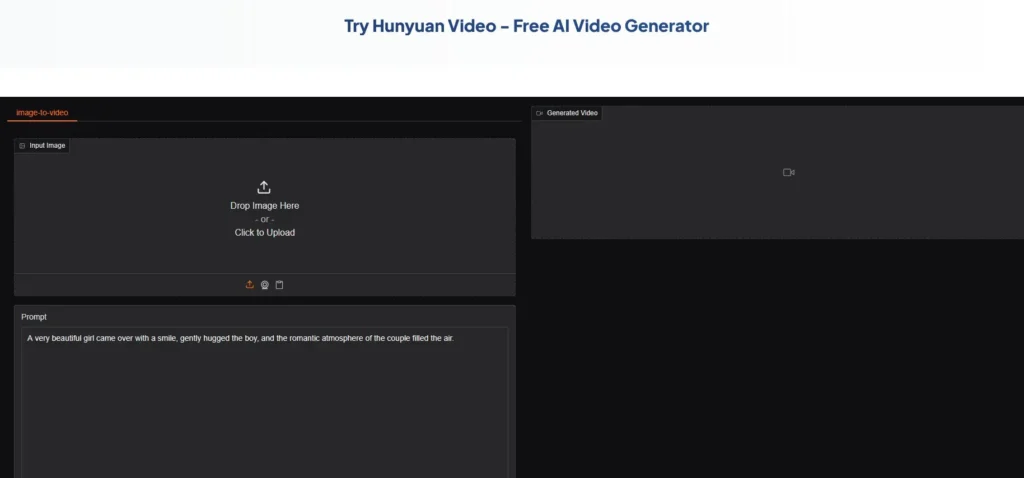
Language barrier: Some interfaces are in Chinese, which can be confusing
Generation time: Slower than paid alternatives
Motion complexity: Simple motions work better than complex actions
Consistency: Same prompt can yield different results
No style control: Limited ability to specify visual style
Who Should Use Hunyuan
This AI video generator free tool is perfect for content creators needing b-roll, marketers making social media content, students working on projects, indie filmmakers prototyping scenes, and anyone wanting unlimited free generations.
Skip Hunyuan if you need guaranteed fast generation (deadlines), perfect consistency (professional client work), or complex character animations (not its strength).
My Verdict on Hunyuan
Rating: 8.5/10 for a free tool
Hunyuan is the best truly free AI video generator free option I tested. Yes, it has limitations and the interface can be clunky, but the fact that you can generate dozens of videos without paying anything makes it incredibly valuable.
For my coffee shop test project, Hunyuan generated a usable promotional video in about 12 minutes of total work including generation time.
2. Runway Gen-2 Free Tier: Best for Quick Tests
Runway is one of the most popular AI video tools, and while it’s primarily a paid service, the free tier is actually usable for limited projects.
What Runway Offers for Free
125 credits per month (roughly 5 to 10 video generations depending on length)
720p resolution
16 second maximum video length
Watermark-free exports
Access to Gen-2 model (their current best public model)
My Testing Experience
I used Runway’s free tier for one month to see if it was practical.
Pros:
- Very high quality output (better than Hunyuan)
- Fast generation (usually under 2 minutes)
- Professional-grade results
- Clean, intuitive interface
Cons:
- Only 5 to 10 videos per month on free tier
- Credits expire monthly (can’t accumulate)
- Some features require paid plan
- Have to manage credit usage carefully
Best use case: When you need one or two really high quality videos per month and Hunyuan’s quality isn’t quite enough.
How to Maximize Runway Free Credits
Tip 1: Test prompts at 4 seconds first (uses fewer credits)
Tip 2: Use image-to-video instead of text-to-video (more predictable, wastes fewer credits on bad results)
Tip 3: Plan your videos before generating (don’t waste credits experimenting)
Tip 4: Use the “free preview” feature when available to see a low-res version first
My Verdict on Runway Free
Rating: 7/10 for free tier
Great quality, but the credit limitation makes it more of a “occasional use” tool rather than a primary AI video generator free solution. Use it for your most important videos, use Hunyuan for everything else.
3. Pika Labs Free Version: Best for Creative Experiments
Pika is an AI video generator free tool with a generous free tier and a fun, creative community.
What Pika Offers for Free
250 credits per month
Basic video generation (text and image input)
Community feed access (see what others are creating)
3 second default videos (can extend with more credits)
No watermarks
My Testing Experience
Pika feels more experimental and artistic than Runway or Hunyuan.
Quality: 6.5/10 for realism, 8/10 for creative/artistic results
Speed: Moderate, 2 to 5 minutes typically
Interface: Discord-based initially, now has web interface
Unique feature: “Crush” and “Inflate” effects that transform objects
Best for: Creative social media content, artistic projects, stylized videos
Not ideal for photorealistic or commercial content.
Pika’s Unique Strengths
Unlike other AI video generator free tools, Pika excels at:
Stylistic transformations Surreal animations Artistic effects Quick iterations (fast editing and regeneration)
For my coffee shop video, Pika created an interesting stylized version with painterly textures, but it wouldn’t work for a professional ad.
My Verdict on Pika
Rating: 7/10 for creative use
If you want realistic commercial videos, skip Pika. If you want creative, eye-catching social media content, Pika’s free tier is excellent.
4. Leonardo.AI Motion: Best for Image Animation
Leonardo is primarily an image generator, but their Motion feature animates images into short videos for free.
What Leonardo Offers for Free
150 tokens daily (resets every 24 hours)
Image-to-video animation
Multiple motion intensity levels
No watermarks
Community model access
How It Works
Generate or upload an image → Click “Motion” → Choose intensity → Wait 1 to 3 minutes → Download 4 second animated video
Limitations:
- Only 4 seconds per video
- Limited motion types (mostly subtle animations)
- Can’t control specific motion direction
- Uses daily token budget
Best use case: Subtle product animations, logo animations, adding life to static images
My Testing Experience
For my coffee shop project, I generated a product shot image with Leonardo, then animated it with Motion.
Result: Subtle steam animation, gentle glow effect. Not cinematic, but added nice movement to what was a static image.
Quality: 6/10 (limited but free and useful for specific needs)
My Verdict on Leonardo Motion
Rating: 6.5/10
Not a full AI video generator free solution, but excellent for adding subtle motion to images. Combine with other tools for best results.
5. Stable Diffusion + Deforum: Best for Technical Users
This isn’t a single tool but a free, open-source workflow that runs on your own computer.
What This Requires
A decent GPU (NVIDIA with 8GB+ VRAM recommended)
Technical setup (installing Python, dependencies, models)
Learning curve (not beginner-friendly)
Time investment (setup can take hours if you’re new)
Why It’s On This List
Once set up, Stable Diffusion with Deforum extension is:
Completely free (no credits, no limits)
Fully customizable (control every parameter)
Privacy-focused (everything runs locally)
No watermarks or restrictions
My Testing Experience
I spent about 4 hours getting this working on my gaming PC (NVIDIA RTX 3070).
Initial learning curve: Steep, frustrating
Once working: Incredibly powerful and flexible
Generation speed: Depends on your hardware (my PC took 5 to 15 minutes per video)
Quality: Comparable to paid tools if you tune parameters correctly
Who This Is For
This AI video generator free approach works for technical users comfortable with command line, developers wanting complete control, privacy-focused creators, and anyone with good GPU hardware already.
Not for beginners wanting quick results or non-technical users.
My Verdict on SD + Deforum
Rating: 9/10 for technical users, 3/10 for beginners
If you’re technical and have the hardware, this is the ultimate free solution. If you’re not technical, stick with the other options.
6. Kaiber Free Trial: Questionable “Free” But Worth Mentioning
Kaiber offers a 7-day free trial, which technically makes it an AI video generator free option for one week.
What the Trial Includes
300 credits
Full access to all features
HD exports
No watermarks during trial
After trial: $5/month minimum
Why I’m Including It
If you need high-quality video for a one-time project and can finish within 7 days, Kaiber’s trial is genuinely useful.
Strategy: Plan your project, sign up for trial, generate everything in one focused session, cancel before trial ends.
Ethical note: This is intended for one-time legitimate use, not repeatedly creating trial accounts to abuse the system.
My Verdict on Kaiber Trial
Rating: 6/10 as “free” (time-limited)
Not a long-term solution, but practical for occasional high-quality needs.
7. CapCut AI Video Features: Best for Quick Edits
CapCut isn’t a traditional AI video generator free tool, but its AI features deserve mention.
What CapCut Offers for Free
AI script-to-video (generates videos from text)
AI avatar videos (talking head from text)
Auto captions and editing
Background removal
Completely free (no credits, no watermarks)
Limitations
Not for creating footage from scratch (uses stock footage and AI combinations)
Template-based (less creative control)
Requires CapCut account
Mobile or desktop app (not web-based)
Best Use Case
Quick social media content, TikTok/Shorts/Reels creation, presentation videos, educational content.
My Verdict on CapCut
Rating: 7.5/10 for its specific use case
Not for cinematic projects, but excellent for fast social media content creation.
Side-by-Side Comparison: All 7 AI Video Generator Free Tools
| Tool | Truly Free? | Quality | Speed | Best For | Limitations |
|---|---|---|---|---|---|
| Hunyuan | ✅ Yes | 8/10 | Slow | Unlimited use | Interface, speed |
| Runway Free | ⚠️ 5-10/month | 9/10 | Fast | Quality over quantity | Credit limit |
| Pika | ⚠️ ~15/month | 7/10 | Medium | Creative content | Not photorealistic |
| Leonardo Motion | ⚠️ Daily limits | 6/10 | Fast | Image animation | 4sec max, subtle |
| SD + Deforum | ✅ Yes | 9/10 | Varies | Full control | Technical setup |
| Kaiber Trial | ❌ 7 days only | 8/10 | Fast | One-time projects | Time limit |
| CapCut | ✅ Yes | 6/10 | Very Fast | Social media | Template-based |
How to Choose the Right AI Video Generator Free Tool
After testing all seven, here’s my honest recommendation guide:
If You Want Unlimited Free Videos:
Use Hunyuan. It’s the only truly unlimited option with decent quality.
If You Need Professional Quality (Occasionally):
Use Runway’s free tier for your most important videos (5 to 10 per month), supplement with Hunyuan for everything else.
If You’re Making Creative/Artistic Content:
Try Pika. The stylistic results are unique and eye-catching.
If You’re Technical and Want Full Control:
Install Stable Diffusion + Deforum. Steep learning curve but ultimate freedom.
If You Need Fast Social Media Content:
Use CapCut. Not for custom footage generation, but excellent for quick templated videos.
If You Have One Big Project:
Sign up for Kaiber’s trial, generate everything in one week, cancel before charged.
If You Just Want to Animate Images:
Leonardo Motion does this well within daily limits.
Common Mistakes When Using AI Video Generator Free Tools
After watching others struggle and making these mistakes myself:
Mistake 1: Not Planning Before Generating
Problem: You waste credits/time generating random ideas to see what happens.
Solution: Write down exactly what you need before opening any tool. Test concepts with the unlimited tool (Hunyuan) first.
Mistake 2: Ignoring the Prompt Enhancer
Problem: Your simple prompts yield mediocre results.
Solution: Use built-in prompt enhancement features when available. On Hunyuan, this dramatically improves motion quality.
Mistake 3: Expecting Instant Hollywood Quality
Problem: Frustration when free tools don’t match $50/month paid services.
Solution: Adjust expectations. Free tools are for learning, testing, and projects where budget is zero. For client work, paid tools are often worth it.
Mistake 4: Not Combining Tools
Problem: Trying to do everything with one tool.
Solution: Generate base video with Hunyuan, edit in CapCut, add finishing touches in free editing software.
Mistake 5: Giving Up After First Bad Result
Problem: One weird output makes you abandon the tool.
Solution: AI video generation has randomness. Same prompt can yield different results. Try 2 to 3 times before judging a tool.
Advanced Tips for Better Free AI Videos
Tip 1: Start with High-Quality Input Images
For image-to-video tools, your source image quality determines output quality.
Use AI image generators first:
- Leonardo.AI (free tier)
- Bing Image Creator (unlimited and free)
- Ideogram (free tier)
Generate perfect base images, then animate them with video tools.
Tip 2: Write Specific Motion Descriptions
Bad prompt:
person walkingBetter prompt:
person in business attire walking confidently toward camera, steady pace, urban sidewalk setting, morning light, slight camera followSpecificity yields better results even on free tools.
Tip 3: Use the Shortest Video Length That Works
Longer videos:
- Take more time to generate
- Use more credits
- Have more chance of weird artifacts
Generate 3 to 5 second clips and combine them in editing rather than trying for 15 second single generations.
Tip 4: Leverage the Community
Most AI video generator free tools have Discord servers or forums where users share:
- Prompts that worked
- Settings that yield best quality
- Workarounds for limitations
Join these communities and learn from others’ experiments.
Tip 5: Batch Your Work
If you’re using credit-limited tools, plan all your videos, generate them in one session, and make the most of your monthly credits.
Don’t waste credits on impulsive experiments.
Frequently Asked Questions About AI Video Generator Free Tools
Q: Are these actually free or will I get charged later?
A: Hunyuan, Stable Diffusion, and CapCut are genuinely free with no hidden charges. Runway, Pika, and Leonardo have free tiers with monthly limits. Kaiber is a time-limited trial.
Always check if a tool requires a credit card during signup. Real free tools don’t.
Q: Can I use free AI-generated videos for commercial projects?
A: Check each tool’s terms of service. Most allow commercial use, but some (like trial periods) may restrict it. Hunyuan allows it. Runway free tier allows it. Always verify.
Q: Why are my free videos low quality?
A: Common reasons include vague prompts (be more specific), wrong settings (check resolution options), using beginner tools for advanced needs (match tool to project), or poor input images for I2V tools.
Q: How long does generation take?
A: Hunyuan: 3 to 8 minutes. Runway: 1 to 2 minutes. Pika: 2 to 5 minutes. Leonardo: 1 to 3 minutes. SD+Deforum: 5 to 20 minutes depending on hardware.
Q: Can I remove watermarks from free tools?
A: Most tools on this list don’t add watermarks. If a tool forces watermarks, it’s not truly free for practical use. Avoid watermark removal software (often degrades quality).
Q: What if I need longer videos?
A: Generate multiple short clips and combine them in free editing software like DaVinci Resolve or CapCut.
Q: Do I need a powerful computer?
A: For web-based tools (Hunyuan, Runway, Pika, Leonardo), any computer works. For Stable Diffusion, you need a decent GPU (8GB+ VRAM recommended).
Q: Are paid tools worth it if I can use free ones?
A: Depends on your needs. For learning and personal projects, free tools are fine. For professional client work with deadlines, paid tools offer reliability, speed, and quality that justify the cost.
My Final Recommendation: The Best AI Video Generator Free Strategy
After two months of testing, here’s the approach I actually use:
My Free Video Generation Workflow
Step 1: Use Bing Image Creator (free, unlimited) to generate base images
Step 2: Animate images with Hunyuan I2V (free, unlimited)
Step 3: Edit and combine clips in CapCut (free)
Step 4: For 1 to 2 critical videos per month, use Runway free tier for best quality
Total cost: $0
Output: 20 to 30 videos per month of varying quality
When I’d Consider Paying
I’d upgrade to paid tools if:
- I had consistent client work requiring guaranteed quality
- My time became more valuable than $30/month in saved hours
- I needed specific features only paid tools offer (like consistent characters)
- Free tool limitations genuinely blocked my projects
But for now, this free workflow meets 90% of my video content needs.
The Honest Truth About Free AI Video Tools
Free AI video generator free tools in 2026 are genuinely usable. They have limitations, they require patience, and they won’t match $100/month professional tools. But they absolutely can create real video content without costing you money.
What you trade for “free”:
- Time (slower generation)
- Convenience (sometimes clunky interfaces)
- Guaranteed quality (more hit or miss)
- Support (community help instead of customer service)
What you get:
- Zero cost
- Unlimited experimentation
- Learning opportunity
- Real usable output
For students, hobbyists, side project creators, and anyone testing ideas, free tools are absolutely sufficient.
Looking Forward
The AI video generator free landscape is improving rapidly. Tools that were paid-only last year now have free tiers. Quality is increasing. Interfaces are getting better.
I expect within 12 months we’ll see even more capable free options as competition drives companies to offer more accessible tiers.
Final Thoughts
You don’t need to spend $50 to $200 per month on AI video tools to create content. The seven AI video generator free options I’ve covered can genuinely produce usable videos for personal projects, social media, learning, and even some professional work.
Hunyuan is my top recommendation for unlimited free use. Runway’s free tier is perfect for occasional high-quality needs. Stable Diffusion is unbeatable if you’re technical and have hardware.
Start with Hunyuan. If you hit its limitations, explore the others. If you eventually need paid tools, you’ll know exactly what features are worth paying for because you’ve pushed free tools to their limits.
The best AI video generator free tool is the one you’ll actually use. Pick one, learn it thoroughly, and start creating.