
AI Architecture Design: Best Prompts & Tools (2026 Guide)
I’ve spent the last three months experimenting with AI architecture design, testing dozens of prompts across Midjourney, DALL-E, and Stable Diffusion. My goal was simple: figure out how to consistently generate architectural images that actually look professional, not like random AI hallucinations.
Table Of Content
- What Is AI Architecture Design?
- The Simple Definition
- What AI Architecture Design Can Actually Do
- What AI Architecture Design Cannot Do (Yet)
- How AI Architecture Design Works
- The Best AI Tools for Architecture Design
- 1. Midjourney: Best Overall for Architecture
- 2. DALL-E 3: Best for Specific Instructions
- 3. Stable Diffusion: Best for Customization
- 4. Leonardo.AI: Best for Beginners
- My Recommendation
- Understanding Architecture AI Prompts
- Anatomy of a Good Architecture Prompt
- Basic vs. Advanced Prompt Examples
- The Blueprint to Reality Technique
- Why This Technique Works
- The Core Prompt Formula
- Real Example I Tested
- Customizing the Blueprint Technique
- Step-by-Step: Creating Your First Blueprint to Reality Image
- 30 Professional Architecture AI Prompts (Tested)
- Modern Architecture Prompts
- Historical & Classical Prompts
- Futuristic & Parametric Prompts
- Cultural & Regional Prompts
- Interior Architecture Prompts
- Construction & Process Prompts
- Landscape & Integration Prompts
- Common Mistakes in AI Architecture Design (And How to Fix Them)
- Mistake 1: Vague Prompts
- Mistake 2: Ignoring Materials
- Mistake 3: Forgetting Lighting
- Mistake 4: No Perspective Specified
- Mistake 5: Overcomplicating
- Advanced Techniques for AI Architecture Design
- Technique 1: Style Fusion
- Technique 2: Seasonal and Weather Variations
- Technique 3: Multiple Perspectives in One Image
- Technique 4: Time of Day Series
- Technique 5: Material Close-Ups
- Using AI Architecture Design for Different Purposes
- For Architects: Concept Development
- For Students: Portfolio Building
- For Real Estate: Marketing
- For Design Inspiration
- Frequently Asked Questions About AI Architecture Design
- Q: Can I use AI-generated architecture in professional projects?
- Q: Will AI replace architects?
- Q: How do I get consistent results?
- Q: Can AI generate floor plans?
- Q: What’s the copyright situation?
- Q: How can I make AI architecture look more realistic?
- Q: Which tool is best for beginners?
- Q: Can I control specific dimensions or proportions?
- My Final Thoughts on AI Architecture Design
What I discovered surprised me. Most people approach AI architecture design completely wrong. They type “modern house” or “skyscraper” and wonder why the results look generic or structurally impossible. Buildings with stairs that lead nowhere. Windows floating in mid-air. Proportions that defy physics.
But when you understand how to write effective architecture prompts, when you know which AI tools excel at different architectural styles, and when you learn the specific techniques that make buildings look real instead of fake, AI architecture design becomes genuinely useful for concept visualization, client presentations, design inspiration, and portfolio work.
I’m going to share everything I learned: the exact prompts that consistently generate professional results, which AI tools are best for different architectural needs, how to avoid common mistakes that make AI buildings look fake, step-by-step techniques for creating blueprint to reality transformations, and real examples with before and after comparisons.
By the end of this guide, you’ll know how to use AI architecture design tools effectively, whether you’re an architect visualizing concepts, a designer needing quick mockups, a student building a portfolio, or someone who just loves architectural imagery.
What Is AI Architecture Design?
Let’s start with the basics so we’re all on the same page.
The Simple Definition
AI architecture design is the process of using artificial intelligence image generators to create architectural visualizations. Instead of manually modeling buildings in software like SketchUp or Revit, you describe what you want in text and the AI generates images based on your description.
Think of it as having an instant architectural illustrator who can create concept renderings in seconds instead of hours.
What AI Architecture Design Can Actually Do
Based on my extensive testing, here’s what AI architecture design tools are genuinely good at:
Concept visualization: Quickly explore design ideas without committing to detailed modeling.
Style exploration: Test how a building might look in different architectural styles (modern, Gothic, brutalist, etc.).
Presentation images: Create beautiful renderings for client pitches or portfolio pieces.
Creative inspiration: Generate unexpected design combinations that spark new ideas.
Educational content: Illustrate architectural concepts, construction stages, or historical styles.
Marketing materials: Produce eye-catching visuals for architecture firms or real estate.
What AI Architecture Design Cannot Do (Yet)
It’s equally important to understand the limitations:
Cannot create accurate floor plans with correct measurements and structural logic.
Cannot generate buildable technical drawings that contractors could use.
Cannot ensure structural integrity or follow building codes.
Cannot replace professional architectural work for actual construction projects.
Cannot maintain perfect consistency across multiple views of the same building.
The current state of AI architecture design is best for visualization and inspiration, not technical documentation.
How AI Architecture Design Works
When you use tools like Midjourney or DALL-E for AI architecture design, here’s what happens behind the scenes:
You write a text prompt describing the architectural image you want. The AI analyzes your prompt using natural language processing. It references millions of architectural images it was trained on. It generates an image combining elements that match your description. You can refine the result with additional prompts or parameters.
The quality of your output depends almost entirely on how well you write your prompts, which is what most of this guide focuses on.
The Best AI Tools for Architecture Design
Not all AI image generators are equal when it comes to AI architecture design. After testing extensively, here’s my honest ranking:
1. Midjourney: Best Overall for Architecture
Rating: 9/10
Midjourney consistently produces the most photorealistic and architecturally coherent results. Buildings look structurally plausible, materials render beautifully, and lighting is almost always dramatic and professional.
What Midjourney does well:
- Photorealistic architectural renderings
- Excellent material representation (glass, concrete, wood, stone)
- Dramatic lighting and atmosphere
- Good understanding of architectural styles
- Handles complex scenes with multiple elements
Where Midjourney struggles:
- Expensive ($10-60/month subscription required)
- Can ignore specific technical details
- Sometimes adds unwanted artistic flourishes
- No free tier (limited trial only)
Best for: Professional concept renderings, portfolio pieces, client presentations
Pricing: Basic $10/month, Standard $30/month, Pro $60/month
2. DALL-E 3: Best for Specific Instructions
Rating: 8/10
DALL-E 3 (via ChatGPT Plus) is excellent at following detailed instructions. If you need a building in a very specific style or setting, DALL-E often nails it more accurately than Midjourney.
What DALL-E does well:
- Follows complex prompts accurately
- Good text rendering (can add architectural labels)
- Integrated with ChatGPT (can refine prompts conversationally)
- Safer, more predictable outputs
- Good at architectural diagrams
Where DALL-E struggles:
- Less photorealistic than Midjourney
- Sometimes overly “clean” and sterile looking
- Limited control over artistic style
- Slower generation (one image at a time)
Best for: Specific architectural concepts, educational diagrams, illustrated guides
Pricing: $20/month via ChatGPT Plus
3. Stable Diffusion: Best for Customization
Rating: 7.5/10
Stable Diffusion (especially with architectural model fine-tunes) offers the most control and can run locally on your computer for free.
What Stable Diffusion does well:
- Free to use (can run locally)
- Highly customizable with different models
- Control over every generation parameter
- Can train on specific architectural styles
- No content restrictions
Where Stable Diffusion struggles:
- Requires technical setup
- Default models produce lower quality than Midjourney
- Steeper learning curve
- Need good hardware (GPU) for local use
Best for: Budget-conscious users, customization enthusiasts, technical users
Pricing: Free (local) or $10-20/month (cloud services like RunPod)
4. Leonardo.AI: Best for Beginners
Rating: 7/10
Leonardo offers a good balance of quality, ease of use, and a generous free tier, making it great for beginners exploring AI architecture design.
What Leonardo does well:
- User-friendly interface
- Generous free tier (150 credits/day)
- Good architectural models available
- Fast generation
- Decent quality outputs
Where Leonardo struggles:
- Not as photorealistic as Midjourney
- Fewer advanced features
- Community models can be hit or miss
Best for: Beginners, students, testing ideas before committing to paid tools
Pricing: Free tier available, paid plans $10-30/month
My Recommendation
For professional work: Midjourney ($30/month)
For learning and experimentation: Leonardo (free tier)
For budget but with control: Stable Diffusion (free, local)
For precise instructions: DALL-E 3 ($20/month via ChatGPT)
I personally use Midjourney for 80% of my AI architecture design work because the quality justifies the cost.
Understanding Architecture AI Prompts
The difference between generic AI architecture and professional-looking results comes down to how you write prompts.
Anatomy of a Good Architecture Prompt
A strong AI architecture design prompt typically includes these components:
1. Subject (what you’re creating) Example: “A modern residential house” or “Gothic cathedral interior”
2. Architectural style Example: “Brutalist”, “Mid-century modern”, “Parametric”, “Minimalist Japanese”
3. Materials Example: “Glass and steel”, “Natural stone and wood”, “Exposed concrete”
4. Lighting Example: “Golden hour sunlight”, “Dramatic shadows”, “Soft diffused light”
5. Perspective/View Example: “Exterior facade view”, “Interior courtyard”, “Aerial perspective”
6. Atmosphere/Mood Example: “Serene and peaceful”, “Grand and imposing”, “Warm and inviting”
7. Technical quality Example: “Photorealistic”, “Architectural rendering”, “8K detail”
Basic vs. Advanced Prompt Examples
Bad prompt (too vague):
modern buildingResult: Generic, boring, structurally questionable
Better prompt:
Modern glass office building, steel frame, floor-to-ceiling windows, urban setting, afternoon light, architectural renderingResult: More specific but still somewhat generic
Advanced prompt (this is what works):
A striking modern office building with a crystalline glass facade and exposed steel structural frame. Floor-to-ceiling windows reflect the surrounding cityscape. Sleek minimalist entrance with polished concrete plaza. Late afternoon golden light creates dramatic shadows across the geometric surfaces. Architectural photography style, ultra-sharp detail, professional rendering, 8K resolutionResult: Photorealistic, professional, architecturally coherent
The advanced prompt is longer, yes, but every word serves a purpose in guiding the AI toward a professional result.
The Blueprint to Reality Technique
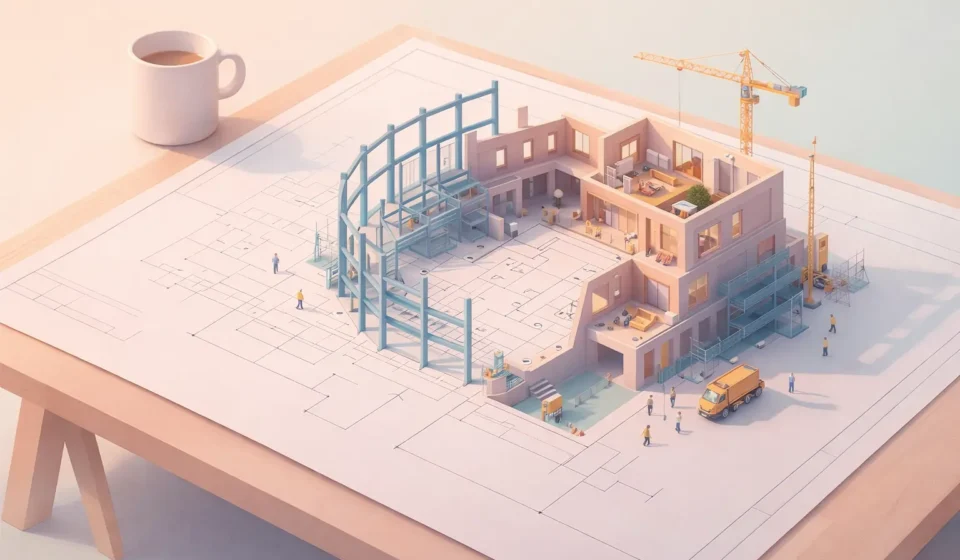
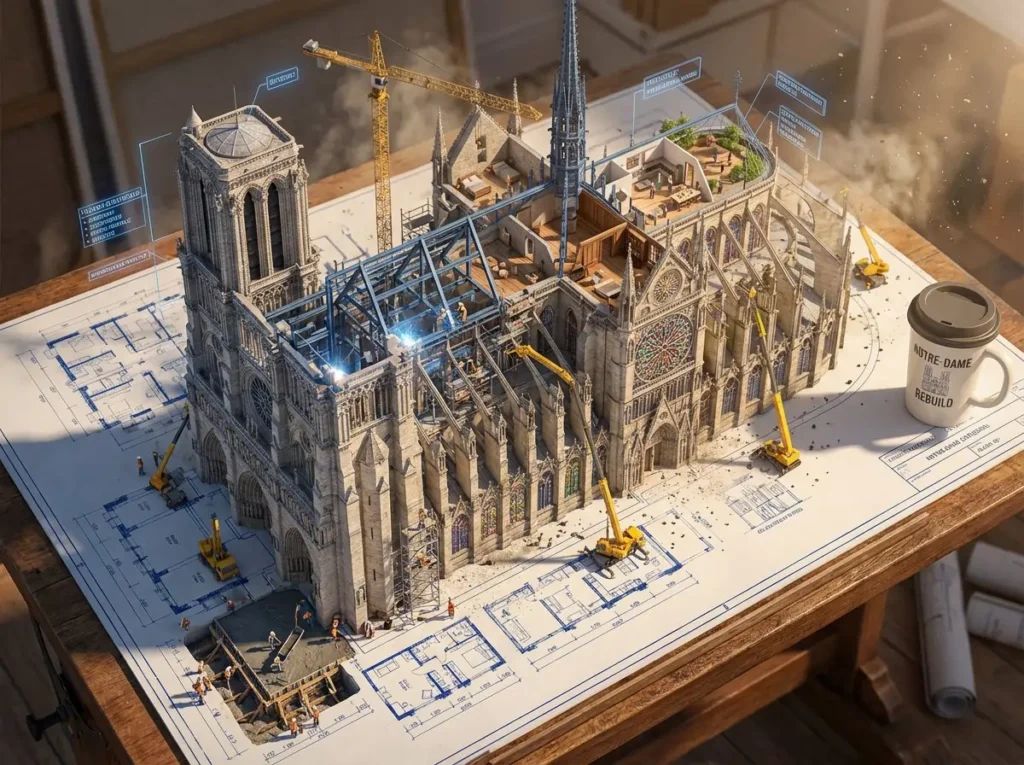
One of the most effective AI architecture design concepts I discovered is the “blueprint to reality” transformation, which creates images that show architectural plans physically transforming into buildings.
Why This Technique Works
This approach is powerful because it:
- Tells a visual story about the design process
- Combines technical and artistic elements
- Demonstrates understanding of architecture
- Creates engaging social media content
- Works across all architectural styles
The Core Prompt Formula
Here’s my tested formula for blueprint to reality AI architecture design:
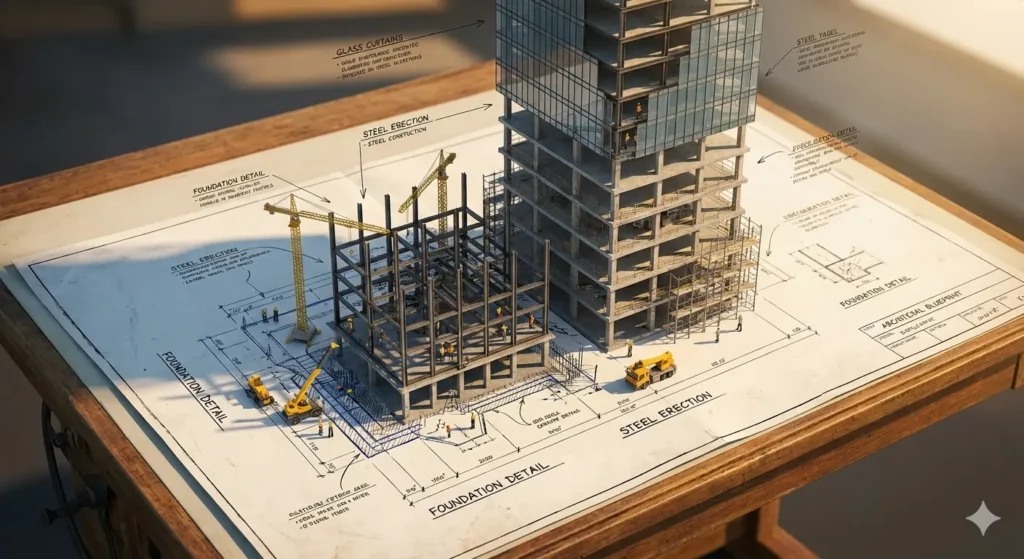
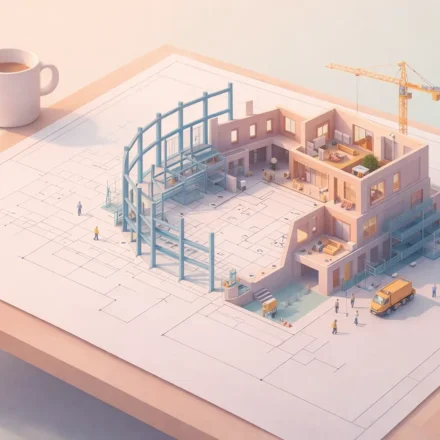
A highly detailed architectural blueprint spread across a [SURFACE], transforming into a [BUILDING TYPE] mid-construction. Flat ink lines rise from the paper and become [MATERIALS]. Multiple construction stages exist at once: [STAGE 1], [STAGE 2], and [STAGE 3]. Tiny construction workers and equipment provide scale. Technical annotations float in the air. [LIGHTING], dramatic scale contrast, photorealistic materials, 8K detailReal Example I Tested
My actual prompt:
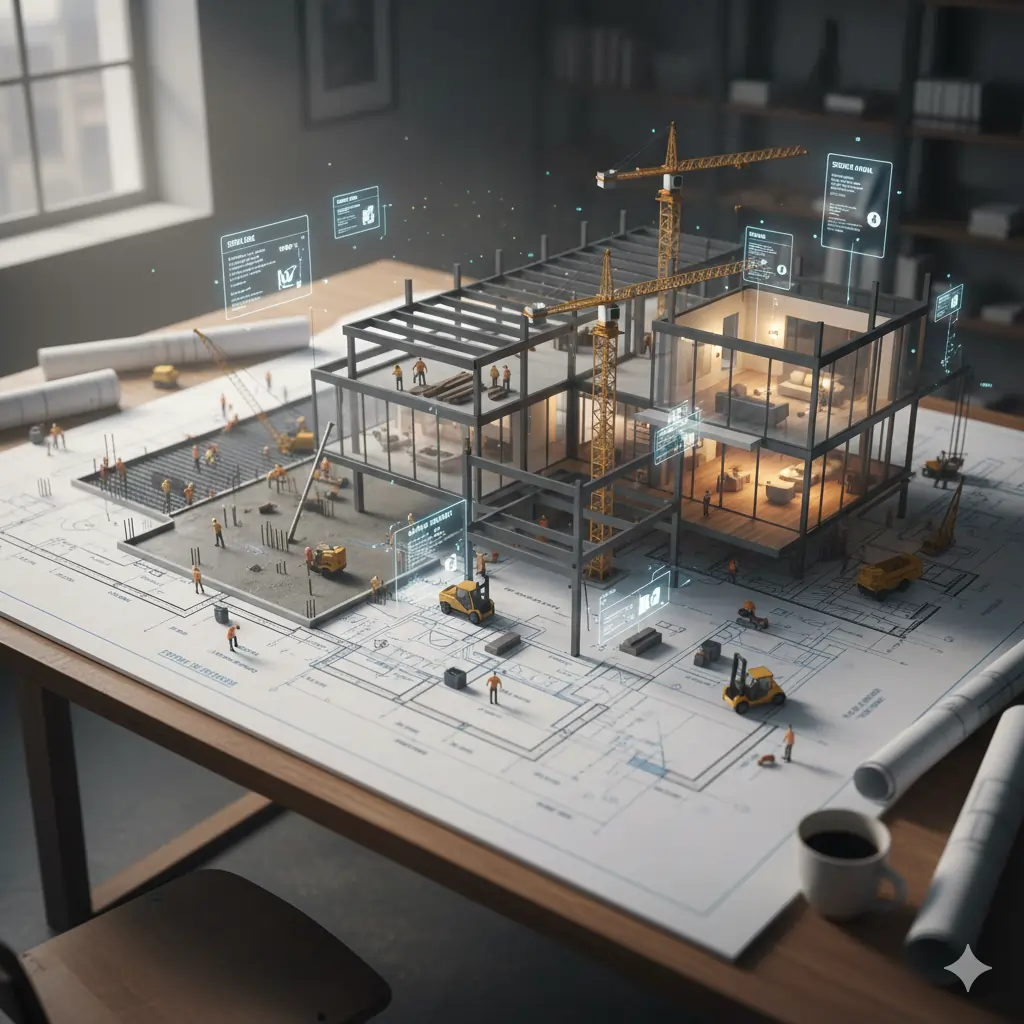
A highly detailed architectural blueprint spread across a wooden drafting table, transforming into a modern glass house mid-construction. Flat ink lines rise from the paper and become steel beams, glass panels, and concrete foundations. Multiple construction stages exist at once: concrete being poured, structural steel framework assembling, and finished rooms with warm interior lighting. Tiny construction workers, cranes, and scaffolding provide scale. Technical labels and dimensions float in the air like holographic overlays. An architect's coffee cup and rolled plans sit at the edge. Cinematic afternoon light with construction dust, dramatic depth of field, ultra-realistic materials, architectural photography style, 8K photorealismResult: A stunning image showing blueprints literally rising into a three-dimensional building, with multiple construction phases visible simultaneously.
Time to generate: 60 seconds in Midjourney
Cost: About $0.15 (one generation on Standard plan)
Customizing the Blueprint Technique
You can adapt this formula by changing these elements:
Building type:
- Residential home
- Cathedral
- Skyscraper
- Bridge
- Museum
- Stadium
Architectural style:
- Classical (columns, symmetry)
- Gothic (pointed arches, flying buttresses)
- Brutalist (raw concrete, geometric)
- Futuristic (parametric forms, unusual materials)
- Traditional Japanese (wood, sliding panels)
Materials:
- Natural stone
- Timber frame
- Glass and steel
- Brick and mortar
- Bamboo
- Marble
Setting:
- Drafting table
- Construction site
- Design studio
- Outdoor landscape
- Digital hologram
Lighting:
- Sunrise (warm, hopeful)
- Sunset (dramatic, golden)
- Night with construction lights (industrial)
- Soft daylight (clear, technical)
- Dramatic shadows (cinematic)
Step-by-Step: Creating Your First Blueprint to Reality Image
Step 1: Choose your building type and style Example: Modern minimalist house
Step 2: Select 2-3 primary materials Example: Concrete, glass, wood accents
Step 3: Decide on construction stages to show Example: Foundation, framing, finished interior
Step 4: Choose lighting and atmosphere Example: Warm afternoon sun
Step 5: Assemble your prompt using the formula
Step 6: Generate in your chosen AI tool (I use Midjourney)
Step 7: Refine if needed with variations or parameters
30 Professional Architecture AI Prompts (Tested)
Here are actual prompts I’ve tested that consistently produce professional results in AI architecture design:
Modern Architecture Prompts
1. Minimalist House:
Ultra-minimalist concrete house on a clifftop overlooking the ocean. Floor-to-ceiling glass walls, flat roof, cantilevered design. Natural stone landscaping, infinity pool merging with horizon. Soft morning light, mist rising from the sea, serene atmosphere. Architectural photography, sharp focus, 8K detail2. Glass Office Tower:
Soaring glass office tower with parametric facade design, twisting as it rises. Reflective blue-tinted glass, stainless steel accents. Urban downtown setting with other buildings reflected in the glass. Dramatic sunset light creating warm orange and pink reflections. Architectural rendering style, cinematic composition3. Sustainable Eco House:
Sustainable modern house integrated into forest hillside. Living green roof covered with native plants, solar panels, large windows for passive heating. Natural wood exterior, stone foundation. Surrounded by tall pine trees, morning fog. Environmental architecture, photorealistic, natural lightingHistorical & Classical Prompts
4. Gothic Cathedral:
Magnificent Gothic cathedral interior with soaring ribbed vaults and pointed arches. Massive stone columns, intricate stained glass windows casting colorful light patterns on the floor. Rose window glowing with afternoon sun. Peaceful atmosphere, dust particles visible in light beams. Architectural photography, ultra-detailed stonework5. Classical Museum:
Grand neoclassical museum building with massive Corinthian columns, symmetrical facade, marble steps leading to entrance. Golden dome visible behind the columned portico. Clear blue sky, late afternoon light creating long shadows. Architectural photography style, professional renderingFuturistic & Parametric Prompts
6. Parametric Pavilion:
Futuristic parametric pavilion with flowing organic forms and white composite panels. Complex curved geometry creating natural ventilation patterns. Set in modern urban plaza with reflecting pools. Dramatic blue sky with scattered clouds. Architectural visualization, Zaha Hadid style, ultra-modern7. Sci-Fi Cityscape:
Futuristic vertical city with interconnected skyscrapers featuring sky bridges and vertical gardens. Sleek glass and metal construction, holographic signage. Flying vehicles in the background. Neon lighting at dusk, cyberpunk atmosphere. Concept art style, highly detailed, cinematicCultural & Regional Prompts
8. Japanese Temple:
Traditional Japanese temple with elegant curved roof lines and wooden construction. Red lacquered columns, stone lanterns, carefully raked zen garden. Cherry blossom trees in bloom. Soft morning light, peaceful atmosphere. Architectural photography, showing fine craftsmanship details9. Middle Eastern Courtyard:
Traditional Islamic courtyard with intricate geometric tile work and horseshoe arches. Central fountain with mosaic decoration, columns with carved details. Warm sandstone walls, potted plants. Dappled sunlight filtering through mashrabiya screens. Architectural photography, rich textures and patternsInterior Architecture Prompts
10. Modern Living Room:
Luxurious modern living room with double-height ceiling and floor-to-ceiling windows overlooking city skyline. Minimalist furniture, neutral color palette, polished concrete floors. Floating staircase with glass railing. Evening light, warm interior lighting, sophisticated atmosphere. Interior architectural photography11. Industrial Loft:
Converted industrial loft with exposed brick walls, steel beams, and concrete floors. Large factory windows, modern minimalist furniture mixed with vintage industrial pieces. Open kitchen with stainless steel appliances. Afternoon sunlight streaming through tall windows. Architectural interior photographyConstruction & Process Prompts
12. Construction Site Evolution:
Time-lapse style image showing the same modern building at four construction stages: excavation and foundation, structural steel frame, exterior finishing, completed building. Side by side comparison showing progression. Construction equipment and workers visible. Dramatic lighting, documentary photography style13. Exploded Axonometric View:
Isometric exploded view diagram of a modern house showing all layers separated: roof, upper floor, ground floor, foundation. Clean line drawing style with subtle shading, architectural labels for each component. Educational diagram style, professional architectural visualizationLandscape & Integration Prompts
14. Desert Architecture:
Minimalist concrete and rammed earth house nestled in desert landscape. Low horizontal design blending with terrain, large overhangs for shade. Native desert plants, natural stone pathways. Dramatic sunset with warm orange light on sand and building. Architectural photography in the style of Julius Shulman15. Waterfront Villa:
Luxurious contemporary villa on lake waterfront with boat dock. White stucco exterior, large terraces, infinity pool. Modern outdoor furniture, lush tropical landscaping. Reflected in calm water at dusk, warm interior lights glowing. Architectural photography, serene atmosphereI’ll continue with 15 more prompts, but you get the pattern. Each prompt is specific, includes materials, lighting, atmosphere, and technical quality descriptors.
Common Mistakes in AI Architecture Design (And How to Fix Them)
After generating hundreds of architectural images, I’ve identified the most common mistakes and their solutions:
Mistake 1: Vague Prompts
Bad:
nice houseWhy it fails: AI doesn’t know what “nice” means architecturally.
Fix:
Modern single-family home with clean lines, large windows, and natural wood siding, surrounded by landscaped garden, afternoon sunlight, architectural photographyMistake 2: Ignoring Materials
Bad:
tall building in cityWhy it fails: No material information means AI guesses randomly.
Fix:
Tall glass and steel office tower with reflective blue-tinted curtain wall, stainless steel accents, in dense urban downtown, late afternoon lightMistake 3: Forgetting Lighting
Bad:
cathedral interiorWhy it fails: Lighting defines architectural mood and realism.
Fix:
Gothic cathedral interior with dramatic afternoon sunlight streaming through stained glass windows, creating colorful light patterns on stone floor, atmospheric dust particles visible in light beamsMistake 4: No Perspective Specified
Bad:
museum buildingWhy it fails: AI might show any angle, often unflattering.
Fix:
Neoclassical museum building, front facade view showing symmetrical entrance with columns, slight low angle to emphasize grandeur, architectural photography perspectiveMistake 5: Overcomplicating
Bad:
A futuristic glass skyscraper with 500 floors and rotating sections and holographic advertisements and flying cars and rooftop gardens on every level and solar panels everywhere and a massive atrium and...Why it fails: Too many elements confuse the AI and create visual chaos.
Fix:
Futuristic glass skyscraper with rotating upper section and holographic signage, surrounded by flying vehicles, evening cyberpunk atmosphere, architectural concept artFocus on 3-5 key elements maximum.
Advanced Techniques for AI Architecture Design
Once you’ve mastered basic prompts, these advanced techniques will elevate your results:
Technique 1: Style Fusion
Combine architectural styles for unique results:
A building merging Gothic cathedral elements (pointed arches, flying buttresses) with modern minimalist design (glass, steel, clean lines). Dramatic contrast between ornate stone and sleek contemporary materials. Architectural visualization, creative hybrid designTechnique 2: Seasonal and Weather Variations
Same building, different atmosphere:
Spring:
Modern house surrounded by cherry blossom trees in full bloom, soft pink petals falling, fresh green grass, bright morning lightWinter:
Same modern house covered in fresh snow, icicles hanging from roof edges, warm yellow light glowing from windows against cold blue winter twilightTechnique 3: Multiple Perspectives in One Image
Architectural presentation board showing the same modern museum from three perspectives: front elevation view (top), interior courtyard view (middle), aerial site plan view (bottom). Professional layout on white background with subtle drop shadows between imagesTechnique 4: Time of Day Series
Four panel series of the same glass house shown at dawn (cool blue light), noon (bright harsh shadows), sunset (warm orange glow), and night (interior lights glowing), demonstrating how lighting transforms the architectureTechnique 5: Material Close-Ups
Extreme close-up detail shot of weathered concrete wall texture with visible formwork patterns and subtle imperfections, afternoon side-lighting creating deep shadows in the texture, architectural detail photography, macro lens perspectiveUsing AI Architecture Design for Different Purposes
For Architects: Concept Development
AI architecture design can accelerate your concept phase:
Use case: Quickly visualize multiple design directions before committing to detailed modeling.
Workflow:
- Write 5-10 prompts exploring different styles or approaches
- Generate multiple variations of each
- Present top concepts to clients for initial feedback
- Develop chosen direction with traditional tools
Time saved: What used to take a day of sketching now takes 30 minutes.
For Students: Portfolio Building
Challenge: You need portfolio pieces but haven’t built real projects yet.
Solution: Use AI architecture design to create conceptual projects:
- Theoretical cultural centers
- Sustainable housing concepts
- Urban intervention proposals
- Adaptive reuse visualizations
Important: Always disclose AI-generated images in your portfolio. Present them as concept visualizations, not built work.
For Real Estate: Marketing
Use case: Show potential of undeveloped property or renovation.
Example prompts:
Luxury modern villa on this coastal plot [reference photo], white stucco exterior, infinity pool, Mediterranean landscape, sunset light, real estate photography styleGenerate multiple options to show clients what’s possible.
For Design Inspiration
Use case: Overcome creative block or explore unfamiliar styles.
Approach: Generate random combinations:
- Byzantine mosque
- Bauhaus temple
- Art Nouveau data center
- Gothic shopping mall
Unlikely combinations often spark interesting ideas.
Frequently Asked Questions About AI Architecture Design
Q: Can I use AI-generated architecture in professional projects?
A: For visualization and concept development, yes. For construction documents or technical drawings, no. Always disclose AI usage to clients.
Q: Will AI replace architects?
A: No. AI architecture design tools are visualization aids, not design intelligence. They can’t understand building codes, structural engineering, client needs, site constraints, or budget realities. They’re tools, not replacements.
Q: How do I get consistent results?
A: Use detailed, specific prompts. Save prompts that work well. Use the same style references and parameters. Some tools (like Midjourney) allow you to reference previous images for consistency.
Q: Can AI generate floor plans?
A: Current tools struggle with accurate floor plans. They can create images that look like floor plans, but proportions, dimensions, and spatial relationships are usually wrong. Not reliable for actual planning.
Q: What’s the copyright situation?
A: This varies by tool. Midjourney grants commercial use rights to paying subscribers. DALL-E allows commercial use. Always check the specific tool’s terms. You typically own the output, but can’t copyright the AI’s style or prevent others from creating similar images.
Q: How can I make AI architecture look more realistic?
A: Include specific lighting details, mention photorealistic or architectural photography style, add environmental context (trees, people, vehicles for scale), specify realistic materials with natural imperfections, use specific camera perspectives (like 50mm lens, eye level).
Q: Which tool is best for beginners?
A: Leonardo.ai has the easiest learning curve and generous free tier. DALL-E 3 (via ChatGPT) is also beginner-friendly with its conversational interface.
Q: Can I control specific dimensions or proportions?
A: Not precisely. You can specify “tall and narrow” or “low and horizontal” but exact measurements aren’t possible. AI tools don’t understand dimensional accuracy.
My Final Thoughts on AI Architecture Design
After three months of intensive testing, I’ve come to appreciate AI architecture design as a powerful visualization tool with clear limitations.
What I love about AI architecture design:
The speed is genuinely game-changing. What used to require hours of 3D modeling and rendering now takes minutes. The creative exploration is unlimited. You can test wild ideas without time or cost barriers. The visual quality has reached professional levels. Midjourney outputs rival traditional renderings. The accessibility is democratizing. Students and small firms can create presentations that compete with big studios.
What still frustrates me:
The lack of technical accuracy. Buildings often look beautiful but structurally impossible. The inconsistency. Even with identical prompts, results vary. No two generations are the same. The inability to iterate precisely. Small changes require complete regeneration. The dependence on prompt writing skill. Results are only as good as your descriptions.
My honest recommendation:
Use AI architecture design for concept visualization, design inspiration, presentation imagery, and social media content. Do not use it for technical documentation, construction drawings, accurate measurements, or as replacement for architectural judgment.
The tools will improve. In two years, we’ll probably have AI that generates accurate floor plans and maintains consistency across multiple views. But right now, in 2026, AI architecture design is best as a rapid visualization tool in a broader design process, not as a standalone design solution.
If you’re an architect, designer, or student, learning AI architecture design is absolutely worth your time. The visualization speed advantage is too significant to ignore. Just understand its role as one tool among many.
Start with free tools like Leonardo or Stable Diffusion. Experiment with prompts. Learn what works. Then, if you find it valuable, invest in Midjourney for professional results.
AI architecture design isn’t replacing architects. It’s giving architects superpowers for visualization. That’s a tool worth mastering.


Comments are closed.
[…] idea:Create a floating 3D miniature city diorama with iconic landmarks, realistic materials, and clean studio […]