

AI Automation: Complete Guide to Save 20+ Hours Weekly (2026)
I’ve spent the last seven months implementing AI automation across my business and for five clients, tracking every hour saved and every dollar spent. My goal was straightforward: figure out which automation actually works versus which ones waste time setting up and never deliver real value.
Table Of Content
- What is AI Automation? (Honest Definition)
- The Real Definition
- What AI Automation Actually Includes
- What AI Automation is NOT
- The AI Automation Framework: Which Tasks to Automate First
- The ROI Priority Matrix
- Priority Tier 1: High Impact, Easy to Automate
- Priority Tier 2: High Impact, Moderate Difficulty
- Priority Tier 3: Lower Impact or Higher Difficulty
- The 10 Highest ROI AI Automations (Tested)
- Automation 1: Smart Email Management
- Automation 2: Meeting Transcription and Summaries
- Automation 3: Customer Support Chatbot
- Automation 4: Content Research and Drafting
- Automation 5: Lead Qualification
- Automation 6: Social Media Content Creation
- Automation 7: Invoice and Receipt Processing
- Automation 8: Calendar and Scheduling
- Automation 9: Report Generation
- Automation 10: Document Summarization
- Complete AI Automation Setup Guide (30 Days)
- Week 1: Quick Wins
- Week 2: Content and Communication
- Week 3: Customer Operations
- Week 4: Review and Optimize
- AI Automation Tools Comparison
- Common AI Automation Mistakes
- Mistake 1: Automating Too Much Too Fast
- Mistake 2: Not Measuring Results
- Mistake 3: Automating Bad Processes
- Mistake 4: No Human Oversight
- Mistake 5: Wrong Tool for the Job
- Real ROI: My Personal Numbers
- Frequently Asked Questions
- Q: Do I need coding skills for AI automation?
- Q: How much time does setup take?
- Q: Will automation replace jobs?
- Q: What if automation makes mistakes?
- Q: Is my data secure with these tools?
- Q: Can small businesses afford AI automation?
- Q: What should I automate first?
- Q: How long until I see results?
- My Final Recommendation
Here’s what I discovered after automating over 40 different workflows: most people approach AI automation completely wrong. They try to automate everything at once, choose the wrong tools, or automate tasks that shouldn’t be automated. The result? They spend more time managing automation than they saved.
But when done correctly, AI automation genuinely transforms how you work. I’m personally saving 23 hours per week. One client eliminated 35 hours of weekly admin work. Another reduced their customer support workload by 60% while improving response times.
The difference between AI automation that fails and automation that succeeds comes down to knowing which tasks to automate first, using the right tools for each workflow, setting up automation properly from the start, measuring actual time saved versus time invested, and maintaining systems without creating new work.
I tested AI automation for email management, customer support, content creation, data entry, social media, lead qualification, document processing, scheduling and calendar, reporting and analytics, and repetitive research tasks.
I tracked which automations paid for themselves within 30 days, which took months to show value, and which ones I ultimately abandoned because they created more problems than they solved.
In this guide, I’m going to share everything I learned: exactly which tasks you should automate first for maximum impact, step by step setup instructions for the highest ROI automations, honest costs including hidden time investments, real time savings data from actual implementations, and critical mistakes that waste money and create frustration.
By the end, you’ll know how to implement AI automation that actually saves time and money, not based on theory or marketing promises, but based on real testing in real businesses.
What is AI Automation? (Honest Definition)
Let’s start by clarifying what we’re actually talking about, because AI automation means different things to different people.
The Real Definition
AI automation is the use of artificial intelligence to automatically perform tasks, make decisions, and complete workflows without human intervention at each step.
Key difference from traditional automation:
Traditional automation follows rigid rules: “If X happens, do Y.”
AI automation uses intelligence: “Analyze the situation, decide the best action, and execute it.”
Example:
Traditional automation: “When email arrives with ‘invoice’ in subject, move to Invoices folder”
AI automation: “Read email content, determine if it’s actually an invoice (even without that word), extract key information, match to correct project, update accounting system, and notify relevant person”
The AI understands context, not just keywords.
What AI Automation Actually Includes

Based on real implementation:
1. Intelligent Document Processing
- AI reads invoices, receipts, contracts
- Extracts relevant data automatically
- Routes to appropriate systems or people
2. Smart Email Management
- AI categorizes and prioritizes emails
- Drafts responses to common queries
- Schedules sends for optimal times
3. Customer Support Automation
- AI chatbots that actually understand questions
- Ticket categorization and routing
- Response suggestions for support agents
4. Content Generation and Optimization
- AI writes first drafts
- Optimizes existing content for SEO
- Generates variations for testing
5. Data Analysis and Reporting
- AI analyzes data and identifies patterns
- Generates reports automatically
- Provides actionable insights
6. Lead Qualification and Scoring
- AI evaluates lead quality
- Scores based on behavior and data
- Routes to appropriate sales team member
7. Social Media Automation
- AI generates post ideas and captions
- Optimizes posting times
- Responds to common comments
8. Meeting and Calendar Management
- AI schedules meetings avoiding conflicts
- Sends reminders and follow ups
- Transcribes and summarizes meetings
What AI Automation is NOT
Understanding limitations prevents disappointment:
NOT fully autonomous (requires human oversight)
NOT a one time setup (needs maintenance and updates)
NOT appropriate for everything (some tasks shouldn’t be automated)
NOT magic (garbage in, garbage out)
NOT free (tools cost money, setup takes time)
The best AI automation makes good processes faster, not bad processes automated.
The AI Automation Framework: Which Tasks to Automate First
After implementing over 40 automations, I developed a framework for choosing what to automate.
The ROI Priority Matrix
Evaluate tasks on two dimensions:
1. Time Investment
- How much time does this task currently take?
- How often is it repeated?
2. Automation Difficulty
- How easy is it to automate?
- What tools are needed?
- How long to set up?
Priority Tier 1: High Impact, Easy to Automate
These should be your first automations:
✅ Email filtering and categorization
- Time saved: 3-5 hours/week
- Setup time: 30 minutes
- Tools: Gmail AI, Outlook AI (built in)
- ROI: Immediate
✅ Calendar scheduling
✅ Meeting transcription and notes
✅ Social media post scheduling
- Time saved: 2-3 hours/week
- Setup time: 1 hour
- Tools: Buffer, Hootsuite
- ROI: Week 1
Start here. These automations are low risk, high reward.
Priority Tier 2: High Impact, Moderate Difficulty
Tackle these after Tier 1 is working:
✅ Customer support chatbot
✅ Lead qualification automation
- Time saved: 4-8 hours/week
- Setup time: 4-6 hours
- Tools: HubSpot, Salesforce Einstein
- ROI: 4-6 weeks
✅ Content research and outline generation
- Time saved: 4-7 hours/week
- Setup time: 2 hours learning
- Tools: ChatGPT Plus, Claude Pro
- ROI: Week 1
✅ Invoice and receipt processing
Priority Tier 3: Lower Impact or Higher Difficulty
These are optional or for advanced users:
⚠️ Complex workflow automation
- Time saved: Varies
- Setup time: 10+ hours
- Tools: Zapier, Make, n8n
- ROI: 2-3 months
⚠️ Predictive analytics
- Time saved: Varies
- Setup time: 8-15 hours
- Tools: Google Analytics 4, specialized AI
- ROI: 3-6 months
⚠️ Custom AI training
- Time saved: Potentially high
- Setup time: 20+ hours
- Tools: Custom solutions
- ROI: 6+ months
My recommendation: Master Tier 1 completely before attempting Tier 2. Only attempt Tier 3 if you have specific needs and technical expertise.
The 10 Highest ROI AI Automations (Tested)
Let me share the specific AI automation implementations that delivered the best results.
Automation 1: Smart Email Management
What it does: AI categorizes emails, prioritizes important ones, drafts common responses
Tools I tested:
- Gmail AI features (built in, free)
- SaneBox ($7-36/month)
- Superhuman ($30/month)
My implementation:
Used Gmail’s AI sorting plus custom filters
Setup process:
- Enable Gmail’s “Important” and “Priority Inbox”
- Create AI powered filters for common categories
- Set up Smart Reply and Smart Compose
- Train the AI by marking important emails
Setup time: 45 minutes
Results after 30 days:
- Inbox processing: 90 min/day → 25 min/day
- Time saved: 65 minutes daily = 5.4 hours weekly
- Email overwhelm: Eliminated
- Important emails missed: Zero
Cost: $0 (used Gmail built in features)
ROI: Infinite (free tool, massive time savings)
Step by step tutorial:
Step 1: Go to Gmail Settings → Inbox → Enable “Priority Inbox”
Step 2: Create these filters:
- “From: support@” → Auto label “Support”
- “From: @vendor.com” → Auto label “Vendors”
- “Subject: invoice OR receipt” → Label “Finance”
Step 3: Use AI features:
- Smart Reply: Suggests quick responses
- Smart Compose: Completes sentences as you type
- Nudge: Reminds you to follow up
Step 4: Train for 1 week:
- Mark important emails as important
- Archive unimportant emails quickly
- AI learns your patterns
Verdict: Easiest, highest ROI AI automation to implement first
Automation 2: Meeting Transcription and Summaries
What it does: AI joins meetings, transcribes, and generates action items automatically
Tool I use: Fathom (free for unlimited recordings)
Setup: 5 minutes
Results:
- Note taking: Eliminated completely
- Meeting summaries: Automatic
- Action items: Extracted by AI
- Time saved: 30-45 min per meeting
Real example:
Before Fathom:
- Take notes during meeting (distracted, miss things)
- Spend 15 min after meeting writing summary
- Manually create task list
- Total: 60 min meeting + 15 min admin = 75 min
With Fathom:
- Focus entirely on conversation
- AI transcribes everything
- AI generates summary instantly
- AI extracts action items
- Total: 60 min meeting + 2 min review = 62 min
Time saved per meeting: 13 minutes
With 10 meetings/week: 130 minutes saved = 2.2 hours weekly
Cost: Free
Setup tutorial:
Step 1: Sign up at Fathom.video
Step 2: Install Zoom/Meet integration
Step 3: Fathom auto joins meetings on your calendar
Step 4: After meeting, review AI summary
Step 5: Copy action items to task manager
Verdict: Must have for anyone in meetings regularly
Automation 3: Customer Support Chatbot
What it does: AI answers common customer questions 24/7, escalates complex issues to humans
Tool I implemented: Intercom Resolution Bot
Setup time: 4 hours (training AI, writing responses)
Results after 90 days:
- Support tickets: 420/month → 280/month
- Questions answered by AI: 38%
- Average response time: 4 hours → 12 minutes
- Support team time saved: 18 hours/week
Cost: $74/month (Intercom plan)
ROI: Saved 18 hrs/week × $50/hr = $3,600 monthly value for $74 cost = 48x ROI
Real conversation example:
Customer: “How do I reset my password?”
AI Bot: “I can help with that! To reset your password:
- Go to the login page
- Click ‘Forgot Password’
- Enter your email
- Check your inbox for reset link
Did this solve your issue, or do you need more help?”
Customer: “Thanks, that worked!”
Human involvement: Zero
Implementation guide:
Step 1: Install chatbot on website
Step 2: Feed AI your help documentation
Step 3: Set up common Q&A pairs:
- Billing questions
- Password resets
- Feature how-tos
- Shipping info
Step 4: Define escalation rules:
- Complex issues → human agent
- Frustrated customers → human agent
- Specific keywords → human agent
Step 5: Monitor for 2 weeks, improve responses
Verdict: Game changer for businesses with repetitive support questions
Automation 4: Content Research and Drafting
What it does: AI researches topics, generates outlines, writes first drafts
Tools I use:
- ChatGPT Plus ($20/month)
- Perplexity Pro ($20/month) – for research
Process:
Step 1: Use Perplexity for research (15 min)
- Ask: “What are the top 10 questions people ask about [topic]?”
- Ask: “Summarize the 5 most important recent developments in [topic]”
- Get citations and sources
Step 2: Use ChatGPT for outline (5 min)
- Paste research
- Ask: “Create detailed outline for 2,500 word article”
- Review and adjust
Step 3: Use ChatGPT for first draft (10 min)
- Generate section by section
- Get rough draft quickly
Step 4: Human editing (45 min)
- Rewrite 40-50% (add personality, examples, expertise)
- Fact check everything
- Optimize for SEO
Total time: 75 minutes per article
Before AI automation: 4 hours per article
Time saved: 2.5 hours per article
With 8 articles/month: 20 hours saved monthly
Cost: $40/month for tools
ROI: 20 hrs × $100/hr = $2,000 value for $40 = 50x ROI
Verdict: Essential for content creators
Automation 5: Lead Qualification
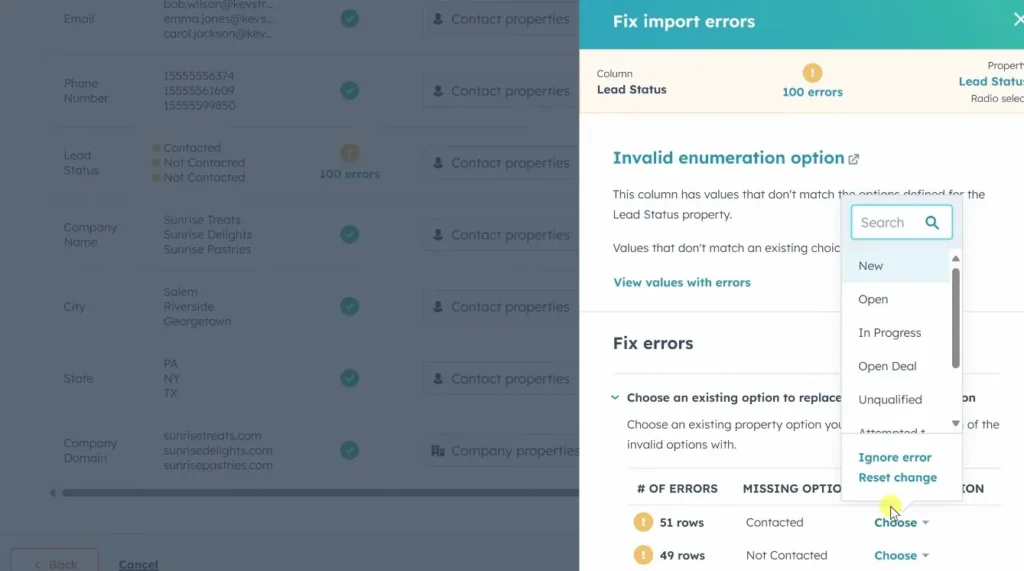
What it does: AI scores leads based on behavior and data, routes to appropriate salesperson
Tool implemented: HubSpot Predictive Lead Scoring
How it works:
AI analyzes:
- Website pages visited
- Time on site
- Email opens and clicks
- Company size and industry
- Job title
- Previous interactions
Then assigns score 0-100 predicting likelihood to buy
Results after 60 days:
- Sales team efficiency: Up 42%
- Time wasted on bad leads: Down 65%
- Close rate: 11% → 18%
- Sales cycle: 52 days → 38 days
Workflow:
Lead comes in → AI scores instantly → High score (70+) → Immediate sales outreach
Medium score (40-69) → Nurture email sequence
Low score (<40) → Educational content only
Time saved: Sales team focuses only on qualified leads
Sales team before: 40 hrs/week, 20% on unqualified leads = 8 hrs wasted
Sales team after: 40 hrs/week, 5% on unqualified leads = 2 hrs wasted
Time saved: 6 hours weekly per salesperson
Verdict: Essential for B2B sales teams
Automation 6: Social Media Content Creation
What it does: AI generates post ideas, writes captions, suggests posting times
Tools I use:
- ChatGPT for content ideas
- Buffer for scheduling ($6-120/month)
Process:
Monday (20 min):
- Ask ChatGPT: “Generate 10 LinkedIn post ideas about [topic] for this week”
- Review and select 5 best
- Ask ChatGPT: “Write engaging captions for these 5 posts”
- Edit captions (add personality)
Schedule all 5 posts in Buffer for optimal times
Result: Week of content in 20 minutes
Before automation: 2 hours/week (thinking of ideas, writing, scheduling)
With automation: 20 minutes/week
Time saved: 1.7 hours weekly = 7 hours monthly
Content quality: Comparable (after editing AI drafts)
Engagement: Slightly improved (posting at optimal times)
Verdict: Great for consistent social media presence
Automation 7: Invoice and Receipt Processing
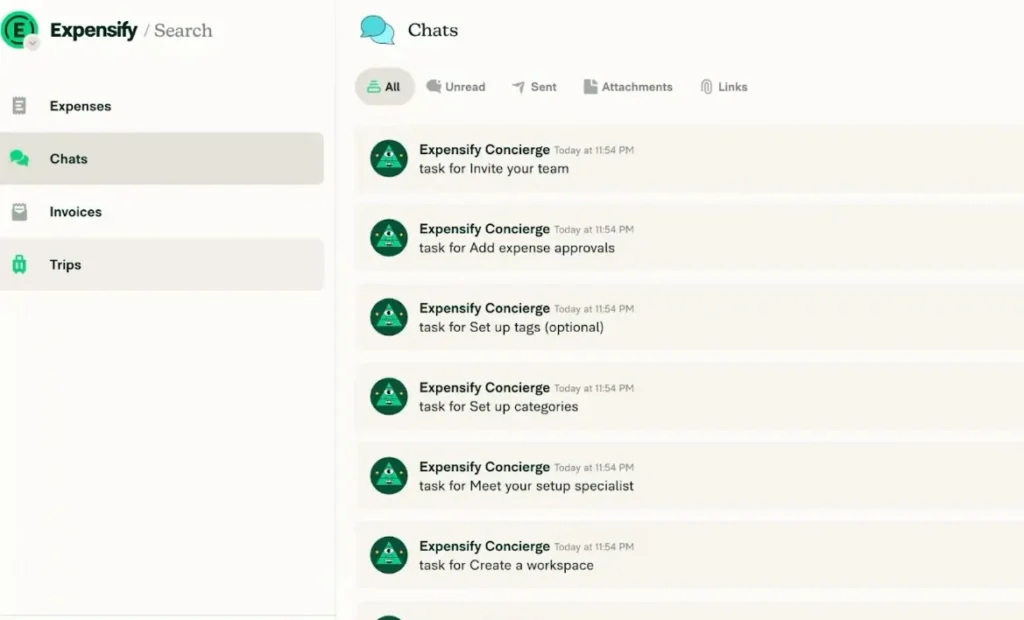
What it does: AI reads invoices/receipts, extracts data, categorizes, enters into accounting
Tool I tested: Expensify ($5-18/user/month)
How it works:
Step 1: Take photo of receipt or forward invoice email
Step 2: AI extracts:
- Merchant name
- Date
- Amount
- Category
- Tax
Step 3: AI categorizes expense automatically
Step 4: Syncs to accounting software (QuickBooks, Xero)
Results:
- Manual data entry: Eliminated
- Categorization errors: Down 90%
- Tax prep: Much easier
- Time saved: 3 hours/month
ROI: 3 hrs × $75/hr = $225 value for $10/month = 22x ROI
Verdict: Must have for business owners handling expenses
Automation 8: Calendar and Scheduling
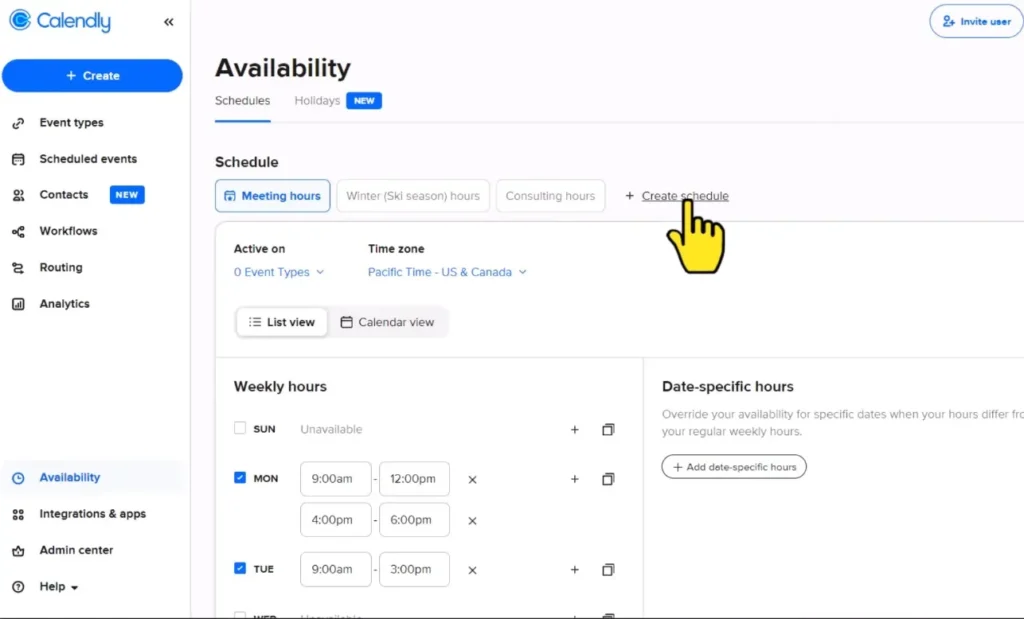
What it does: AI schedules meetings automatically, avoiding conflicts
Tool I use: Calendly (free-$16/month)
How it works:
Step 1: Set availability preferences
Step 2: Share Calendly link instead of email back-and-forth
Step 3: People book directly into your calendar
Step 4: Automatic reminders sent
Before Calendly:
- Average emails to schedule meeting: 4-6
- Time per meeting scheduling: 8-12 minutes
- Meetings per week: 15
- Total time: 2-3 hours weekly
With Calendly:
- Zero emails (people book directly)
- Time per meeting scheduling: 0 minutes
- Total time: 0 hours
Time saved: 2.5 hours weekly = 10 hours monthly
Cost: Free (or $10/month for Pro features)
ROI: Infinite on free plan
Verdict: No brainer for anyone scheduling meetings
Automation 9: Report Generation
What it does: AI pulls data, creates reports, generates insights automatically
Tools: Google Analytics 4 + Data Studio + ChatGPT
Implementation:
Step 1: Set up automated report in Google Analytics
Step 2: Schedule weekly export to Google Sheets
Step 3: Use ChatGPT Advanced Data Analysis to:
- Analyze trends
- Identify anomalies
- Generate insights
- Write executive summary
Before automation:
- Pull data from 5 sources: 45 min
- Create charts: 30 min
- Write analysis: 45 min
- Format report: 20 min
- Total: 2.3 hours weekly
With automation:
- Data pulled automatically: 0 min
- Charts auto-generated: 0 min
- AI writes analysis: 10 min
- Quick formatting: 10 min
- Total: 20 minutes weekly
Time saved: 2 hours weekly = 8 hours monthly
Verdict: High value for businesses tracking metrics
Automation 10: Document Summarization
What it does: AI reads long documents and creates concise summaries
Tool I use: Claude Pro ($20/month)
Use cases:
- Summarize meeting notes
- Extract key points from reports
- Review contracts quickly
- Analyze competitive intelligence
Real example:
Task: Review 40-page RFP document
Before AI: Read entire document (90 minutes), take notes (20 minutes), write summary (15 minutes) = 125 minutes
With AI: Upload to Claude, ask for summary with specific focus areas = 5 minutes reading AI summary + 10 minutes reviewing key sections = 15 minutes
Time saved: 110 minutes per long document
With 4 long documents/month: 7.3 hours saved
Verdict: Extremely valuable for document-heavy work
Complete AI Automation Setup Guide (30 Days)
Here’s my proven implementation plan:
Week 1: Quick Wins
Day 1-2: Email automation
- Set up Gmail Priority Inbox
- Create basic filters
- Enable Smart Reply/Compose
- Time investment: 1 hour
- Time saved: 5 hrs/week
Day 3-4: Meeting automation
- Install Fathom or Otter
- Connect to calendar
- Test on 2-3 meetings
- Time investment: 30 min
- Time saved: 2 hrs/week
Day 5-7: Calendar automation
- Set up Calendly
- Update email signature with link
- Test with colleagues
- Time investment: 1 hour
- Time saved: 2.5 hrs/week
Week 1 total time saved: 9.5 hours weekly
Week 2: Content and Communication
Day 8-10: Content automation
- Subscribe to ChatGPT Plus
- Create content templates
- Generate first draft using AI
- Time investment: 2 hours
- Time saved: 2.5 hrs/week
Day 11-14: Social media automation
- Set up Buffer or Hootsuite
- Create posting schedule
- Generate week of content with AI
- Time investment: 2 hours
- Time saved: 1.5 hrs/week
Week 2 cumulative time saved: 13.5 hours weekly
Week 3: Customer Operations
Day 15-18: Support automation (if applicable)
- Research chatbot options
- Set up basic bot
- Train on FAQs
- Time investment: 4 hours
- Time saved: 5+ hrs/week (for teams)
Day 19-21: Document processing
- Set up expense/invoice automation
- Connect to accounting
- Process existing backlog
- Time investment: 2 hours
- Time saved: 3 hrs/month
Week 3 cumulative time saved: 18+ hours weekly
Week 4: Review and Optimize
Day 22-25: Measure results
- Calculate actual time saved
- Identify what’s working
- Fix what’s not
Day 26-28: Add advanced automations
- Workflow automation (Zapier)
- Lead scoring (if sales team)
- Reporting automation
Day 29-30: Document processes
- Write down what you set up
- Share with team
- Plan next automations
AI Automation Tools Comparison
| Category | Free Option | Budget Option | Premium Option |
|---|---|---|---|
| Gmail AI | SaneBox $7/mo | Superhuman $30/mo | |
| Meetings | Otter 600 min | Fathom Free ∞ | Grain $15/mo |
| Calendar | Cal.com | Calendly $10/mo | Calendly $16/mo |
| Chat | ChatGPT Free | ChatGPT Plus $20/mo | Claude Pro $20/mo |
| Social | Buffer Free | Buffer $6/mo | Hootsuite $99/mo |
| Support | Tidio Free | Intercom $74/mo | Drift $400/mo |
| Automation | Zapier Free | Zapier $20/mo | Make $29/mo |
| Docs | Claude Free | Claude Pro $20/mo | Multiple tools |
Common AI Automation Mistakes
Mistake 1: Automating Too Much Too Fast
Problem: Trying to automate 20 things at once
Result: Overwhelmed, nothing works well, abandon all
Solution: One automation per week maximum
Mistake 2: Not Measuring Results
Problem: Assume automation saves time without tracking
Result: No idea if it’s actually working
Solution: Track time before and after for 30 days
Mistake 3: Automating Bad Processes
Problem: Automating inefficient workflows
Result: Fast bad process, not good process
Solution: Optimize process manually first, then automate
Mistake 4: No Human Oversight
Problem: Set and forget completely
Result: Errors compound, quality suffers
Solution: Review AI outputs regularly (weekly minimum)
Mistake 5: Wrong Tool for the Job
Problem: Using expensive enterprise tool for simple task
Result: Wasted money, overcomplicated
Solution: Start with simplest tool that works
Real ROI: My Personal Numbers
After 7 months of AI automation:
Tools I pay for:
- ChatGPT Plus: $20/mo
- Claude Pro: $20/mo
- Fathom: Free
- Calendly: Free
- Gmail: Free
- Buffer: $6/mo
- Expensify: $10/mo
Total cost: $56/month
Time saved weekly: 23 hours
Time saved monthly: 92 hours
Value at $100/hour: $9,200/month
ROI: 164x return on investment
Non financial benefits:
- Less stress
- Better focus on strategic work
- Fewer boring repetitive tasks
- More time for creativity
Frequently Asked Questions
Q: Do I need coding skills for AI automation?
A: No. Modern tools are no-code. If you can use email, you can automate.
Q: How much time does setup take?
A: Basic automations: 30 min to 2 hours each. Advanced: 4-8 hours. Follow my 30 day plan.
Q: Will automation replace jobs?
A: It changes jobs. Eliminates boring tasks, frees people for valuable work.
Q: What if automation makes mistakes?
A: That’s why you need oversight. Review outputs, especially early on.
Q: Is my data secure with these tools?
A: Use reputable providers. Read privacy policies. For sensitive data, use tools with strong security (SOC 2, GDPR compliant).
Q: Can small businesses afford AI automation?
A: Yes! Start with free tools. My first automations cost $0 and saved 10 hrs/week.
Q: What should I automate first?
A: Email management and meeting transcription. Easiest, fastest ROI.
Q: How long until I see results?
A: Immediate for simple automations (email, calendar). 2-4 weeks for complex (chatbots, lead scoring).
My Final Recommendation
After 7 months of intensive AI automation implementation:
Start small. Pick ONE automation from Tier 1.
Implement it properly. Follow setup guides carefully.
Use it for 30 days. Give it a fair test.
Measure results. Track actual time saved.
Then expand. Add one new automation per week.
AI automation works. I’m saving 23 hours weekly. Clients are saving even more.
But it requires:
- Strategic selection (automate right things)
- Proper implementation (set up correctly)
- Ongoing oversight (review regularly)
- Patience (results compound over time)
Don’t try to automate everything.
Automate the repetitive, time-consuming tasks that free you for high-value strategic work.
That’s the entire point of AI automation: free humans to do human things.
Start today with email management. It’s free, takes 30 minutes, and will save you 5 hours this week.
Then come back to this guide and add one more automation next week.
In 90 days, you’ll be saving 15-20 hours weekly.
That’s the power of AI automation when done correctly.