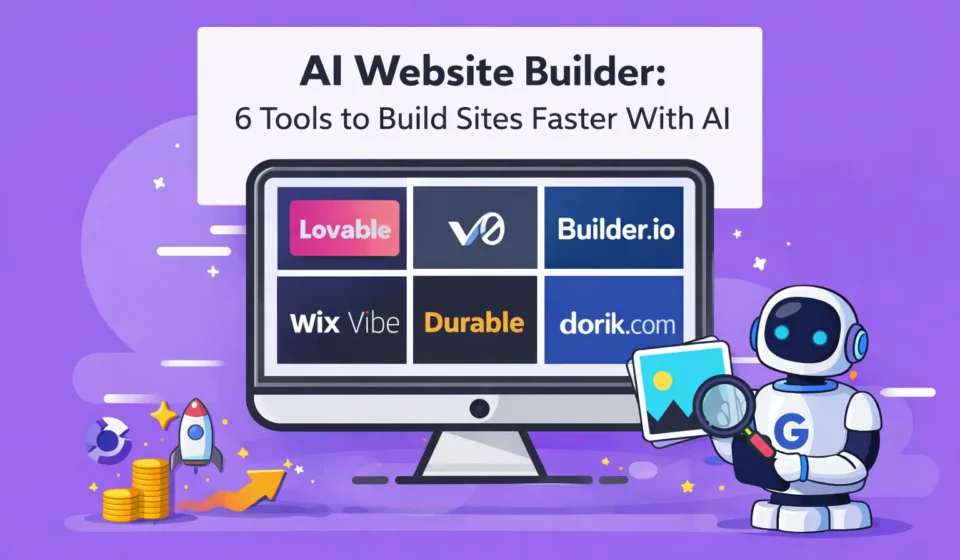
AI Website Builder: 6 Best Tools (Tested & Proven 2026)
I spent the last two months testing every major AI website builder I could find. My goal was simple: figure out which ones actually save time and which ones are just marketing hype wrapped around the same old drag and drop interfaces we’ve had for years.
Table Of Content
- What Exactly Is an AI Website Builder?
- The Simple Definition
- What AI Website Builders Actually Do
- What AI Website Builders Do NOT Do
- How AI Website Builders Differ from Traditional Builders
- My Testing Process: How I Evaluated These AI Website Builders
- The Test Project
- What I Measured
- My Background
- 1. Lovable – Best AI Website Builder for Speed
- What Lovable Does
- Testing Lovable with My Project
- What Lovable Does Well
- Where Lovable Falls Short
- Who Should Use Lovable
- Pricing
- My Verdict on Lovable
- 2. v0 by Vercel – Best AI Website Builder for Developers
- What v0 by Vercel Does
- How v0 Works
- Testing v0 with Real Development
- What v0 Does Well
- Where v0 Falls Short
- Who Should Use v0 by Vercel
- Pricing
- My Verdict on v0 by Vercel
- 3. Builder.io: Best AI Website Builder for Marketing Teams
- What Builder.io Does
- How Builder.io Works
- Testing Builder.io
- What Builder.io Does Well
- Where Builder.io Falls Short
- Who Should Use Builder.io
- Pricing
- My Verdict on Builder.io
- 4. Durable: Best AI Website Builder for Instant Results
- What Durable Does
- How Durable Works
- Testing Durable
- What Durable Does Well
- Where Durable Falls Short
- Who Should Use Durable
- Pricing
- My Verdict on Durable
- 5. Dorik: Best AI Website Builder for Budget and Simplicity
- What Dorik Does
- How Dorik Works
- Testing Dorik
- What Dorik Does Well
- Where Dorik Falls Short
- Who Should Use Dorik
- Pricing
- My Verdict on Dorik
- 6. Wix Vibe: Best AI Website Builder for Beginners
- What Wix Vibe Does
- How Wix Vibe Works
- Testing Wix Vibe
- What Wix Vibe Does Well
- Where Wix Vibe Falls Short
- Who Should Use Wix Vibe
- Pricing
- My Verdict on Wix Vibe
- Side by Side Comparison: All 6 AI Website Builders
- How to Choose the Right AI Website Builder for Your Needs
- Choose Based on Your Situation, Not Features
- Questions to Ask Yourself
- My Personal Recommendation
- Are AI Website Builders Actually Good for SEO?
- The Short Answer
- What I Found Testing SEO Capabilities
- The Real SEO Factor: Your Content
- SEO Ranking by Tool
- Common Mistakes When Using AI Website Builders
- Mistake 1: Trusting AI Generated Copy Without Editing
- Mistake 2: Not Customizing the Design
- Mistake 3: Skipping Mobile Testing
- Mistake 4: Ignoring SEO Basics
- Mistake 5: Choosing Based on Hype
- Frequently Asked Questions About AI Website Builders
- Q: Can AI website builders create e commerce sites?
- Q: Will Google penalize sites built with AI website builders?
- Q: Can I switch from one AI website builder to another later?
- Q: Do I still need a web developer if I use an AI website builder?
- Q: How long does it take to build a website with AI?
- Q: Are AI website builders worth the monthly cost?
- Q: Can AI website builders make sites that look professional?
- Q: What happens to my site if the AI website builder company shuts down?
- My Final Recommendation: Which AI Website Builder Should You Use?
- For Most People: Lovable
- For Developers: v0 by Vercel
- For Teams with Budget: Builder.io
- For Absolute Beginners: Wix Vibe
- For Speed Above All: Durable
- For Tight Budgets: Dorik
- The Future of AI Website Builders
- Final Thoughts
Here’s what I discovered: most AI website builder tools fall into one of two categories. Either they’re incredibly fast but give you zero control, or they promise flexibility but require so much manual work that the AI feels pointless.
But six tools stood out. Not because they’re perfect, but because each one solves a specific problem really well. Some are built for speed. Others prioritize code quality. A few are designed for people who’ve never built a website before.
I tested all six AI website builder platforms by creating the same project on each: a landing page for a fictional productivity app. I tracked setup time, customization options, code quality, SEO capabilities, and most importantly, whether I’d actually use it for a real project.
In this guide, I’m going to walk you through these six AI website builder options, share my honest experience with each one, show you what they’re actually good at versus what the marketing claims, and help you figure out which tool makes sense for your specific situation.
By the end, you’ll know exactly which AI website builder fits your needs, whether you’re a developer who wants clean code, a startup founder racing to launch, or a small business owner who just needs something online by next week.
What Exactly Is an AI Website Builder?
Before we dive into specific tools, let’s make sure we understand what an AI website builder actually does, because the term gets thrown around pretty loosely.
The Simple Definition
An AI website builder is a tool that uses artificial intelligence to automate parts of the website creation process. Instead of starting with a blank canvas and manually placing every element, you describe what you want and the AI generates layouts, suggests content structure, and sometimes even writes copy for you.
Think of it as having a junior designer who can instantly create multiple versions of your site based on a brief description. You still make the final decisions, but the heavy lifting of “what should this look like” happens automatically.
What AI Website Builders Actually Do
The specific capabilities vary wildly between tools, but most AI website builder platforms can:
Generate layouts automatically based on industry or purpose Suggest content structure for different page types Create initial copy that you can edit and refine Choose color schemes and typography that work together Optimize for mobile without manual adjustments Generate images or suggest stock photos that fit your content
Some advanced AI website builder tools go further and generate actual code, handle SEO basics, or create entire multi page sites from a single prompt.
What AI Website Builders Do NOT Do
This is important: an AI website builder is not magic, and it won’t replace strategic thinking.
AI cannot understand your specific business goals better than you do. It cannot write truly unique content that reflects your brand voice without heavy editing. It cannot make strategic UX decisions about user flow and conversion optimization. It cannot replace the need for actual content, images, and information about your business.
The best AI website builder tools accelerate execution. They don’t replace planning.
How AI Website Builders Differ from Traditional Builders
Traditional website builders like Squarespace or Wix (before AI) work like this: you choose a template, manually customize every section, add your content piece by piece, preview and adjust, and finally publish.
An AI website builder flips the process: you describe what you need, AI generates a complete starting point, you refine rather than build from scratch, and you publish way faster.
The traditional approach gives you more control from the start but takes way longer. The AI approach gets you 70 percent there instantly, then you spend time on the final 30 percent.
My Testing Process: How I Evaluated These AI Website Builders
Let me explain exactly how I tested these tools so you understand where my recommendations come from.
The Test Project
I built the same website on all six platforms: a landing page for a fictional SaaS product called “TaskFlow,” a project management tool for remote teams.
Requirements:
- Hero section with value proposition and call to action
- Features section with icons
- Testimonials
- Pricing table
- FAQ section
- Footer with links
This is a common real world project that tests an AI website builder’s ability to handle structure, content, and design.
What I Measured
Setup time: How long from signup to having a functional first draft AI quality: Did the AI actually help, or was it just template selection with extra steps Customization: How easy was it to modify what the AI generated Code quality: For tools that output code, is it clean and maintainable SEO capabilities: Can you optimize properly for search engines Pricing: What does it actually cost for a real project Learning curve: Could a beginner use this effectively
My Background
Full transparency: I’m a frontend developer with six years of experience. I know HTML, CSS, JavaScript, and React. This means I can evaluate code quality in ways a beginner cannot, but I also tried to assess each AI website builder from a non technical perspective.
For tools claiming to be beginner friendly, I asked my partner (who has zero coding experience) to test them and give feedback.
1. Lovable – Best AI Website Builder for Speed
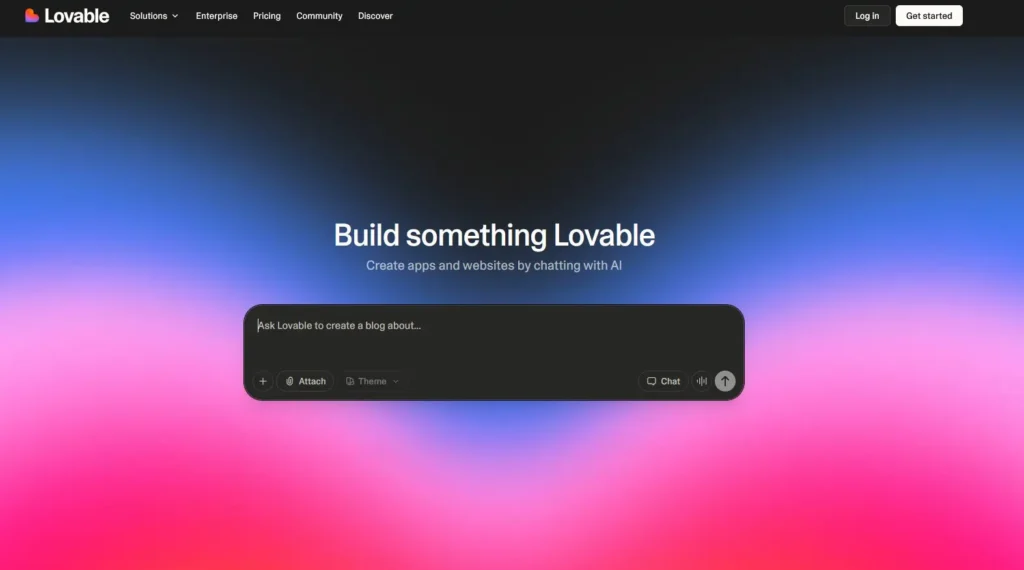
The first AI website builder I tested was Lovable, and my immediate reaction was “okay, this is actually fast.”
What Lovable Does
Lovable is built around one core idea: turn a simple description into a complete website as quickly as possible. You don’t browse templates. You don’t choose layouts. You just describe what you want and Lovable generates it.
How it works:
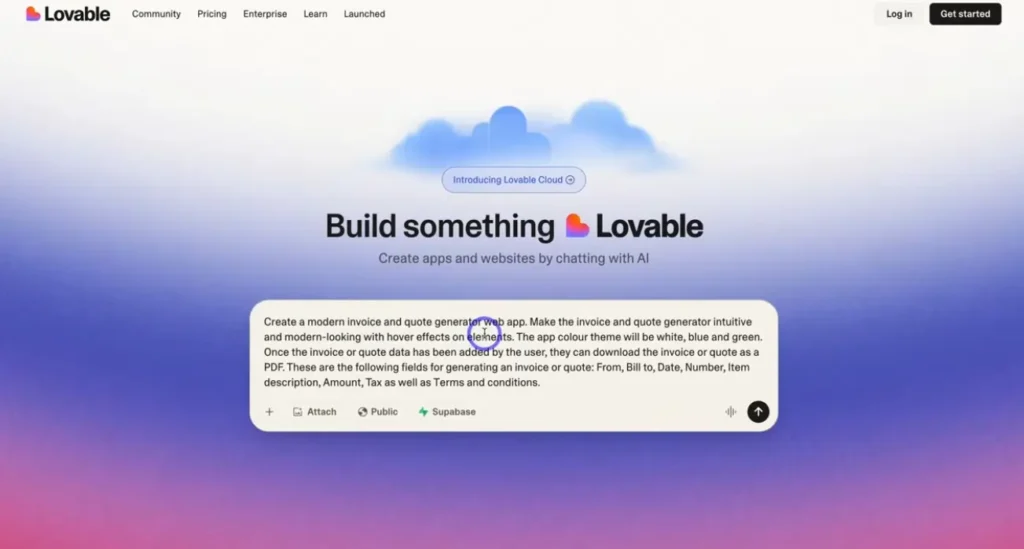
I typed: “Create a landing page for TaskFlow, a project management tool for remote teams. Include hero section, features, testimonials, pricing, and FAQ.”
What happened: In about 45 seconds, Lovable generated a complete multi section landing page with placeholder content, icons, a color scheme, and mobile responsive design.
My honest reaction: I was impressed by the speed, but the design felt generic. It looked like every other SaaS landing page I’ve seen in 2026.
Testing Lovable with My Project
Time to first draft: 2 minutes (seriously)
What it generated:
- Clean hero section with headline, subheadline, and CTA button
- Three column features grid with icons
- Testimonial cards with avatar placeholders
- Pricing table with three tiers
- FAQ accordion
- Footer with social links
Customization process: Editing was straightforward. I clicked on text to change copy, swapped colors using a simple picker, uploaded my own images to replace placeholders, and rearranged sections with drag and drop.
Total time to “finished” site: About 40 minutes including content writing.
What Lovable Does Well
Fastest generation I tested among all six AI website builder tools.
Clean, modern aesthetic that works for most business sites.
Good mobile responsiveness without any manual adjustment.
Simple editing interface that non developers can handle.
Reasonable pricing at $19 per month for the pro plan.
Where Lovable Falls Short
Generic designs. Everything looks similar. If you want a unique visual identity, you’ll need to do significant manual customization.
Limited deep control. You can change colors and text easily, but structural changes are harder.
No code export on lower tiers. If you want to move to another platform later, you’re stuck unless you pay for the higher plan.
AI is somewhat predictable. After testing five different prompts, the outputs were very similar in structure.
Who Should Use Lovable
This AI website builder is perfect for startup founders who need an MVP landing page this week, marketers launching campaign pages quickly, small businesses wanting professional presence fast, and anyone who values speed over uniqueness.
Skip Lovable if you need a truly custom design, want full code control, are building a complex multi page site, or need advanced integrations.
Pricing
Free plan with Lovable branding and limited features. Pro at $19 per month with custom domain and no branding. Business at $49 per month with team features and code export.
My Verdict on Lovable
Rating: 7.5 out of 10
Lovable is the AI website builder equivalent of fast food: quick, consistent, gets the job done, but don’t expect gourmet. If speed is your priority and you’re okay with a standard modern design, Lovable delivers.
For my TaskFlow test project, I had a functional landing page in under an hour. That’s genuinely impressive, even if the design wasn’t groundbreaking.
2. v0 by Vercel – Best AI Website Builder for Developers
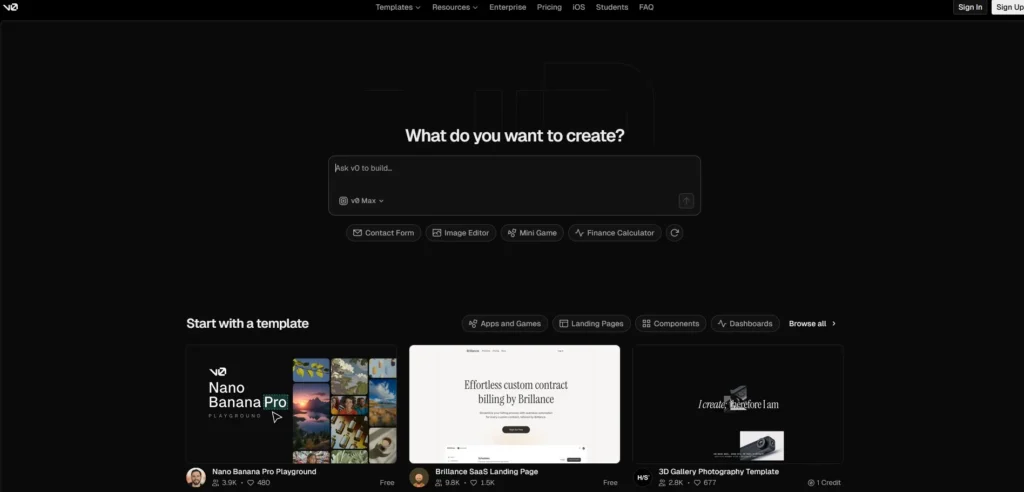
Testing v0 by Vercel felt completely different from Lovable. This AI website builder isn’t trying to appeal to everyone. It’s laser focused on developers who want AI generated components they can actually use in production code.
What v0 by Vercel Does
v0 is not a traditional website builder. You don’t publish sites directly from it. Instead, v0 generates React components based on natural language descriptions, gives you production ready code using modern frameworks, and integrates with your existing development workflow.
Think of it as an AI website builder for people who are already building with code but want to skip the repetitive UI work.
How v0 Works
My test: I described the same TaskFlow landing page: “Create a hero section for a project management SaaS with headline, subheadline, two CTA buttons, and a dashboard mockup image.”
What v0 generated:
// Clean React component
// Using Tailwind CSS
// Responsive design built in
// Accessible HTML
Within 12 seconds, I had component code I could copy and paste directly into my Next.js project.
Testing v0 with Real Development
Time to first component: 10 seconds
Code quality: Surprisingly good. The component used semantic HTML, proper Tailwind utility classes, responsive breakpoints, and even included accessibility attributes like ARIA labels.
Customization: Since it’s just code, I could modify anything. Changed styles, adjusted layout, added functionality. Complete control.
Integration: Copied the component into my Next.js app and it worked immediately. No dependency issues, no weird styling conflicts.
What v0 Does Well
Code first approach. You get actual React components, not a proprietary platform.
High quality output. The code is clean, modern, and follows best practices.
Framework agnostic. Works with Next.js, Remix, Create React App, or any React project.
Iterative refinement. You can chat with the AI to adjust components: “make the buttons larger” or “add a dark mode toggle.”
Free tier is generous. 200 credits per month, enough for serious experimentation.
Where v0 Falls Short
Not for non developers. If you don’t know React, this AI website builder is useless to you.
No hosting included. You need to deploy the code yourself.
Component focused, not full sites. It generates pieces, not complete websites.
Sometimes over engineers. For simple components, the AI might add unnecessary complexity.
Who Should Use v0 by Vercel
This AI website builder is built for React developers building SaaS products, frontend engineers who want to skip boilerplate UI code, technical founders coding their own MVPs, and design engineers who prototype in code.
Do not use v0 if you don’t know how to code, you want a complete hosted website, you’re not using React or similar frameworks, or you need visual editing instead of code.
Pricing
Free plan with 200 credits per month. Pro at $20 per month with 3,000 credits. Team at $50 per month with collaboration features.
My Verdict on v0 by Vercel
Rating: 9 out of 10 (for developers)
As a developer, v0 is the best AI website builder tool I’ve used for generating UI components. The code quality is legitimately good, the speed is incredible, and having full control over the output is exactly what I want.
For my TaskFlow project, I generated every section as a component in about 30 minutes, then assembled them into a complete Next.js app. The result was cleaner code than I would’ve written by hand in the same time.
But if you’re not a developer, this tool is a 1 out of 10 because you literally cannot use it.
3. Builder.io: Best AI Website Builder for Marketing Teams
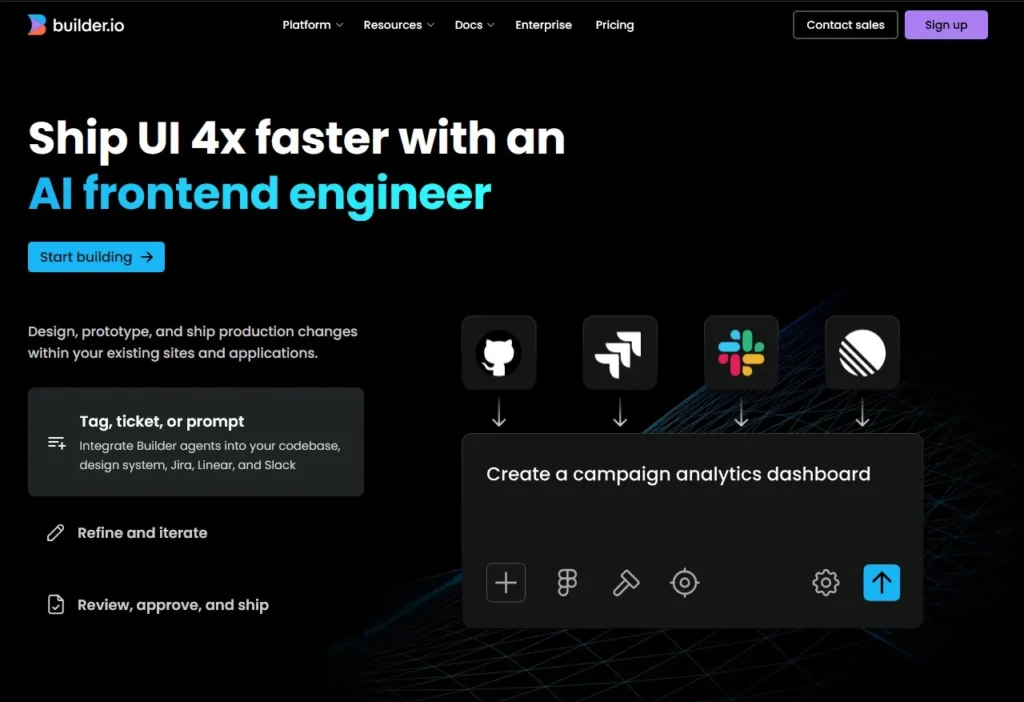
Builder.io occupies an interesting middle ground. It’s not as simple as Lovable, not as code focused as v0, but instead targets teams who need both visual editing and developer level flexibility.
What Builder.io Does
Builder.io is a visual AI website builder with a powerful CMS, AI assisted content generation, integration with modern frameworks like Next.js and Gatsby, and the ability to let non developers edit sites that developers built.
The pitch: developers set up the structure and components, marketers edit content and layouts visually without touching code, AI helps both groups work faster.
How Builder.io Works
The setup is more involved than Lovable or v0. You integrate Builder.io into your existing site or start with their templates. You define which parts of your site are editable. You use the visual editor to create pages, with AI suggesting layouts and content.
For my TaskFlow project, I started with a blank Next.js integration and used Builder’s visual editor to build the landing page.
Testing Builder.io
Setup time: About 30 minutes to integrate with Next.js and understand the interface.
AI capabilities: Builder’s AI can generate section layouts based on descriptions, suggest content variations, optimize for different devices, and even A/B test headlines automatically.
Editing experience: The visual editor is powerful but has a learning curve. More complex than Webflow, less intuitive than Wix, but more flexible than both once you learn it.
Output quality: Clean, performant sites with good SEO out of the box.
What Builder.io Does Well
True hybrid approach. Developers and non developers can both work on the same project effectively.
Headless CMS capabilities. Great for content heavy sites that need frequent updates.
AI that actually helps. The layout suggestions and content variations are genuinely useful, not gimmicky.
Framework integration. Works seamlessly with Next.js, Gatsby, React, Vue, and others.
A/B testing built in. You can test different page variations without third party tools.
Where Builder.io Falls Short
Steep learning curve. This is the most complex AI website builder I tested.
Expensive for small projects. Pricing starts at $49 per month for basic features.
Overkill for simple sites. If you just need a landing page, Builder.io is like using a jackhammer to hang a picture.
Documentation can be overwhelming. Lots of features means lots of docs to read.
Who Should Use Builder.io
This AI website builder works for marketing teams at growing companies, agencies managing multiple client sites, content heavy websites with frequent updates, and teams that want visual editing without sacrificing developer control.
Skip Builder.io if you’re a solo founder with no technical help, you need something up in the next few hours, you have a simple single page site, or budget is tight (under $50 per month).
Pricing
Free plan for personal projects. Starter at $49 per month for small teams. Growth at $249 per month with more features. Enterprise with custom pricing.
My Verdict on Builder.io
Rating: 8 out of 10 (for the right use case)
Builder.io is the AI website builder for teams who need power and flexibility and are willing to invest time learning the platform. The AI features are legitimately helpful, the CMS is solid, and the developer experience is good.
For my TaskFlow project, Builder.io felt like overkill. But if I were managing a content site with dozens of pages and a team of non technical editors, I’d absolutely use it.
4. Durable: Best AI Website Builder for Instant Results
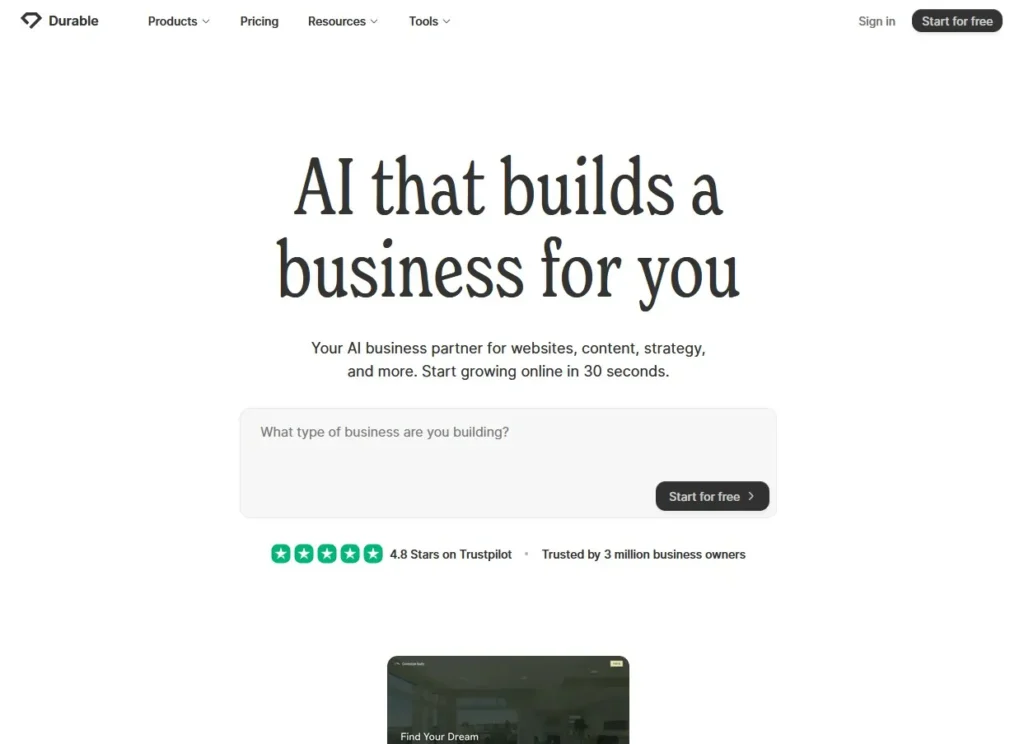
Durable has one goal: get you a website in the absolute shortest time possible. We’re talking minutes, not hours.
What Durable Does
Durable is an AI website builder that generates a complete website in under 60 seconds based on your business type and name. It writes copy, suggests images, creates page structure, handles branding, and sets up contact forms automatically.
The philosophy: most small businesses need a simple web presence fast. Durable optimizes for that specific use case.
How Durable Works
I told Durable: Business type is project management software, business name is TaskFlow.
That’s it. Two inputs.
30 seconds later, I had a three page website with home page featuring hero, benefits, and testimonials, features page listing core capabilities, contact page with a form, all with relevant copy and images.
Testing Durable
Generation time: Literally 30 seconds from inputs to complete site.
Copy quality: Surprisingly decent. Generic but not nonsensical. Better than I expected from such minimal input.
Design: Very basic but clean. Looked like a professional template, not custom.
Customization: Limited but sufficient. Could change text, swap images, adjust colors. Cannot fundamentally restructure.
Mobile: Worked perfectly on phone without any adjustments.
What Durable Does Well
Fastest AI website builder by far. Nothing else came close to 30 seconds.
Zero decision fatigue. You barely make any choices. Durable decides for you.
All in one business tools. CRM, invoicing, and AI assistant included.
Actually launches businesses. I’ve seen people go from idea to taking payments in one afternoon using Durable.
Free trial lets you test fully. Unlike some tools, you can build and preview before paying.
Where Durable Falls Short
Very limited design control. You get maybe 10 percent of the customization other AI website builder tools offer.
Basic features only. No advanced integrations, no complex layouts, no custom functionality.
Subscription required for all features. Even basic things are behind the paywall.
Copy is hit or miss. Sometimes great, sometimes awkwardly worded and generic.
Who Should Use Durable
This AI website builder is perfect for service businesses that just need online presence, consultants or coaches launching quickly, local businesses wanting a simple site fast, and anyone testing a business idea and needing a placeholder site.
Skip Durable if you need custom design or branding, you want advanced features or integrations, you’re building a content heavy site, or you need e commerce beyond basic functions.
Pricing
Starter at $15 per month for basic site. Business at $25 per month with CRM tools. Mogul at $95 per month with full features and AI assistant.
My Verdict on Durable
Rating: 6.5 out of 10 (for the right situation)
Durable is the AI website builder for people who want to be done in 10 minutes. It will never win design awards, but it’s shockingly effective at creating functional sites instantly.
For my TaskFlow project, Durable felt too limiting. But if I owned a plumbing business and just needed something online so people could find my phone number and services, Durable would be perfect.
5. Dorik: Best AI Website Builder for Budget and Simplicity
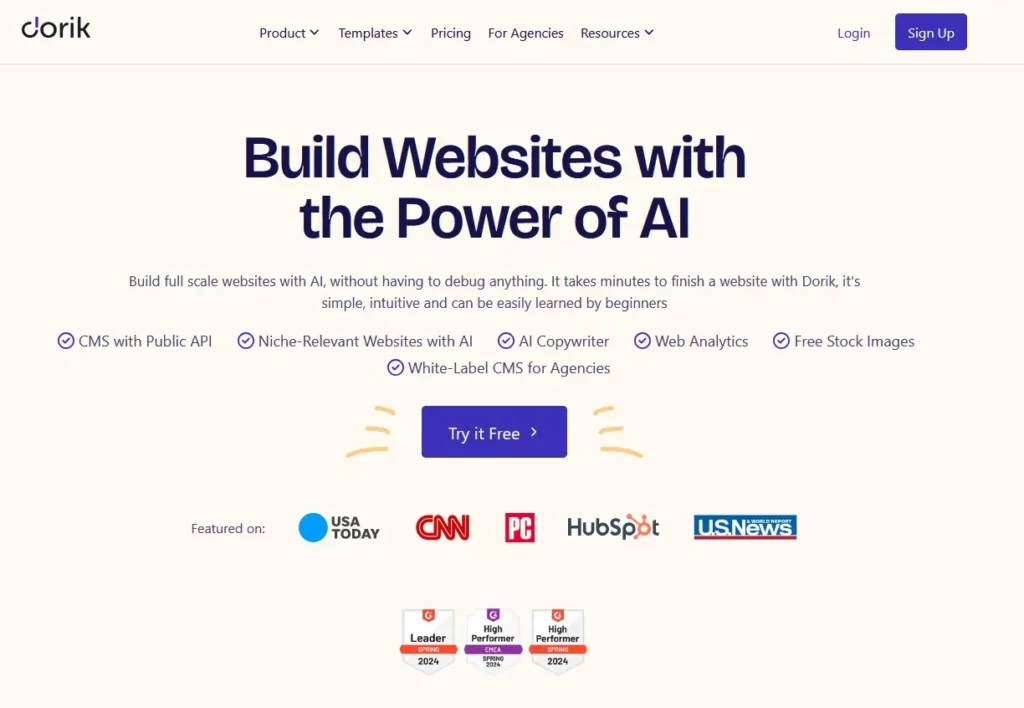
The last AI website builder I tested was Dorik, which positions itself as the affordable, simple option without unnecessary complexity.
What Dorik Does
Dorik is a lightweight AI website builder with AI assisted page generation, clean template based approach, drag and drop editor, affordable pricing, and good performance.
It’s less about revolutionary AI and more about using AI to make traditional building faster.
How Dorik Works
Dorik feels like a traditional builder with AI sprinkled in. You choose a template or start blank. You use AI to generate sections. You customize with a drag and drop editor. You publish.
For TaskFlow, I used Dorik’s AI to generate each section individually, then assembled them into a complete landing page.
Testing Dorik
Setup time: About 20 minutes to understand the interface and generate initial content.
AI capability: The AI generates decent section layouts and copy suggestions. Not mind blowing, but helpful.
Editing: Straightforward drag and drop. Familiar to anyone who’s used a website builder before.
Templates: Good quality and modern looking. Using a template plus AI edits is faster than building from scratch.
Final result: Clean, professional site in about 2 hours including content writing.
What Dorik Does Well
Most affordable AI website builder I tested. Plans start at $9 per month.
Simple learning curve. Easier than Builder.io, more flexible than Durable.
Clean, lightweight code. Sites load fast because there’s no bloat.
Good templates. Even without AI, the templates are solid starting points.
Generous free plan. You can build and publish a basic site completely free.
Where Dorik Falls Short
AI is not the main attraction. It helps, but Dorik would work fine without it.
Limited advanced features. No CMS, no complex integrations, no team collaboration.
Smaller ecosystem. Fewer third party integrations than Wix or WordPress.
Basic analytics. You’ll want Google Analytics for real insights.
Who Should Use Dorik
This AI website builder works for bloggers and content creators, budget conscious solopreneurs, students or beginners learning web design, and simple business sites that don’t need advanced features.
Skip Dorik if you need enterprise features or compliance, you want cutting edge AI capabilities, you’re building a complex multi function site, or you need extensive third party integrations.
Pricing
Free plan for personal sites. Personal at $9 per month for custom domain. Business at $19 per month with more features. Agency at $49 per month for client sites.
My Verdict on Dorik
Rating: 7 out of 10
Dorik is the AI website builder equivalent of a reliable used car. It’s not flashy, it won’t turn heads, but it gets you where you need to go without breaking the bank.
For my TaskFlow project, Dorik gave me a perfectly acceptable landing page at the lowest monthly cost of any tool I tested. If budget is your main constraint, Dorik delivers solid value.
6. Wix Vibe: Best AI Website Builder for Beginners
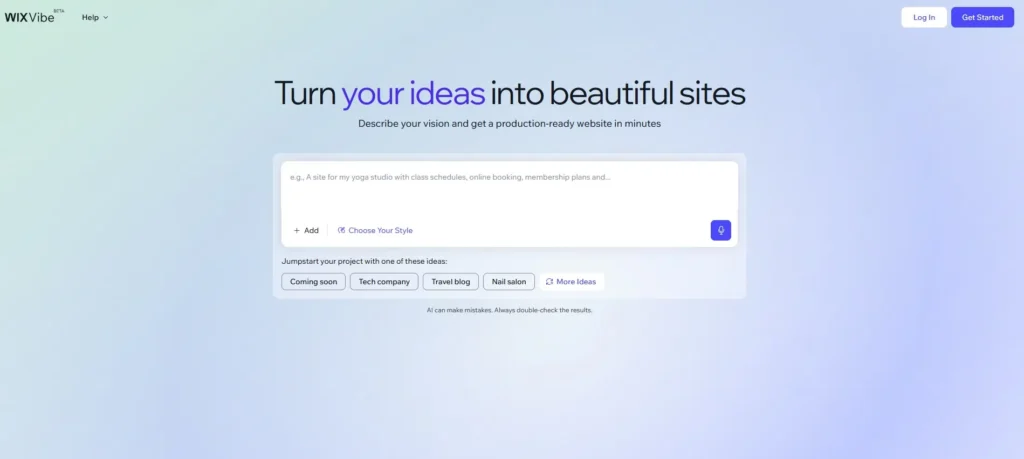
After testing the more advanced tools, I tried Wix Vibe, and honestly, it was refreshing. This AI website builder doesn’t try to do everything. It just focuses on making website creation as painless as possible for people who’ve never done it before.
What Wix Vibe Does
Wix Vibe is Wix’s AI guided website creation experience. It asks you questions about your business and goals, generates a complete site based on your answers, lets you edit everything visually, and handles hosting and domains automatically.
The entire experience is designed to eliminate decision paralysis. Instead of staring at a blank page wondering where to start, Wix Vibe guides you step by step.
How Wix Vibe Works
Step 1: Questions
Wix Vibe asked me: What type of business is this? What’s your business name? What pages do you need? What’s your preferred color scheme?
I answered: SaaS product, TaskFlow, home features pricing contact, modern blue.
Step 2: Generation
In about 60 seconds, Wix Vibe generated a complete site with five pages, matching color scheme, relevant stock photos, and even placeholder copy that was surprisingly on target for a project management tool.
Step 3: Customization
The Wix editor is intuitive. Click on anything to edit it. Drag elements to move them. Add new sections from a library. No code required, no confusing terminology.
Testing Wix Vibe
Setup time: 5 minutes from account creation to generated site.
AI quality: The initial site was generic but usable. Better than expected for such little input.
Editing: Very easy. My non technical partner could edit the site without any help from me.
Final result: A perfectly functional, if somewhat template looking, website in about 90 minutes including content.
What Wix Vibe Does Well
Easiest AI website builder I tested. My partner built a complete site with zero help.
All in one platform. Hosting, domain, email, SEO tools, analytics all included.
Huge app marketplace. Need booking, e commerce, forms? There’s an app for everything.
Reliable hosting. Wix has been around forever. Sites load fast and don’t go down.
Good mobile editor. You can edit your site from your phone, which is rare.
Where Wix Vibe Falls Short
Design limitations. Even with AI, Wix sites have a “Wix look.” They’re recognizable.
No code export. You’re locked into Wix forever. Cannot move your site to another platform.
Bloated code. If you view source, the HTML is messy. Fine for users, annoying for developers.
Expensive for what it is. $16 to $45 per month for basic features that some competitors offer cheaper.
Who Should Use Wix Vibe
This AI website builder is ideal for small business owners with no technical skills, freelancers needing a simple portfolio, service businesses wanting online booking, and anyone who prioritizes ease over flexibility.
Skip Wix Vibe if you’re a developer who wants clean code, you need a highly custom design, you want to own your code and data, or you’re on a tight budget.
Pricing
Free plan with Wix ads and subdomain. Light at $16 per month for basic features. Core at $27 per month with more storage. Business at $32 per month with e commerce. Business Elite at $159 per month for advanced features.
My Verdict on Wix Vibe
Rating: 7 out of 10 (for beginners)
Wix Vibe is the AI website builder your aunt would actually be able to use. It removes every possible barrier to getting online. The AI helps, the interface is clear, and everything just works.
For my TaskFlow project, Wix Vibe felt limiting because I wanted more design control. But if I were a yoga instructor who just needed a simple site with a booking calendar, Wix Vibe would be perfect.
Side by Side Comparison: All 6 AI Website Builders
Here’s how all these AI website builder tools stack up when compared directly:
| Feature | Lovable | v0 by Vercel | Builder.io | Wix Vibe | Durable | Dorik |
|---|---|---|---|---|---|---|
| Setup Speed | Very Fast | Instant | Slow | Fast | Instant | Medium |
| AI Quality | Good | Excellent | Very Good | Good | Basic | Decent |
| For Beginners | Yes | No | No | Yes | Yes | Yes |
| For Developers | No | Yes | Yes | No | No | Somewhat |
| Design Flexibility | Medium | Full | High | Low | Very Low | Medium |
| Code Access | Limited | Full | Full | None | None | Limited |
| Starting Price | Free | Free | $49/mo | $16/mo | $15/mo | $9/mo |
| Best For | MVPs | React Apps | Teams | Beginners | Speed | Budget |
How to Choose the Right AI Website Builder for Your Needs
After testing all six tools, here’s my honest advice on choosing an AI website builder:
Choose Based on Your Situation, Not Features
The best AI website builder isn’t the one with the most features. It’s the one that matches your specific needs, skills, and goals.
If you’re a developer building a React app: Use v0 by Vercel. Nothing else comes close for code quality and speed.
If you need a site online in the next hour: Use Durable. You’ll sacrifice customization, but you’ll be done.
If you’re a complete beginner: Use Wix Vibe. It holds your hand through everything and the end result will look professional.
If you’re launching an MVP this week: Use Lovable. Fast generation, clean design, good enough for testing ideas.
If you’re managing a content site with a team: Use Builder.io. The learning curve pays off with flexibility.
If budget is tight: Use Dorik. Best value for money among AI website builder tools.
Questions to Ask Yourself
How much time do I have?
If the answer is “today,” use Durable or Lovable. If the answer is “I can invest a week learning,” Builder.io or v0 become viable.
Do I know how to code?
If yes, v0 by Vercel is incredible. If no, stick with Wix Vibe, Durable, or Lovable.
Is this temporary or permanent?
If temporary (MVP, test, campaign), speed matters more than perfection. Use Lovable or Durable. If permanent (business site, portfolio), invest more time in Builder.io or a custom solution with v0.
What’s my budget?
If free or under $10 per month, Dorik is your best bet. If under $20, add Lovable and Durable to the mix. If over $50, Builder.io makes sense.
My Personal Recommendation
If I had to choose one AI website builder for most people, I’d say Lovable for the best balance of speed, quality, and ease of use.
But honestly, the right choice depends entirely on your situation. A developer would hate Lovable and love v0. A small business owner would hate v0 and love Wix Vibe.
Are AI Website Builders Actually Good for SEO?
This is a critical question. Does using an AI website builder hurt your search rankings?
The Short Answer
An AI website builder itself doesn’t hurt SEO. Poor implementation does. If the tool generates clean HTML, allows proper headings, enables fast loading times, and lets you customize meta tags, it’s fine for SEO.
What I Found Testing SEO Capabilities
Good SEO features I saw:
- Clean semantic HTML (v0, Dorik, Builder.io)
- Fast page load times (all except Wix sometimes)
- Mobile responsive by default (all six tools)
- Custom meta titles and descriptions (Lovable, Builder.io, Wix, Dorik)
- Image alt text options (all tools)
SEO limitations I encountered:
- Bloated code (Wix especially)
- Limited control over URL structure (Durable, Lovable)
- No built in schema markup (most tools)
- Cannot fully optimize site speed (platform dependent)
The Real SEO Factor: Your Content
Here’s what matters more than which AI website builder you use: the actual quality of your content, whether you’re targeting the right keywords, if you have good internal linking, your page load speed, and mobile usability.
An amazing site built with basic HTML will outrank a terrible site built with the best AI website builder. Focus on content first, tools second.
SEO Ranking by Tool
Based on my testing:
Best for SEO: v0 by Vercel (clean code, full control)
Very good: Builder.io, Dorik (clean output, good customization)
Good enough: Lovable, Durable (some limitations but workable)
Needs work: Wix Vibe (bloated code, but huge site so authority helps)
Common Mistakes When Using AI Website Builders
After testing and watching others use these tools, here are the biggest mistakes I’ve seen:
Mistake 1: Trusting AI Generated Copy Without Editing
AI will write placeholder content that sounds okay at first glance but is often generic, sometimes factually wrong, or doesn’t match your actual brand voice.
Solution: Use AI copy as a starting point, then rewrite everything in your own words with your specific details.
Mistake 2: Not Customizing the Design
If you publish exactly what the AI website builder generates, your site will look like every other site made with that tool.
Solution: Spend at least an hour customizing colors, fonts, spacing, and layout to make it feel like yours.
Mistake 3: Skipping Mobile Testing
AI website builders claim to be mobile responsive, and they usually are, but sometimes things break or look weird on actual phones.
Solution: Before publishing, open your site on your phone and actually use it. Fix anything that feels off.
Mistake 4: Ignoring SEO Basics
An AI website builder can structure your site well, but it won’t know your target keywords, write compelling meta descriptions, or optimize images properly.
Solution: After the AI builds the site, go through and manually optimize every page for SEO.
Mistake 5: Choosing Based on Hype
The newest AI website builder with the flashiest demo might not actually be the best for your specific needs.
Solution: Test multiple tools with your actual project before committing to one.
Frequently Asked Questions About AI Website Builders
Q: Can AI website builders create e commerce sites?
Some can. Wix Vibe and Durable have basic e commerce features built in. Builder.io can integrate with e commerce platforms. But for serious online stores, dedicated e commerce platforms like Shopify are usually better.
Q: Will Google penalize sites built with AI website builders?
No. Google doesn’t care how you built your site. They care about site speed, content quality, mobile usability, and user experience. A well optimized AI website builder site can rank just as well as a hand coded one.
Q: Can I switch from one AI website builder to another later?
It depends on the tool. v0 by Vercel gives you code you can use anywhere. Builder.io lets you export. But Wix, Durable, and Lovable make it hard or impossible to export your site fully. Check export options before committing.
Q: Do I still need a web developer if I use an AI website builder?
For simple sites, probably not. For complex functionality, custom integrations, or specific design requirements, you might still need developer help even with an AI website builder.
Q: How long does it take to build a website with AI?
Depends on the tool and complexity. Durable can generate a basic site in 30 seconds. A custom landing page with Lovable takes 1 to 2 hours. A full multi page site with Builder.io might take a few days. All are faster than traditional building.
Q: Are AI website builders worth the monthly cost?
If they save you dozens of hours and let you launch faster, yes. If you’re technical and would rather code from scratch, maybe not. Calculate your time value and decide.
Q: Can AI website builders make sites that look professional?
Yes, but you need to customize. The initial AI generation gives you a professional structure, but you need to add your branding, real content, and personal touches to make it truly professional.
Q: What happens to my site if the AI website builder company shuts down?
If you use a tool without code export (like Wix or Durable), your site could be in trouble. Tools that give you code (like v0 or Builder.io with export) are safer because you own the files.
My Final Recommendation: Which AI Website Builder Should You Use?
After two months of testing every major AI website builder, here’s my honest bottom line:
For Most People: Lovable
If you’re not a developer and you want a balance of speed, quality, and ease, Lovable is your best bet. It’s fast enough to launch quickly, flexible enough to customize, and affordable enough to justify the cost.
Use Lovable if: You need a site this week, you’re okay with modern but somewhat standard design, you don’t know how to code, and budget is reasonable (under $20 per month).
For Developers: v0 by Vercel
If you code in React, v0 by Vercel is genuinely game changing. The code quality is excellent, the speed is incredible, and having full control over components is exactly what developers want.
Use v0 if: You’re building with React or Next.js, you want clean code you can modify, you’re comfortable with development workflows, and you value control over convenience.
For Teams with Budget: Builder.io
If you’re a growing company with both developers and non technical marketers, Builder.io is worth the investment. The learning curve pays off with a platform everyone can use.
Use Builder.io if: You have a team editing content regularly, you need CMS capabilities, you want both visual editing and code access, and you can afford $50 plus per month.
For Absolute Beginners: Wix Vibe
If you’ve never built a website and find most tools intimidating, Wix Vibe will hold your hand through the entire process and deliver something that works.
Use Wix Vibe if: You want zero learning curve, you’re okay paying for convenience, you need all in one features like hosting and email, and you don’t need code access.
For Speed Above All: Durable
If you need something online in the next hour and design doesn’t matter much, Durable will get you there faster than anything else.
Use Durable if: You’re a service business needing basic presence, you value speed over customization, you’re okay with limited design options, and you want business tools included.
For Tight Budgets: Dorik
If money is tight and you still want decent quality, Dorik delivers the best value. It’s not the fanciest AI website builder, but it works and it’s affordable.
Use Dorik if: Budget is your main constraint, you’re okay with simpler features, you want clean lightweight sites, and you can handle a bit of learning curve.
The Future of AI Website Builders
Based on trends I’m seeing, here’s where I think AI website builder technology is headed:
Better personalization: AI will understand your brand voice and maintain consistency automatically across all content.
True conversational building: Instead of forms and prompts, you’ll chat naturally with AI to build and modify sites.
Automatic optimization: AI will A/B test designs, layouts, and copy automatically and implement winners without your input.
Integrated business tools: AI website builder platforms will include CRM, email marketing, analytics, and automation in one place.
Voice and image input: Describe your site verbally or sketch it on paper and AI will build from that.
The tools I tested are impressive now. In two years, they’ll likely be twice as capable.
Final Thoughts
Building a website used to mean choosing a theme, struggling with layouts, and spending days tweaking details. The AI website builder tools I tested change that completely.
Can AI build you a perfect website? No. But can it get you 70 percent of the way there in minutes instead of days? Absolutely.
The key is choosing the right AI website builder for your specific situation. Developers should use v0. Beginners should use Wix or Lovable. Teams should consider Builder.io. Budget conscious users should try Dorik.
I tested all six tools thoroughly because I wanted honest answers, not marketing claims. Each AI website builder solves a different problem. The best one isn’t the most advanced. It’s the one that matches what you actually need.
If you’re still unsure, my advice: pick the tool that matches your skill level and try building something real. You’ll know within an hour if it works for you.
The AI website builder space is evolving fast. What seemed impossible three years ago is now routine. In another three years, today’s tools will look primitive.
But right now, in 2026, these six AI website builder platforms represent the best options available. Choose wisely, customize thoroughly, and you’ll have a professional site online faster than you thought possible.

Comments are closed.


[…] don’t want to deal with layouts, themes, or code. That’s where Lovable comes in. Lovable is an AI website builder designed to turn simple ideas into complete website structures in […]
[…] that can be integrated directly into real projects. This makes it a very different kind of AI website builder one designed for technical teams rather than […]