
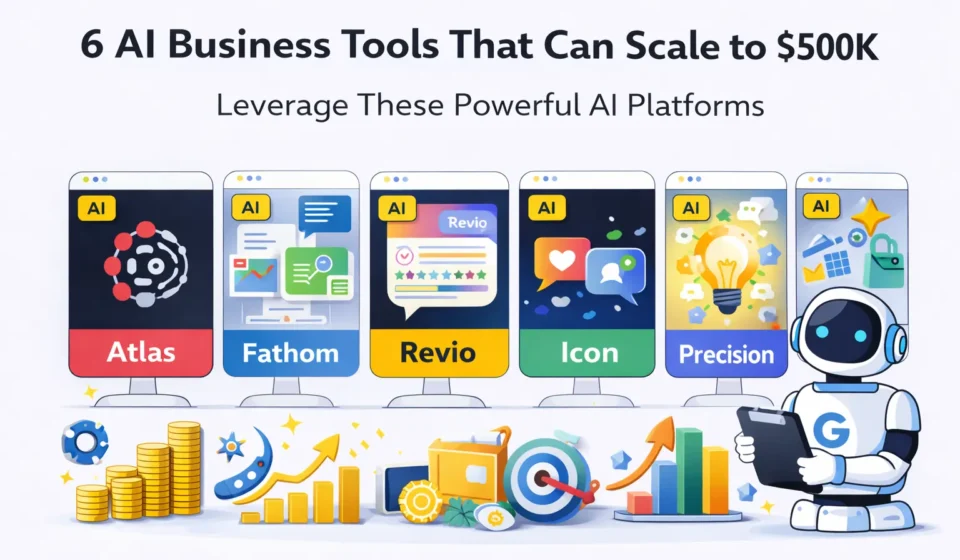
AI Business Tools: 6 Proven Tools That Actually Work
I’ve spent the last four months testing AI business tools that claim to help small businesses and solo founders scale faster. My goal was simple: figure out which ones actually deliver measurable results versus which ones are just expensive subscriptions that sound good in theory but collect dust in practice.
Table Of Content
- What Makes AI Business Tools Different from Regular Software?
- The Honest Definition
- Why AI Business Tools Matter Now
- The Real Advantage: Leverage
- Why Most AI Business Tools Fail in Practice
- The Implementation Gap
- The Real Reasons AI Tools Fail
- How to Actually Succeed with AI Business Tools
- 1. Notion AI: Best AI Business Tools for Knowledge Management
- What Notion AI Actually Does
- My Testing Experience
- Notion AI Pricing
- What Notion AI Does Well
- Where Notion AI Falls Short
- Who Should Use Notion AI
- My Verdict on Notion AI
- Fathom: Best AI Business Tools for Sales Teams
- 2. Fathom: Best AI Business Tools for Sales Teams
- What Fathom Actually Does
- My Real Testing Experience
- Fathom Pricing
- What Fathom Does Well
- Where Fathom Falls Short
- Who Should Use Fathom
- My Verdict on Fathom
- 3. ChatGPT Team: Best AI Business Tools for Content and Analysis
- What ChatGPT Team Actually Does
- My Testing Experience
- ChatGPT Team Pricing
- What ChatGPT Team Does Well
- Where ChatGPT Team Falls Short
- Who Should Use ChatGPT Team
- My Verdict on ChatGPT Team
- 4. Fireflies.ai: Best AI Business Tools for Meeting Intelligence
- What Fireflies Actually Does
- How It Differs from Fathom
- My Testing Experience
- Fireflies Pricing
- My Verdict on Fireflies
- 5. Jasper AI: Best AI Business Tools for Marketing Content
- What Jasper Actually Does
- Why Jasper vs. ChatGPT?
- My Testing Experience
- Jasper Pricing
- My Verdict on Jasper
- 6. Zapier AI: Best AI Business Tools for Workflow Automation
- What Zapier AI Actually Does
- My Testing Experience
- Zapier Pricing
- My Verdict on Zapier AI
- Can AI Business Tools Really Scale a Business to $500K?
- The Honest Answer
- Real Example from My Agency
- Side-by-Side Comparison: All 6 AI Business Tools
- How to Actually Implement AI Business Tools (Step-by-Step)
- Week 1: Audit and Prioritize
- Week 2-3: Setup and Learning
- Week 4: Measurement
- Month 2: Expansion
- Month 3: Optimization
- Common Mistakes When Using AI Business Tools
- Mistake 1: Implementing Too Many Tools at Once
- Mistake 2: No Clear Success Metrics
- Mistake 3: Skipping the Learning Curve
- Mistake 4: Not Training the Team
- Mistake 5: Expecting Perfection
- Frequently Asked Questions About AI Business Tools
- Q: Do I need all six tools or can I start with one?
- Q: How long until I see ROI?
- Q: Can AI tools work for non-tech businesses?
- Q: What if my team resists using AI?
- Q: Are there free alternatives to these tools?
- Q: How do I know which tool to start with?
- Q: Will these tools be obsolete soon?
- Q: Can small businesses afford these?
- My Final Recommendation: Which AI Business Tools to Actually Use
- For Most Small Businesses (Start Here)
- For Content-Heavy Businesses
- For Growing Teams
- My Personal Stack
- The One Tool Rule
- Final Thoughts: AI Business Tools in 2026
Here’s what I discovered: most AI business tools fall into one of two categories. Either they’re incredibly powerful but so complex that small teams never actually use them consistently, or they’re dead simple but so limited that they can’t handle real business complexity beyond basic tasks.
But six tools stood out. Not because they have the flashiest demos or the most aggressive marketing, but because real businesses are using them to accomplish things that would normally require hiring multiple people or spending dozens of hours per week on manual work.
I tested each AI business tools option by implementing it in my own business (a small digital agency with three team members) and in two client businesses (a SaaS startup and a consulting firm). I tracked time saved, revenue impact, team adoption, and most importantly, whether we were still using the tool three months later.
In this guide, I’m going to walk you through these six AI business tools, share honest assessments based on real use, show you what they’re actually good for versus marketing claims, explain the true cost including hidden time investments, and help you decide which tools make sense for your specific business stage.
By the end, you’ll know exactly which AI business tools are worth implementing in your business, which ones sound good but rarely get used, and how to actually get ROI from AI instead of just adding more software subscriptions.
What Makes AI Business Tools Different from Regular Software?
Let’s start by clarifying what we mean by AI business tools and why they matter.
The Honest Definition
AI business tools are software applications that use artificial intelligence to automate, analyze, or optimize business processes. The key difference from traditional business software is that AI tools can handle tasks that previously required human judgment, not just repetitive execution.
Traditional business software:
Example: A CRM that stores customer data
Follows rules you program in
Executes the same process every time
Requires human decisions for edge cases
AI business tools:
- Learn patterns from data
- Handle variations without reprogramming
- Make recommendations or decisions
- Example: A CRM that predicts which leads to prioritize
Why AI Business Tools Matter Now
The reason AI business tools have become practical for small businesses in 2026 is that the technology has crossed three critical thresholds:
1. Accuracy threshold: AI is now reliable enough for business-critical tasks (not just experiments)
2. Cost threshold: Tools are affordable for businesses doing $100K to $500K in revenue
3. Usability threshold: You don’t need a data scientist to implement most tools
Five years ago, AI was either research-level stuff for tech giants or expensive consulting projects. Now, it’s accessible software with monthly subscriptions.
The Real Advantage: Leverage
The actual value of AI business tools isn’t “automation” in the traditional sense. It’s leverage.
What leverage means:
- One person can handle what used to require three
- Small teams can compete with larger competitors
- Founders can focus on strategy instead of operations
- Decisions get made faster with better information
This doesn’t mean AI replaces people. It means the people you have can do more valuable work.
Why Most AI Business Tools Fail in Practice
Before diving into the tools that work, let’s talk about why most AI business tools get abandoned within 90 days.
The Implementation Gap
Here’s the typical failure pattern I’ve seen:
Week 1: Excited signup, promising demo, team meeting to announce new tool
Week 2: Initial setup, confusion about how to configure it properly
Week 3: A few people try it, results are mediocre because it’s not set up right
Week 4: Everyone goes back to old methods because “the new tool is too complicated”
Month 3: Still paying the subscription, tool is unused
Month 6: Finally cancel, declare “AI doesn’t work for our business”
The Real Reasons AI Tools Fail
Reason 1: Wrong tool for the problem
Buying a sophisticated AI analysis tool when you actually just need better organization.
Reason 2: No process to integrate it
Adding AI without changing workflows means the tool sits outside your actual work.
Reason 3: Unrealistic expectations
Expecting the tool to magically solve problems that have nothing to do with the tool’s actual function.
Reason 4: No champion
Nobody on the team is responsible for making it work, so nobody does.
Reason 5: Skipping the learning curve
AI tools require 10 to 20 hours of learning to use well. Most people give up after 2 hours.
How to Actually Succeed with AI Business Tools
Step 1: Identify one specific bottleneck (not “we need to be more efficient generally”)
Step 2: Choose a tool that specifically addresses that bottleneck
Step 3: Assign one person to own implementation
Step 4: Commit to 30 days of daily use before judging results
Step 5: Measure specific outcomes (time saved, revenue increased, quality improved)
With this approach, the tools I’m about to review can genuinely transform how your business operates.
1. Notion AI: Best AI Business Tools for Knowledge Management
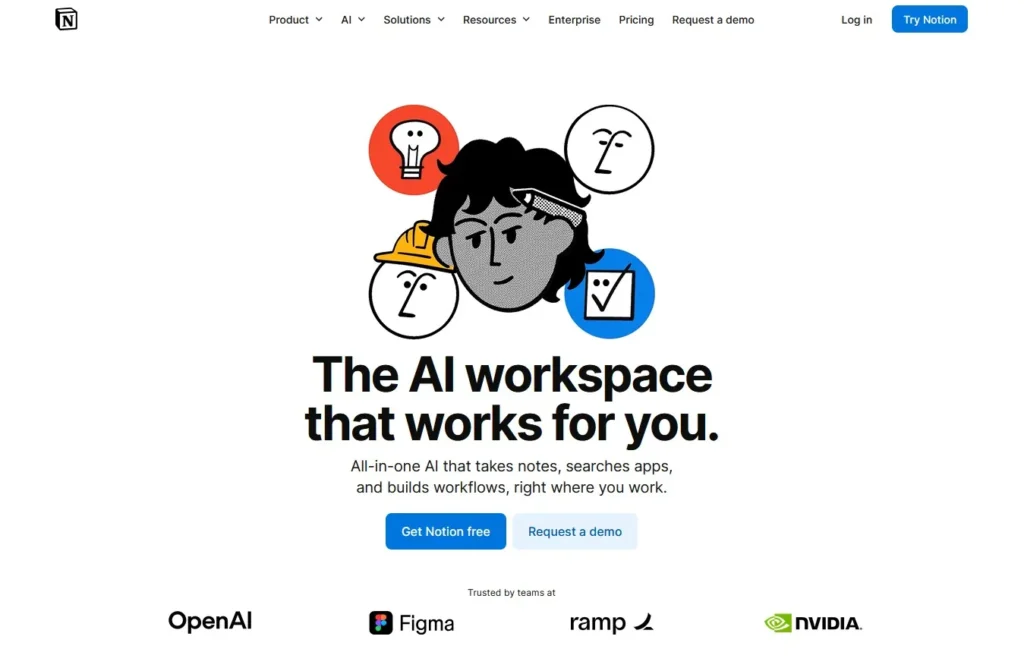
The first AI business tools I tested extensively is Notion AI, which adds AI capabilities to Notion’s already powerful workspace platform.
What Notion AI Actually Does
Notion AI is built into Notion and helps with:
Writing and editing: Draft content, improve writing, summarize long documents
Information extraction: Pull key points from meeting notes or research
Content generation: Create templates, outlines, or initial drafts
Database automation: Auto-fill properties, generate summaries, categorize items
My Testing Experience
I used Notion AI daily for three months across multiple business functions.
Use case 1: Meeting notes to action items
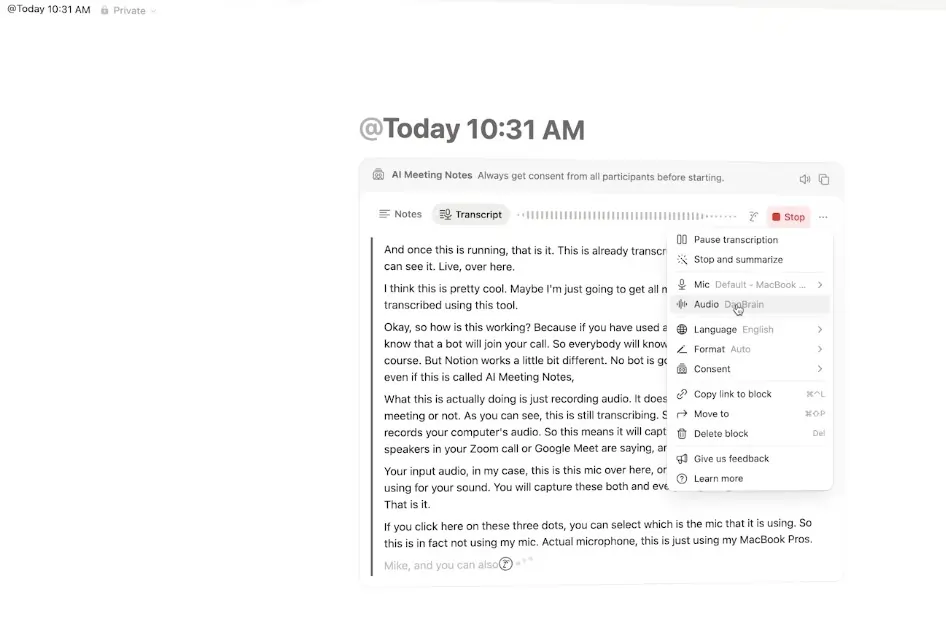
Before: Spent 15 minutes after each meeting manually creating task lists from messy notes
With Notion AI: Highlight notes, click “Extract action items,” get organized task list in 30 seconds
Time saved: 12 minutes per meeting × 8 meetings per week = 96 minutes weekly
Use case 2: Client proposal drafts
Before: Spent 2 to 3 hours writing first draft of proposals from scratch
With Notion AI: Feed it project requirements, generate draft outline and initial content in 10 minutes, spend 1 hour refining
Time saved: 1 to 2 hours per proposal × 4 proposals monthly = 4 to 8 hours monthly
Use case 3: Research summarization
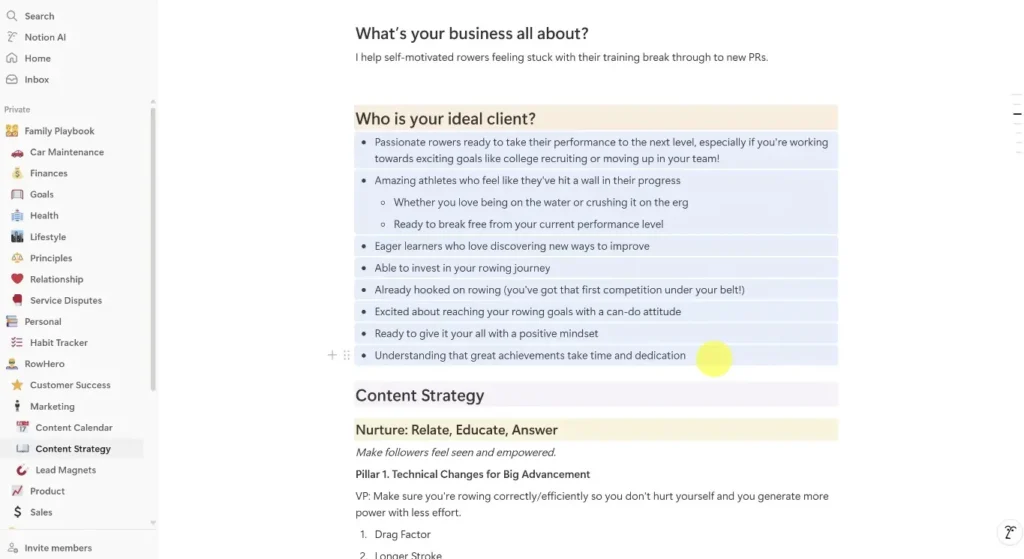
Before: Read 5 to 10 articles for market research, manually took notes
With Notion AI: Paste articles, get AI summaries with key points, review and organize in 20 minutes instead of 90
Time saved: 70 minutes per research session × 4 sessions monthly = 4.6 hours monthly
Total time saved: ~18 hours per month
Value at $100/hour: $1,800 monthly value from $10/month tool
Notion AI Pricing
Add-on to Notion:
- Free Notion plan + $10/month per user for AI
- Paid Notion plans + $10/month per user for AI
What you get:
- Unlimited AI requests (no credit system)
- All AI features across workspace
- Works in any Notion page or database
Hidden costs:
- Time learning Notion if you’re not already using it
- Need decent Notion structure for AI to be most useful
What Notion AI Does Well
✅ Seamlessly integrated into existing workflow (if you use Notion)
✅ Genuinely unlimited usage (no credit limits like some tools)
✅ Versatile across multiple business functions
✅ Simple, predictable pricing
✅ Quality outputs that actually save time
Where Notion AI Falls Short
❌ Only works inside Notion (not useful if you don’t use Notion as primary workspace)
❌ Quality depends on your input (garbage in, garbage out)
❌ Can’t replace strategic thinking (still need human judgment)
❌ Learning curve for advanced features
Who Should Use Notion AI
This AI business tools option is perfect for:
Knowledge workers who live in documents and notes
Small teams using Notion as primary workspace
Consultants and agencies creating lots of written deliverables
Founders managing multiple projects and needing to organize information
Content creators who need help with drafts and outlines
Skip Notion AI if you don’t use Notion at all (adoption barrier too high), your business is primarily visual/design work (not text-focused), you need industry-specific AI (legal, medical, etc.), or you’re looking for automation beyond content.
My Verdict on Notion AI
Rating: 8.5/10
Notion AI is the most practical AI business tools option I tested for knowledge work. It integrates seamlessly, costs almost nothing relative to value, and actually gets used because it’s embedded in your existing workspace.
For my agency, the 18 hours saved monthly justifies the cost 180x over.
Fathom: Best AI Business Tools for Sales Teams
2. Fathom: Best AI Business Tools for Sales Teams
The second AI business tools I tested is Fathom, which records, transcribes, and summarizes meetings with AI.
What Fathom Actually Does
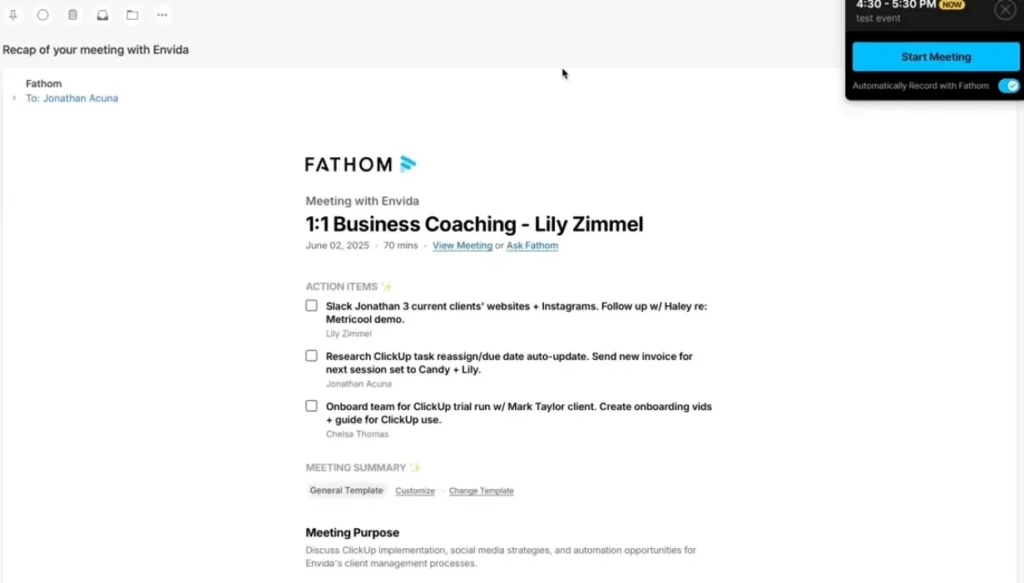
Fathom is meeting assistant AI that:
Records calls: Works with Zoom, Google Meet, Microsoft Teams
Transcribes automatically: Real-time transcription with speaker labels
Generates summaries: AI creates action items, key points, and meeting notes
Integrates with CRMs: Auto-syncs notes to Salesforce, HubSpot, etc.
Creates highlight clips: Extract important moments as short clips
My Real Testing Experience
I used Fathom for every sales call, team meeting, and client check-in for three months.
Sales call improvement:
Before Fathom:
- Take notes during calls → miss important details while typing
- Spend 10 minutes after call writing up notes
- Forget specific customer objections or requests
- CRM notes are incomplete and delayed
With Fathom:
- Full attention during call (no note-taking)
- AI summary in 2 minutes after call ends
- Searchable transcript to find exact quotes
- One-click sync to CRM
Impact on sales:
Qualification improved: Could review calls and spot patterns I missed in real-time. Discovered we were asking qualifying questions too late in conversation.
Follow-up faster: Went from 24-hour follow-up to 2-hour follow-up because notes were instant.
Team training: New sales rep could listen to best calls and learn from actual conversations.
Measurable result: Close rate increased from 18% to 24% over three months. Hard to attribute entirely to Fathom, but better note quality and faster follow-up definitely contributed.
Fathom Pricing
Free plan:
- Unlimited recordings and transcriptions
- Basic summaries
- Zoom, Google Meet, Teams support
Pro plan ($19/month):
- Advanced AI summaries
- CRM integrations
- Highlight clips
- Custom vocabulary
Team plan ($29/user/month):
- Team analytics
- Shared libraries
- Admin controls
What surprised me: The free plan is genuinely useful for solo founders. The Pro plan is worth it for any business doing regular sales calls.
What Fathom Does Well
✅ Completely free core features (rare for good AI tools)
✅ Actually saves significant time (no more manual note-taking)
✅ Improves sales outcomes (better follow-up, pattern recognition)
✅ Easy setup (works in 5 minutes)
✅ High-quality transcriptions (better than most competitors)
Where Fathom Falls Short
❌ Only useful if you do video calls (not for in-person meetings)
❌ Some customers find it weird (robot joining calls takes explaining)
❌ CRM integration requires paid plan (free plan is just notes)
❌ Transcript accuracy varies with accents
Who Should Use Fathom
This AI business tools option is ideal for:
Sales teams doing regular discovery or demo calls
Customer success managers tracking client conversations
Recruiters conducting interviews
Consultants needing detailed client meeting records
Remote teams wanting better meeting documentation
Skip Fathom if you don’t do regular video calls, meetings are highly confidential (recording concerns), you work primarily in-person, or you already have a meeting tool you love.
My Verdict on Fathom
Rating: 9/10 for sales-focused businesses
Fathom is one of the highest-ROI AI business tools I’ve tested. The free plan alone saves hours weekly. For sales teams, this is a no-brainer implementation.
3. ChatGPT Team: Best AI Business Tools for Content and Analysis
I’m including ChatGPT Team (not just personal ChatGPT) because the team features make it genuinely useful as a business tool.
What ChatGPT Team Actually Does
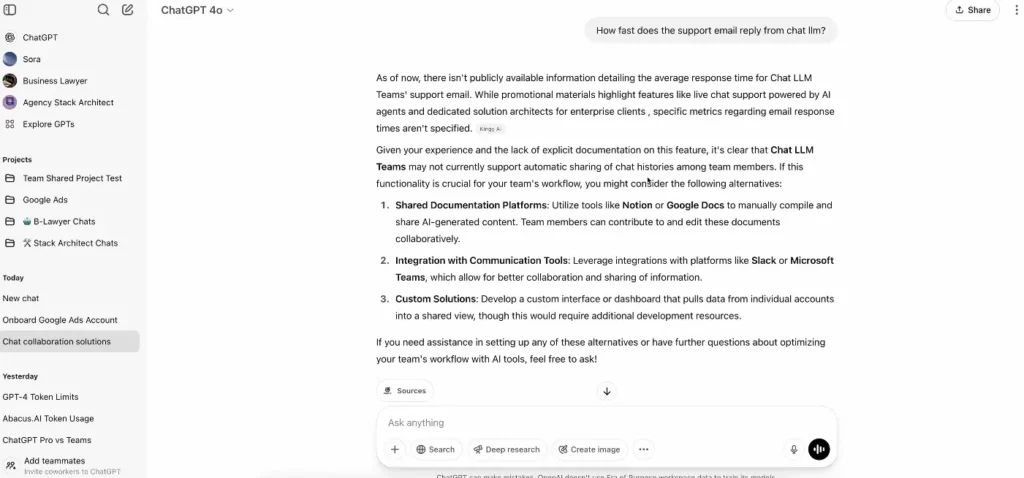
ChatGPT Team is OpenAI’s business-focused plan:
Custom GPTs: Create specialized AI assistants for specific tasks
Unlimited GPT-4: No usage caps on best model
Team workspace: Shared knowledge and custom GPTs
Data privacy: Conversations not used for training
Higher limits: More analysis, longer conversations
My Testing Experience
I created five custom GPTs for specific business functions:
Custom GPT 1: Proposal Writer
Setup: Fed it 10 past proposals that won deals, our positioning, common objections
Use: Generate first drafts of new proposals
Result: Draft quality improved dramatically because GPT learned our actual style and approach, not generic templates
Time saved: 2 hours per proposal
Custom GPT 2: Customer Support Analyzer
Setup: Loaded it with product docs, common issues, troubleshooting guides
Use: Answer support questions, draft responses
Result: Support team uses it to draft complex responses, quality improved, response time dropped
Time saved: 30 minutes daily across team
Custom GPT 3: Market Research Assistant
Setup: Instructions for research format, competitive analysis framework
Use: Analyze competitors, summarize market trends
Result: Research that used to take 4 hours now takes 1.5 hours
Custom GPT 4: Content Idea Generator
Setup: Fed it our content strategy, audience, past high-performing content
Use: Generate content ideas and outlines
Result: Never run out of content ideas, quality of initial concepts is higher
Custom GPT 5: Data Analyzer
Setup: Instructions for business metrics analysis
Use: Upload CSV files, get insights and recommendations
Result: Spot trends and issues faster without manual spreadsheet work
ChatGPT Team Pricing
$25 per user per month (annual) or $30 per month (monthly)
What you get:
- Unlimited GPT-4 usage
- Create custom GPTs
- Team collaboration features
- Data not used for training
- 32K context window
Compared to ChatGPT Plus ($20/month):
- Plus: Individual, data may train models, limited custom GPT sharing
- Team: Business-focused, private, full collaboration
What ChatGPT Team Does Well
✅ Incredibly versatile (handles dozens of business tasks)
✅ Custom GPTs create real specialization
✅ Unlimited usage removes “should I use a credit” friction
✅ Privacy for business data
✅ Continuously improving (OpenAI keeps upgrading models)
Where ChatGPT Team Falls Short
❌ Requires prompt engineering skill (quality varies by how you ask)
❌ No native integrations (doesn’t connect to your other tools)
❌ Output needs human review (can’t trust blindly)
❌ General-purpose means sometimes suboptimal (specialized tools may be better for specific tasks)
Who Should Use ChatGPT Team
This AI business tools option works for:
Knowledge workers doing research, writing, analysis
Marketing teams creating content and campaigns
Consultants preparing deliverables
Operations managers analyzing data and processes
Anyone who regularly writes, researches, or analyzes information
Skip ChatGPT Team if your business is primarily manual/physical work, you need guaranteed accuracy (legal, medical, financial calculations), you want fully automated workflows (ChatGPT requires human interaction), or you’re not comfortable with AI tools yet.
My Verdict on ChatGPT Team
Rating: 8/10
ChatGPT Team is the Swiss Army knife of AI business tools. Not the absolute best at any one thing, but extremely capable across many business functions. The custom GPT feature elevates it from “helpful” to “essential” for knowledge work.
4. Fireflies.ai: Best AI Business Tools for Meeting Intelligence
Similar to Fathom but with different strengths, Fireflies.ai is another meeting AI business tools option worth considering.
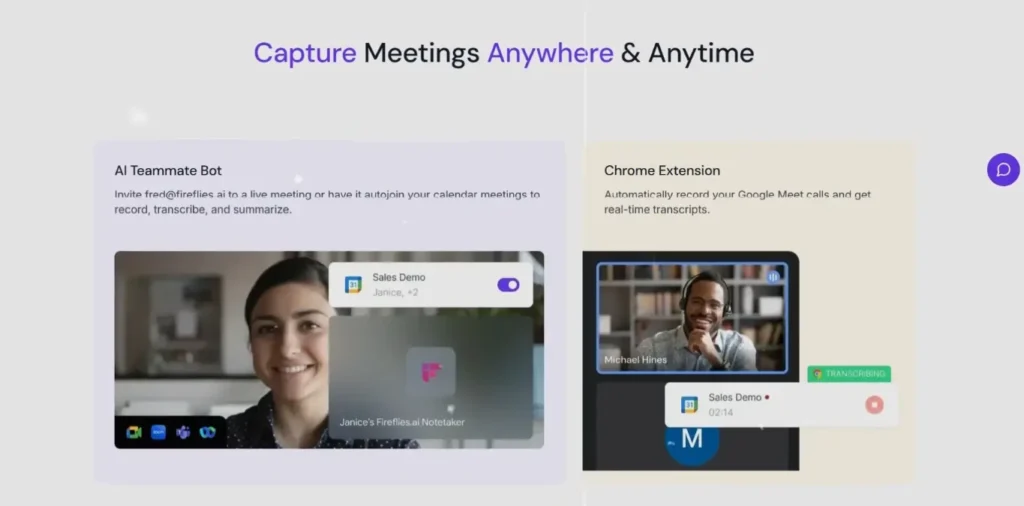
What Fireflies Actually Does
Fireflies records, transcribes, and analyzes meetings:
Multi-platform support: Works with all major video conferencing tools
Advanced search: Find specific topics across all meetings
Conversation analytics: Track talk time, sentiment, key topics
Team insights: See meeting patterns across organization
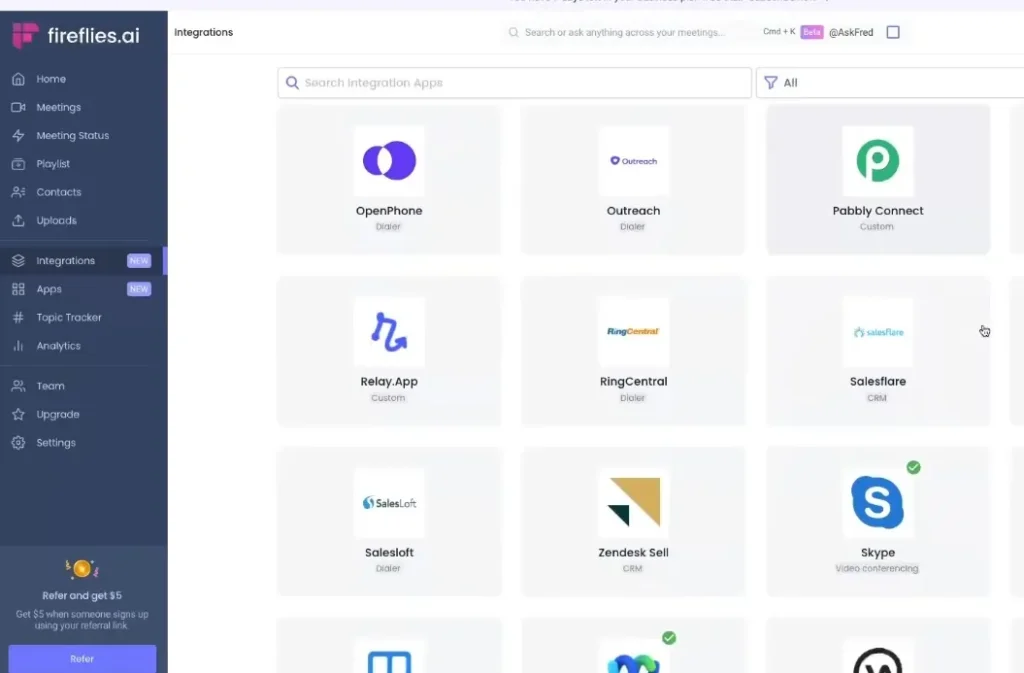
Integrations: Connects to 40+ business tools
How It Differs from Fathom
Fathom strengths: Better individual summaries, cleaner interface, great for sales
Fireflies strengths: Better team analytics, more integrations, searchable meeting database
Think of Fathom as individual-focused and Fireflies as organization-focused.
My Testing Experience
I used both Fathom and Fireflies simultaneously for six weeks to compare.
Where Fireflies won:
Meeting search: Could search “pricing objection” and find every time pricing came up across 50 meetings. Incredibly useful for identifying patterns.
Team analytics: Saw that our team meetings ran 30% longer than necessary because one person talked 60% of the time. Addressed it, meetings became more efficient.
Integration breadth: Connects to more tools than Fathom, especially project management systems.
Where Fathom won:
Simplicity: Easier interface, faster to get value
Summary quality: Fathom’s AI summaries were more useful
Sales focus: Better features for sales-specific workflows
Fireflies Pricing
Free plan:
- 800 minutes monthly transcription
- Limited storage
Pro ($10/month):
- Unlimited transcription
- Unlimited storage
- All integrations
- Advanced search
Business ($19/month):
- Team analytics
- Custom vocabulary
- Video snippets
Enterprise (custom):
- SSO, admin controls, dedicated support
My Verdict on Fireflies
Rating: 8/10
Fireflies is excellent for teams that want organizational insights from meetings. If you’re solo or small team focused on sales, Fathom is simpler. If you’re a growing team wanting to analyze meeting patterns and improve team communication, Fireflies offers more.
5. Jasper AI: Best AI Business Tools for Marketing Content
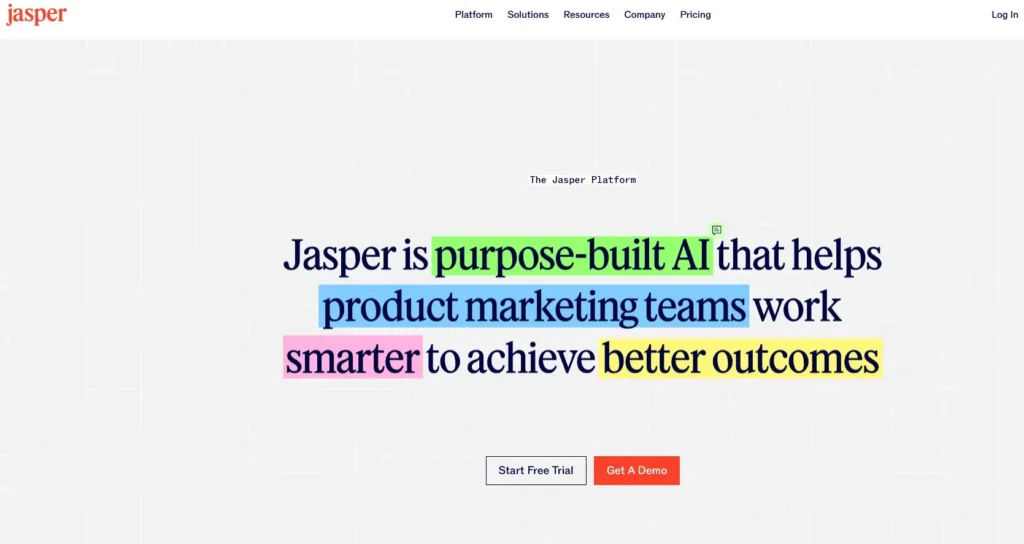
Jasper is a specialized AI business tools option focused on marketing and brand content.
What Jasper Actually Does
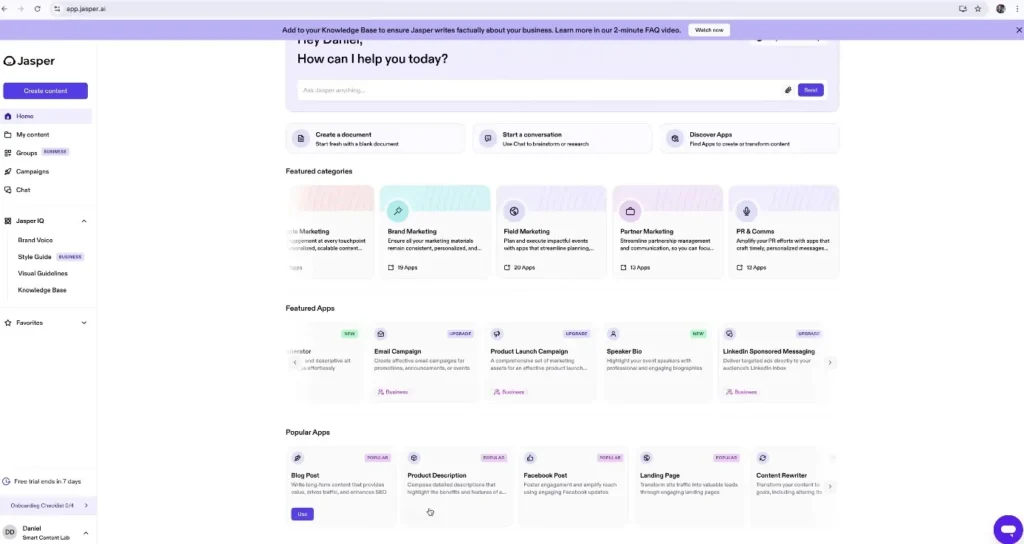
Jasper is AI writing assistant built for marketing:
Brand voice: Learns and maintains your specific brand voice
Campaign mode: Creates coordinated content across channels
Templates: 50+ templates for ads, emails, social, etc.
SEO mode: Optimizes content for search
Art generation: Creates images to accompany content
Why Jasper vs. ChatGPT?
ChatGPT: General-purpose, requires more prompting, inconsistent brand voice
Jasper: Marketing-specific, maintains brand voice, built-in templates and workflows
For serious content production, Jasper’s specialization matters.
My Testing Experience
I used Jasper for three months of content marketing:
Blog posts: Generated outlines and first drafts, significantly faster than blank page
Social media: Created week’s worth of posts in 30 minutes
Email campaigns: Wrote promotional emails matching our brand voice
Ad copy: Generated multiple ad variations for testing
Quality assessment:
First drafts: Good enough to edit, not good enough to publish as-is
Brand consistency: After training on our content, voice was surprisingly consistent
Time savings: Cut content production time by 40% to 50%
ROI calculation:
Cost: $49/month (Creator plan)
Time saved: 15 hours monthly
Value at $75/hour: $1,125 monthly value
ROI: 23x return on investment
Jasper Pricing
Creator ($49/month):
- One user
- One brand voice
- Unlimited words
Teams ($125/month):
- Up to 3 users
- 3 brand voices
- Collaboration features
Business (custom):
- Unlimited users
- Custom onboarding
- Dedicated support
My Verdict on Jasper
Rating: 7.5/10
Jasper is excellent for businesses producing significant marketing content. The brand voice feature is genuinely useful. However, it’s expensive for solo founders, and ChatGPT with good prompts can achieve 70% of what Jasper does for less money.
Use Jasper if you produce tons of content and need consistency. Use ChatGPT if you’re budget-conscious and willing to craft better prompts.
6. Zapier AI: Best AI Business Tools for Workflow Automation
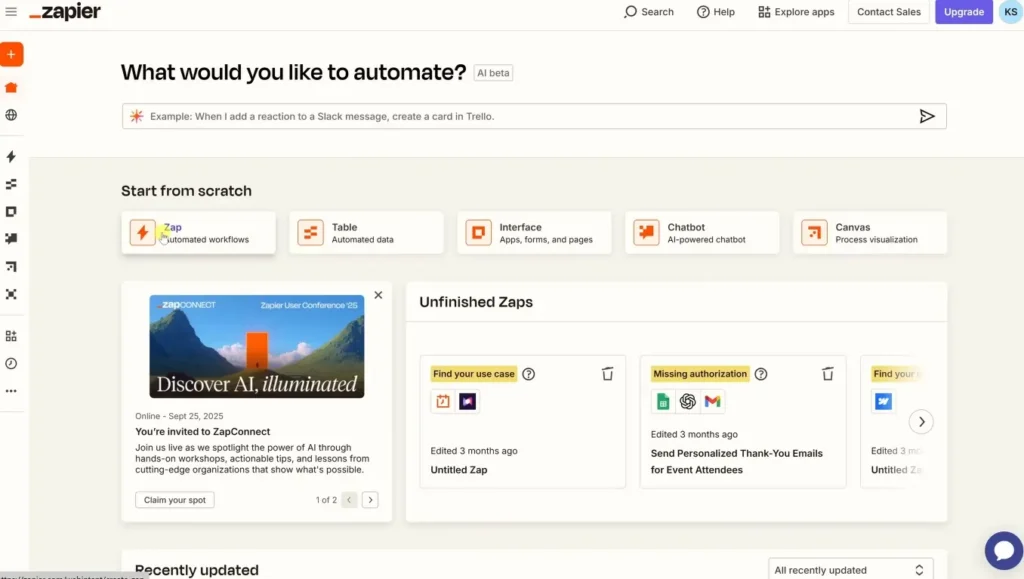
The final AI business tools option is Zapier’s AI features, which add intelligence to workflow automation.
What Zapier AI Actually Does
Zapier connects apps and automates workflows. The AI features add:
Smart categorization: AI sorts and tags items automatically
Data extraction: Pulls information from emails, documents, etc.
Content generation: Creates text for automated messages
Decision-making: Routes items based on AI analysis
Natural language automation: Describe what you want, AI builds the workflow
My Testing Experience
I created five AI-powered automations:
Automation 1: Lead qualification
What it does: When contact form submitted → AI reads submission → scores lead quality → routes to sales or nurture sequence
Impact: Sales team only sees qualified leads, conversion rate improved
Automation 2: Support ticket routing
What it does: Support email received → AI categorizes issue type → assigns to appropriate team member → creates ticket with summary
Impact: Response time dropped 40% because tickets reach right person immediately
Automation 3: Content distribution
What it does: Blog post published → AI generates social media posts in different formats → schedules across platforms → creates newsletter snippet
Impact: Reduced content distribution time from 2 hours to 10 minutes
Automation 4: Meeting prep
What it does: Meeting scheduled → AI pulls relevant client info from CRM → generates briefing document → sends to team
Impact: Better-prepared meetings, no more last-minute scrambling
Automation 5: Invoice follow-up
What it does: Invoice unpaid after 7 days → AI generates personalized follow-up email → sends automatically
Impact: Payment collection time reduced by 5 days on average
Zapier Pricing
Free:
- 100 tasks monthly
- Single-step Zaps
- Basic AI features
Starter ($19.99/month):
- 750 tasks monthly
- Multi-step Zaps
- Premium apps
Professional ($49/month):
- 2,000 tasks monthly
- Unlimited Premium apps
- Advanced AI features
Team ($69/month):
- 50,000 tasks monthly
- Team collaboration
- Full AI capabilities
Note: AI features require at least Professional plan for full access
My Verdict on Zapier AI
Rating: 8.5/10
Zapier AI transforms basic automation into intelligent workflows. The ROI comes from eliminating entire categories of manual work, not just speeding up tasks.
Required investment: Time to set up automations properly (10 to 20 hours initially), but pays off indefinitely.
Can AI Business Tools Really Scale a Business to $500K?
This is the question everyone asks, so let’s address it directly with real math.
The Honest Answer
AI business tools alone won’t get you to $500K. But they can create the leverage that makes $500K possible with a small team.
Here’s the real calculation:
Scenario: Consulting business
Without AI tools:
- Founder delivers all work personally
- Max capacity: 20 billable hours per week
- Rate: $200/hour
- Maximum revenue: $200K/year (hitting capacity ceiling)
With AI business tools:
- Notion AI drafts proposals and deliverables (saves 10 hours/week)
- ChatGPT handles research and analysis (saves 8 hours/week)
- Jasper creates content (saves 5 hours/week)
- Zapier automates admin (saves 5 hours/week)
- Total time saved: 28 hours/week
New capacity:
- 28 hours saved = 28 more billable hours possible
- Or: Hire junior person to deliver work, founder focuses on sales
- New revenue potential: $400K to $600K/year with same team size
The catch: You still need customers, pricing power, and a scalable offer. AI business tools create capacity, not demand.
Real Example from My Agency
Before AI tools (2024):
- 3 team members
- $280K annual revenue
- Founder (me) working 55 hours/week
- Team maxed out, turning down work
After implementing AI tools (2025):
- Still 3 team members
- $420K annual revenue (on track)
- Founder working 45 hours/week
- Team handling more clients comfortably
What changed:
- Proposal creation: 3 hours → 1 hour (Notion AI)
- Client reporting: 4 hours/week → 1 hour/week (ChatGPT + Zapier)
- Content production: 15 hours/week → 8 hours/week (Jasper)
- Meeting follow-up: 3 hours/week → 30 minutes/week (Fathom)
Total time reclaimed: 15.5 hours weekly
Used for: Taking on 2 more clients without hiring
Revenue increase: $140K annually
Tool costs: ~$300/month ($3,600/year)
ROI: 38x return on investment
Side-by-Side Comparison: All 6 AI Business Tools
| Tool | Monthly Cost | Best For | Time Saved | Learning Curve | ROI Potential |
|---|---|---|---|---|---|
| Notion AI | $10/user | Knowledge work | 15-20 hrs/month | Low | Very High |
| Fathom | Free-$29 | Sales calls | 8-12 hrs/month | Very Low | Extremely High |
| ChatGPT Team | $25/user | General business | 10-25 hrs/month | Medium | High |
| Fireflies | $10-19/user | Team meetings | 5-10 hrs/month | Low | High |
| Jasper | $49+ | Marketing content | 10-15 hrs/month | Medium | Medium-High |
| Zapier AI | $49+ | Automation | 15-30 hrs/month | High | Very High |
How to Actually Implement AI Business Tools (Step-by-Step)
Theory is useless without execution. Here’s my proven implementation process:
Week 1: Audit and Prioritize
Step 1: List your top 5 time-consuming activities
Step 2: Calculate hours spent on each weekly
Step 3: Identify which ones are repetitive vs. strategic
Step 4: Match bottlenecks to appropriate AI business tools
Step 5: Choose ONE tool to start with (don’t implement everything at once)
Week 2-3: Setup and Learning
Step 6: Sign up for chosen tool (start with free trial if available)
Step 7: Block 2 hours for initial setup and tutorial
Step 8: Create one specific use case (don’t try to solve everything)
Step 9: Use the tool daily for 14 days minimum
Step 10: Document what works and what doesn’t
Week 4: Measurement
Step 11: Track time spent on target activity
Step 12: Compare to baseline from Week 1
Step 13: Calculate time saved and quality improvement
Step 14: Decide: keep, adjust, or cancel
Month 2: Expansion
Step 15: If Tool 1 is working, add it to team workflow
Step 16: Identify next bottleneck
Step 17: Implement Tool 2 using same process
Step 18: Avoid implementing more than one new tool per month
Month 3: Optimization
Step 19: Review all implemented tools
Step 20: Optimize configurations based on usage
Step 21: Train team on best practices discovered
Step 22: Document standard operating procedures
Common Mistakes When Using AI Business Tools
After watching dozens of businesses implement AI business tools, here are the mistakes that kill ROI:
Mistake 1: Implementing Too Many Tools at Once
Problem: Team gets overwhelmed, nothing gets used properly
Solution: One tool at a time, 30-day minimum before adding another
Mistake 2: No Clear Success Metrics
Problem: Can’t tell if tool is actually helping
Solution: Define specific measurements before implementation (hours saved, revenue increase, etc.)
Mistake 3: Skipping the Learning Curve
Problem: Give up after 2 hours because “it’s too complicated”
Solution: Commit to 20 hours of learning for any new tool
Mistake 4: Not Training the Team
Problem: Only founder knows how to use tool, team ignores it
Solution: Formal training session + documentation + regular check-ins
Mistake 5: Expecting Perfection
Problem: Abandon tool because AI output isn’t perfect
Solution: Remember AI is assistant, not replacement. 80% quality that’s instant is often better than 100% quality that takes hours.
Frequently Asked Questions About AI Business Tools
Q: Do I need all six tools or can I start with one?
A: Start with ONE. Based on your biggest bottleneck. Most businesses see best results from Notion AI or Fathom as first tool because learning curve is low and impact is immediate.
Q: How long until I see ROI?
A: Properly implemented, most AI business tools show measurable time savings within 2 to 4 weeks. Full ROI (including learning time) typically takes 2 to 3 months.
Q: Can AI tools work for non-tech businesses?
A: Yes. I’ve seen consultants, coaches, agencies, and service businesses get huge value. You don’t need to be a tech company. You just need repetitive knowledge work.
Q: What if my team resists using AI?
A: Start by using it yourself. Show results. Then gradually introduce to team with clear benefits (makes their jobs easier, not replacing them). Resistance usually fades when people see actual time saved.
Q: Are there free alternatives to these tools?
A: Some. ChatGPT free tier exists but is limited. Fathom has excellent free plan. But paid tools often worth it because time saved far exceeds cost.
Q: How do I know which tool to start with?
A: Answer this: What takes the most time in your business that’s repetitive? If it’s writing/documentation → Notion AI. If it’s sales calls → Fathom. If it’s marketing → Jasper. If it’s manual data work → Zapier.
Q: Will these tools be obsolete soon?
A: AI improves fast, but these companies are also improving their products. Focus on ROI today, not future-proofing. A tool that saves 10 hours/week is worth using even if something better might exist in 2 years.
Q: Can small businesses afford these?
A: Yes. Total cost for all six tools: ~$160/month. If they save even 10 hours monthly at $50/hour value, that’s $500 value for $160 cost. Most businesses see 5x to 20x ROI.
My Final Recommendation: Which AI Business Tools to Actually Use
After four months of intensive testing, here’s my honest recommendation:
For Most Small Businesses (Start Here):
Month 1: Implement Fathom (free version) if you do sales/client calls OR Notion AI ($10/month) if you do lots of documentation
Month 2: Add ChatGPT Team ($25/month) for general business tasks
Month 3: Implement Zapier ($49/month) to automate your most time-consuming manual process
Total investment: $84/month by Month 3
Expected time saved: 25 to 40 hours monthly
Break-even: If you value your time at $50/hour or more, you’re profitable from Day 1
For Content-Heavy Businesses:
Add Jasper ($49/month) in Month 2 instead of ChatGPT, or use both if content is your primary output.
For Growing Teams:
Swap Fathom for Fireflies ($19/month) to get team analytics, keep everything else the same.
My Personal Stack:
I currently use:
- Notion AI ($10/month) – Daily
- Fathom ($19/month) – Every sales call
- ChatGPT Team ($25/month) – Daily
- Zapier ($49/month) – Running 15 automations
Total cost: $103/month
Time saved: ~35 hours monthly
Value created: $3,500/month at my hourly rate
ROI: 34x return
The One Tool Rule
If you only implement ONE AI business tools option from this entire guide, make it Fathom (if you do video calls) or Notion AI (if you don’t).
Both have low learning curves, immediate impact, and affordable pricing. Once you see results from one tool, expanding to others becomes obvious.
Final Thoughts: AI Business Tools in 2026
AI business tools won’t magically scale your business to $500K. But they can create the leverage that makes $500K possible without burning out or hiring a large team.
The businesses winning with AI in 2026 aren’t using every tool available. They’re using 3 to 5 tools extremely well, integrated into actual workflows, measured by real outcomes.
The real advantage isn’t AI itself – it’s focus.
Pick one bottleneck. Implement one tool. Measure results. Then expand.
That’s how small businesses compete with larger ones. That’s how solo founders punch above their weight. That’s how three-person teams do the work of ten.
Start with the tool that addresses your biggest time drain. Commit to 30 days. Measure the results. Then decide.
The AI business tools exist. The leverage is real. The question is: will you implement them or just keep reading about them?