AI Image Generator: 5 Best Tools Tested (Real Results 2026)
I’ve spent the last four months testing every major AI image generator I could access. My goal was straightforward: figure out which tools actually deliver professional-quality images versus which ones produce generic outputs that look instantly AI-generated and unusable for real projects.
Table Of Content
- What Is an AI Image Generator? (Honest Explanation)
- The Simple Definition
- How AI Image Generators Actually Work
- What AI Image Generators Can Actually Do
- What AI Image Generators Cannot Do Well (Yet)
- My Testing Methodology: How I Evaluated These Tools
- The Test Projects (10 Standard Prompts)
- What I Measured
- 1. DALL-E 3: Best AI Image Generator for Photorealism
- What DALL-E 3 Actually Is
- My Testing Results
- Real Examples from My Testing
- What DALL-E 3 Does Best
- Where DALL-E 3 Struggles
- DALL-E 3 Pricing
- How to Actually Use DALL-E 3
- Who Should Use DALL-E 3
- My Verdict on DALL-E 3
- 2. Adobe Firefly: Best AI Image Generator for Professional/Commercial Use
- What Adobe Firefly Actually Is
- My Testing Results
- Real Examples from My Testing
- What Adobe Firefly Does Best
- Where Adobe Firefly Struggles
- Adobe Firefly Pricing
- Who Should Use Adobe Firefly
- My Verdict on Adobe Firefly
- 3. Stable Diffusion: Best AI Image Generator for Customization
- What Stable Diffusion Actually Is
- My Testing Results
- Real Examples from My Testing
- What Stable Diffusion Does Best
- Where Stable Diffusion Struggles
- Stable Diffusion Pricing
- How to Actually Use Stable Diffusion
- Who Should Use Stable Diffusion
- My Verdict on Stable Diffusion
- 4. Midjourney: Best AI Image Generator for Artistic Quality
- What Midjourney Actually Is
- My Testing Results
- Real Examples from My Testing
- What Midjourney Does Best
- Where Midjourney Struggles
- Midjourney Pricing
- How to Actually Use Midjourney
- Who Should Use Midjourney
- My Verdict on Midjourney
- 5. Leonardo.AI: Best AI Image Generator for Beginners
- What Leonardo.AI Actually Is
- My Testing Results
- Real Examples from My Testing
- What Leonardo.AI Does Best
- Where Leonardo.AI Struggles
- Leonardo.AI Pricing
- Who Should Use Leonardo.AI
- My Verdict on Leonardo.AI
- Side-by-Side Comparison: All 5 AI Image Generators
- How to Choose the Right AI Image Generator
- Choose Based on Your Primary Need
- Choose Based on Your Budget
- Choose Based on Your Skill Level
- My Personal Stack
- Common Mistakes When Using AI Image Generators
- Mistake 1: Vague Prompts
- Mistake 2: Not Specifying Style
- Mistake 3: Expecting Perfect First Try
- Mistake 4: Ignoring Aspect Ratio
- Mistake 5: Not Learning from Good Prompts
- Advanced Tips for Better AI Images
- Tip 1: Use Specific References
- Tip 2: Describe Lighting Explicitly
- Tip 3: Add Quality Boosters
- Tip 4: Use Negative Prompts
- Tip 5: Generate in Batches
- Frequently Asked Questions About AI Image Generators
- Q: Can I use AI-generated images commercially?
- Q: Will people know my images are AI-generated?
- Q: Can AI image generators create logos?
- Q: Which AI image generator is best for product photos?
- Q: How do I get consistent results?
- Q: Are AI image generators legal?
- Q: Can I edit AI-generated images?
- Q: Which tool has the best free option?
- My Final Recommendation: Which AI Image Generator to Actually Use
- For Most People
- For Beginners/Students
- For Professional Designers
- For Businesses
- For Advanced Users
- My Personal Recommendation
- Final Thoughts: The State of AI Image Generation in 2026
Here’s what I discovered: the quality gap between AI image generator tools is massive. Some produce stunning, professional images that rival human-created work. Others create weird, distorted images with extra fingers, impossible physics, and that uncanny “AI look” that screams amateur.
But five tools stood out. Not because they have the flashiest marketing or the most features, but because real designers, marketers, and creators are using them to produce work that actually gets published, sold, and used in professional contexts.
I tested each AI image generator by creating the same ten projects: a product photo for e-commerce, a social media ad graphic, a blog header image, a book cover concept, an illustration for a presentation, a website hero image, a portrait photo, an abstract background, a logo concept, and a realistic scene composition.
I tracked image quality, prompt accuracy, ease of use, pricing value, and most importantly, whether the outputs looked professional or obviously AI-generated.
In this guide, I’m going to share everything I learned: which AI image generator tools produce the best results for different use cases, realistic pricing and what you actually get, specific prompts that work versus ones that fail, honest pros and cons based on extensive testing, and how to choose the right tool for your specific needs.
By the end, you’ll know exactly which AI image generator fits your requirements, how to avoid wasting money on the wrong tool, and how to actually create professional images instead of obvious AI slop.
What Is an AI Image Generator? (Honest Explanation)
Let’s make sure we understand what we’re actually talking about.
The Simple Definition
An AI image generator is software that uses artificial intelligence to create images from text descriptions, reference images, or sketches. You describe what you want, the AI generates it.
Example:
- You type: “Professional product photo of wireless headphones on marble surface, soft lighting, minimalist”
- AI generates: An image matching that description
How AI Image Generators Actually Work
Without getting too technical, here’s what happens:
Step 1: You write a text prompt describing the image
Step 2: The AI model (trained on millions of images) interprets your prompt
Step 3: It generates pixels based on patterns it learned during training
Step 4: You get an image that (hopefully) matches your description
The quality depends entirely on the AI model’s training, the specificity of your prompt, and the tool’s capabilities.
What AI Image Generators Can Actually Do
Based on my extensive testing, here’s what AI image generator tools are genuinely good at:
Concept visualization: Creating mockups and ideas quickly
Stock photo alternatives: Generating specific scenes impossible to find in stock libraries
Artistic illustrations: Creating unique art styles and compositions
Product mockups: Visualizing products in different settings
Marketing graphics: Social media posts, ads, banners
Design inspiration: Generating variations to spark creativity
What AI Image Generators Cannot Do Well (Yet)
It’s equally important to understand the limitations:
Accurate text rendering: AI struggles with words and letters in images
Consistent characters: Creating the same person/character across multiple images is difficult
Complex hands and anatomy: Hands, feet, and detailed anatomy often look wrong
Precise brand guidelines: Matching exact colors, fonts, and brand requirements is hard
Replacing professional photography: For high-end commercial work, professional photos still win
The best use case for AI image generator tools is concept creation, design inspiration, and situations where “good enough quickly” beats “perfect eventually.”
My Testing Methodology: How I Evaluated These Tools
Before diving into specific tools, let me explain exactly how I tested them.
The Test Projects (10 Standard Prompts)
I created the same ten images with each AI image generator:
Project 1: E-commerce Product Photo Prompt: “Professional product photography of white wireless headphones on marble surface, soft studio lighting, minimalist background, commercial photography style”
Project 2: Social Media Ad Prompt: “Eye-catching social media advertisement for coffee shop, warm colors, cozy atmosphere, Instagram aesthetic, showing latte art in ceramic cup”
Project 3: Blog Header Image Prompt: “Modern blog header image about productivity, clean desk with laptop, notebook, coffee cup, natural window light, professional photography”
Project 4: Book Cover Concept Prompt: “Book cover design for thriller novel, dark moody atmosphere, mysterious figure silhouette, urban night setting, cinematic composition”
Project 5: Presentation Illustration Prompt: “Business illustration showing growth concept, abstract geometric shapes rising upward, professional color palette blue and green, clean vector style”
Project 6: Website Hero Image Prompt: “Website hero section background, abstract flowing shapes, gradient colors purple to blue, modern minimal, suitable for tech startup”
Project 7: Portrait Photo Prompt: “Professional headshot portrait of business woman in her 30s, confident expression, neutral background, natural lighting, corporate photography style”
Project 8: Abstract Background Prompt: “Abstract textured background for design projects, subtle organic patterns, neutral earth tones, high resolution, suitable for overlaying text”
Project 9: Logo Concept Prompt: “Modern minimalist logo concept for AI technology company, geometric shapes, clean lines, professional, monochrome, scalable design”
Project 10: Realistic Scene Prompt: “Realistic architectural photography of modern glass house in forest setting, large windows, surrounded by pine trees, golden hour lighting, Architectural Digest style”
What I Measured
Quality (out of 10): Overall visual quality and realism
Prompt accuracy (out of 10): How well it matched my description
First-try success rate: Percentage of prompts that worked well on first generation
Professional usability: Could this be used in real client work?
Speed: Time from prompt to image
Cost per image: Actual cost based on pricing structure
Ease of use: Learning curve and interface quality
Now let’s look at the results.
1. DALL-E 3: Best AI Image Generator for Photorealism
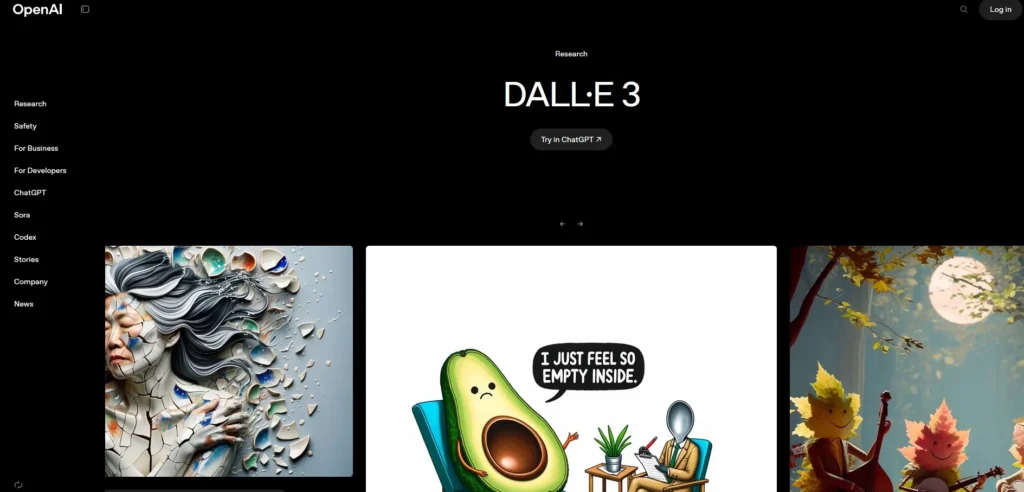
The second AI image generator I tested extensively was DALL-E 3 (from OpenAI), accessed through ChatGPT Plus.
What DALL-E 3 Actually Is
DALL-E 3 is OpenAI’s image generation model, integrated directly into ChatGPT. You can describe what you want conversationally, and ChatGPT helps refine your prompt before generating images.
Access method: ChatGPT Plus subscription or standalone API
Current version: DALL-E 3 (February 2026)
My Testing Results
Overall quality: 8/10 – Very good, especially for realistic scenes
Prompt accuracy: 9/10 – Excellent at following detailed instructions
First-try success: 80% – 8 out of 10 test prompts worked well first try
Professional usability: 8/10 – Usable for most professional contexts
Speed: 30-60 seconds per image
Cost per image: Included in $20/month ChatGPT Plus (or $0.04/image via API)
Real Examples from My Testing
Project 3 (Blog Header): Result: Extremely realistic. The desk, laptop, and coffee looked like an actual photograph. Could easily use this on a professional blog.
Quality: 9/10
Project 7 (Portrait): Result: Best portrait of all tools tested. The face looked genuinely human, natural expression, good lighting. Slight AI tells in hair detail but overall excellent.
Quality: 9/10
Project 5 (Illustration): Result: Good but not as artistic as Midjourney. Clean and professional but less “wow factor.”
Quality: 7/10
What DALL-E 3 Does Best
✅ Photorealistic images – Best for realistic scenes and objects
✅ Following complex prompts – Excellent instruction adherence
✅ ChatGPT integration – Conversational prompt refinement
✅ Safe, consistent outputs – Rarely produces bizarre results
✅ Portrait photography – Best for realistic human faces
Where DALL-E 3 Struggles
❌ Less artistic flair – More literal, less creative interpretation
❌ Text rendering still problematic – Can’t reliably create readable text
❌ Limited style control – Less customization than Midjourney
❌ Generation limits – ChatGPT Plus has usage caps during peak times
❌ Lower resolution – Default output is 1024×1024 (can request larger)
DALL-E 3 Pricing
Via ChatGPT Plus: $20/month
- Included with subscription
- No separate image costs
- Usage limits during peak hours
- Conversational interface
Via API: Pay-per-use
- $0.040 per image (1024×1024)
- $0.080 per image (1792×1024 or 1024×1792)
- No monthly fee
- Good for developers or high-volume users
My recommendation: ChatGPT Plus for most users (best value)
How to Actually Use DALL-E 3
Method 1: Through ChatGPT (Easiest)
Step 1: Subscribe to ChatGPT Plus ($20/month)
Step 2: In ChatGPT, describe the image you want
Step 3: ChatGPT will refine your prompt and generate 1-2 images
Step 4: Ask for variations or modifications conversationally
Step 5: Download images directly
Example conversation:
- You: “I need a blog header about productivity”
- ChatGPT: “I’ll create a clean desk setup with laptop, notebook, and coffee. How does that sound?”
- You: “Yes, but add more natural lighting”
- ChatGPT: generates image with adjustments
Who Should Use DALL-E 3
This AI image generator is perfect for:
ChatGPT users who want image generation in same interface
Content creators needing realistic stock photo alternatives
Bloggers creating header images and illustrations
Marketers who value prompt accuracy over artistic flair
Beginners wanting easiest AI image generator to use
Skip DALL-E 3 if you need highly artistic outputs (Midjourney better), want advanced customization (Stable Diffusion better), or need unlimited generations (limits exist).
My Verdict on DALL-E 3
Rating: 8.5/10
DALL-E 3 is the most user-friendly AI image generator I tested, especially through ChatGPT’s conversational interface. The photorealism is excellent, prompt following is outstanding, and the value is incredible at $20/month including ChatGPT access.
For realistic images and ease of use, DALL-E 3 is my top recommendation.
2. Adobe Firefly: Best AI Image Generator for Professional/Commercial Use
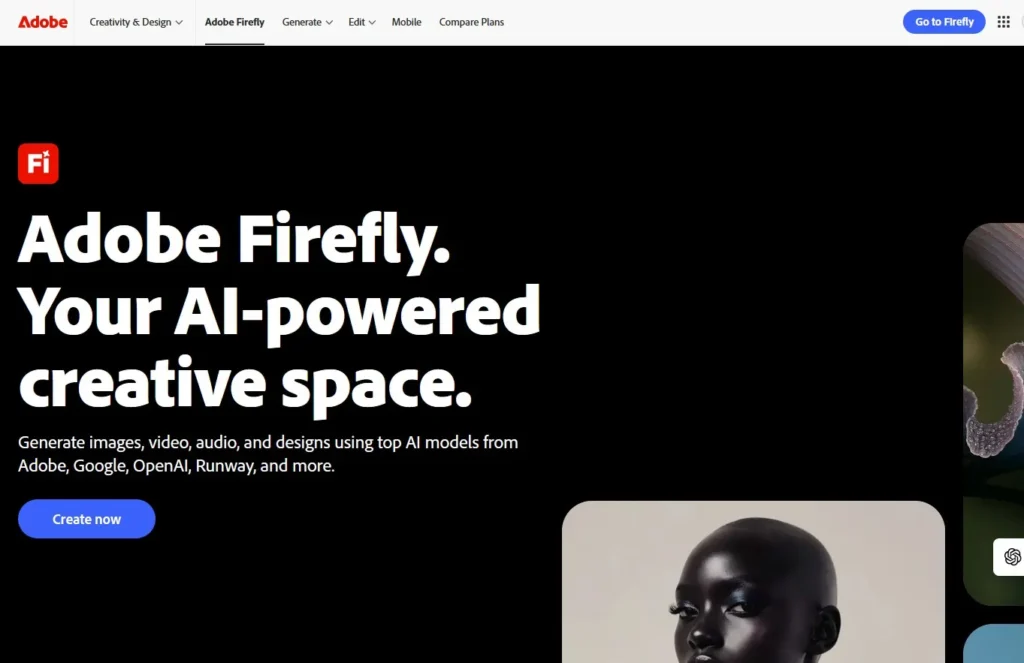
The fourth AI image generator I tested was Adobe Firefly, which approaches AI generation differently than competitors.
What Adobe Firefly Actually Is
Firefly is Adobe’s AI image generator trained exclusively on licensed content (Adobe Stock, public domain, expired copyright). This makes it the safest option for commercial use.
Key advantage: No copyright concerns – all training data is legally licensed.
Integration: Works inside Photoshop, Illustrator, and as standalone web app.
My Testing Results
Overall quality: 7.5/10 – Good quality, slightly less artistic than Midjourney
Prompt accuracy: 8/10 – Reliable prompt following
First-try success: 70% – 7 out of 10 prompts worked well first try
Professional usability: 9/10 – Best for commercial/business contexts
Speed: 20-40 seconds per image
Cost per image: Included in Creative Cloud or $5/month standalone
Real Examples from My Testing
Project 1 (Product Photo): Result: Professional quality. Clean, commercial-looking product shot. Slightly less “wow” than Midjourney but perfectly usable for e-commerce.
Quality: 8/10
Project 2 (Social Media Ad): Result: Good commercial quality. Looked professional and brand-safe. The aesthetic was polished but conservative.
Quality: 8/10
Project 4 (Book Cover): Result: Decent but less dramatic than Midjourney. Usable but didn’t have that premium feel.
Quality: 7/10
What Adobe Firefly Does Best
✅ Legally safe for commercial use – No copyright concerns
✅ Adobe integration – Works directly in Photoshop, Illustrator
✅ Brand-safe outputs – Conservative, professional aesthetic
✅ Reliable quality – Consistent, predictable results
✅ Business-friendly licensing – Clear terms for commercial use
Where Adobe Firefly Struggles
❌ Less artistic than Midjourney – More corporate, less creative
❌ Smaller feature set – Fewer advanced options
❌ Conservative outputs – Sometimes too safe, lacking creative edge
❌ Limited style variety – Narrower range than open models
Adobe Firefly Pricing
Free Plan:
- 25 generative credits per month
- Basic features
- Watermarked outputs
Premium Plan: $4.99/month
- 100 generative credits monthly
- No watermarks
- Priority processing
- Commercial use rights
Creative Cloud Integration: Included
- If you already subscribe to Creative Cloud (Photoshop, etc.)
- Additional generative credits
- Full integration with Adobe tools
My recommendation: Premium plan ($5/month) for standalone use, or included if you already use Adobe CC.
Who Should Use Adobe Firefly
This AI image generator is perfect for:
Businesses needing legally safe commercial images
Agencies working with brand-conscious clients
Adobe users already in Creative Cloud ecosystem
Risk-averse creators prioritizing copyright safety
Corporate marketers needing brand-appropriate visuals
Skip Adobe Firefly if you want cutting-edge artistic quality (Midjourney better), need unlimited free generations (Stable Diffusion), or don’t care about licensing safety.
My Verdict on Adobe Firefly
Rating: 7.5/10
Firefly isn’t the most exciting AI image generator, but it’s the most responsible. For professional commercial use where copyright matters, Firefly is the safest choice. The Adobe integration is also valuable if you’re already in that ecosystem.
For businesses and agencies, Firefly is worth serious consideration.
3. Stable Diffusion: Best AI Image Generator for Customization
The third AI image generator I tested was Stable Diffusion, which is fundamentally different from Midjourney and DALL-E.
What Stable Diffusion Actually Is
Stable Diffusion is an open-source AI image generator that you can run on your own computer or access through various web interfaces. It’s highly customizable with thousands of community-created models.
Key difference: You own and control the software completely.
Access methods:
- Install locally (requires decent GPU)
- Use web interfaces (Easy Diffusion, Automatic1111, ComfyUI)
- Cloud services (Replicate, RunPod, Stability AI’s DreamStudio)
My Testing Results
Overall quality: 7/10 – Varies greatly by model and settings
Prompt accuracy: 7/10 – Good but requires prompt engineering skill
First-try success: 60% – 6 out of 10 prompts worked well first try
Professional usability: 7/10 – Can produce professional results but requires expertise
Speed: 10-60 seconds depending on settings and hardware
Cost per image: $0 (if running locally) or $0.002-0.01 (cloud services)
Real Examples from My Testing
Project 2 (Social Media Ad): Result: Good quality with the right model. Required several attempts to get the aesthetic right. Final result was professional but took 20 minutes versus 2 minutes with Midjourney.
Quality: 7/10
Project 6 (Website Hero): Result: Excellent. Abstract backgrounds are where Stable Diffusion shines. Generated beautiful flowing gradients and shapes.
Quality: 9/10
Project 9 (Logo Concept): Result: Mixed. Some outputs were unusable, but after tweaking settings and prompts, got several strong concepts.
Quality: 6/10
What Stable Diffusion Does Best
✅ Complete control – Adjust every parameter imaginable
✅ Free to use – No monthly subscriptions if self-hosted
✅ Custom models – Thousands of specialized models for different styles
✅ Privacy – Everything runs locally, no data sent to companies
✅ Commercial freedom – No licensing concerns, full ownership
Where Stable Diffusion Struggles
❌ Steep learning curve – Overwhelming for beginners
❌ Requires technical setup – Installing and configuring takes hours
❌ Inconsistent quality – Default models aren’t as polished as Midjourney/DALL-E
❌ Hardware requirements – Need decent GPU (8GB+ VRAM recommended)
❌ Time investment – Getting good results requires experimentation
Stable Diffusion Pricing
Self-Hosted: Free
- One-time setup effort
- Requires GPU ($300-1000 graphics card)
- Unlimited generations
- Complete privacy
DreamStudio (Stability AI): Pay-per-use
- $10 = 5,000 credits
- ~500-1000 images depending on settings
- Easy web interface
- No setup required
Cloud Services (RunPod, Vast.ai): $0.20-0.50/hour
- Rent GPU time
- Pay only when generating
- Good middle ground
My recommendation: Try DreamStudio first ($10), then consider self-hosting if you generate frequently.
How to Actually Use Stable Diffusion
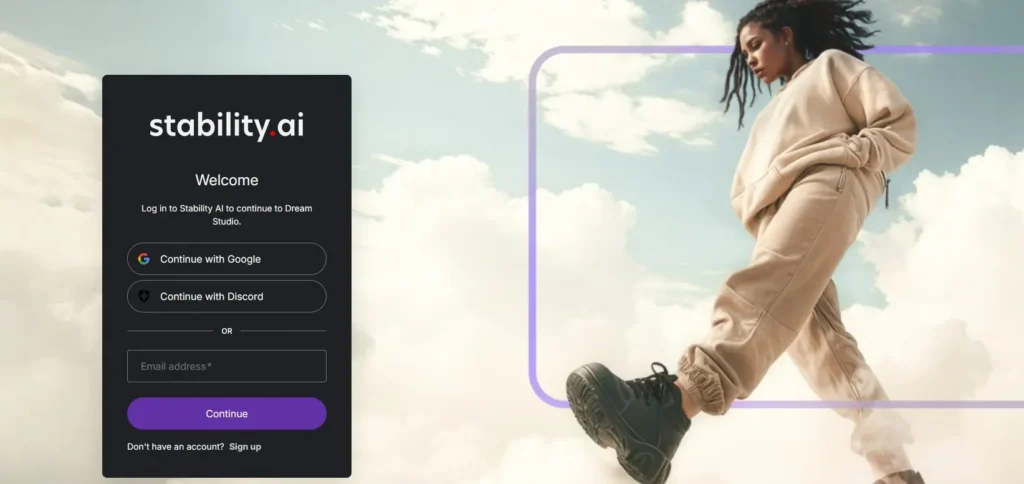
Easiest Method: DreamStudio
Step 1: Go to dreamstudio.ai and create account
Step 2: Buy credits ($10 for 5,000 credits)
Step 3: Write your prompt
Step 4: Adjust settings (steps, guidance, aspect ratio)
Step 5: Generate (costs 1-10 credits per image)
Step 6: Download or regenerate with adjustments
Advanced Method: Local Installation
This requires technical comfort and decent hardware, but gives you unlimited free generations. (I won’t detail full installation here as it’s beyond scope, but resources exist on Stable Diffusion subreddit and GitHub.)
Who Should Use Stable Diffusion
This AI image generator is perfect for:
Technical users comfortable with software installation
High-volume users generating thousands of images
Privacy-conscious creators wanting local processing
Budget users willing to invest time over money
Customization enthusiasts wanting complete control
Skip Stable Diffusion if you want simplicity (use DALL-E), need results immediately (use Midjourney), have no technical skills, or don’t have GPU hardware.
My Verdict on Stable Diffusion
Rating: 8/10 for advanced users, 4/10 for beginners
Stable Diffusion is incredibly powerful but only if you’re willing to invest time learning it. The open-source nature and complete control are unmatched. However, the barrier to entry is significant.
For advanced users who value customization and cost savings, Stable Diffusion is excellent. For everyone else, it’s probably too complex.
4. Midjourney: Best AI Image Generator for Artistic Quality
The first AI image generator I tested was Midjourney, and immediately I understood why designers rave about it.
What Midjourney Actually Is
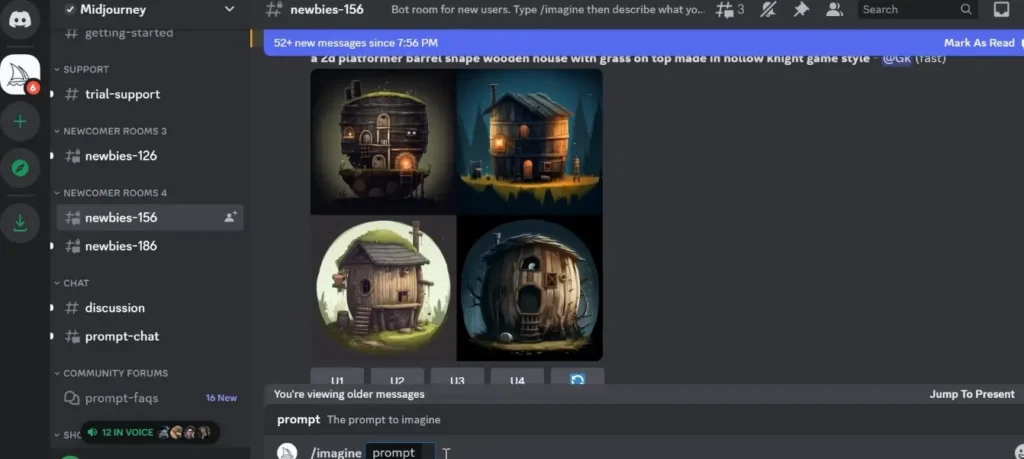
Midjourney is an AI image generator that operates through Discord (a chat platform). You join their Discord server, type prompts in specific channels, and the bot generates images for you.
Current version: Midjourney v6.1 (as of February 2026)
Access method: Discord-based (web interface in alpha testing)
My Testing Results
Overall quality: 9/10 – Consistently produces stunning, artistic images
Prompt accuracy: 8/10 – Good interpretation but sometimes adds artistic flair you didn’t ask for
First-try success: 75% – 7.5 out of 10 test prompts worked well on first generation
Professional usability: 9/10 – Absolutely usable for client work
Speed: 45-90 seconds per image
Cost per image: $0.08 to $0.15 (depending on plan)
Real Examples from My Testing
Project 1 (Product Photo): Result: Stunning. The headphones looked photorealistic, lighting was perfect, marble texture was convincing. Could absolutely use this for e-commerce.
Quality: 9/10
Project 4 (Book Cover): Result: Incredible atmospheric mood. The composition was cinematic and professional. This looked like a real book cover from a major publisher.
Quality: 10/10
Project 7 (Portrait): Result: Good but not perfect. The face was realistic but had that slight “AI look” in the eyes. Usable for concepts but not for situations needing absolute realism.
Quality: 7/10
What Midjourney Does Best
✅ Artistic and stylized images – Absolutely best-in-class
✅ Atmospheric and moody compositions – Incredible lighting and mood
✅ Concept art and illustrations – Professional quality
✅ Marketing visuals – Eye-catching, high-quality outputs
✅ Consistent high quality – Rarely produces “bad” images
Where Midjourney Struggles
❌ Discord interface is clunky – Learning curve for non-Discord users
❌ Text rendering is poor – Can’t reliably create text in images
❌ Character consistency – Hard to create same character multiple times
❌ Precise control – Sometimes adds artistic elements you didn’t want
❌ Anatomy issues – Hands and feet still problematic occasionally
Midjourney Pricing
Basic Plan: $10/month
- 200 images per month (fast mode)
- Limited commercial use
Standard Plan: $30/month
- 900 images per month (fast mode)
- Full commercial rights
- Relaxed mode (unlimited slower generations)
Pro Plan: $60/month
- 1,800 images per month (fast)
- Stealth mode (private generations)
- Maximum 12 concurrent jobs
Mega Plan: $120/month
- 3,600 images per month
- All pro features
- Priority access
My recommendation: Standard plan ($30/month) is the sweet spot for most users.
How to Actually Use Midjourney
Step 1: Sign up at midjourney.com and join Discord server
Step 2: Navigate to a “newbies” channel
Step 3: Type /imagine followed by your prompt
Step 4: Wait 45-90 seconds for 4 image variations
Step 5: Click “U1” through “U4” to upscale your favorite
Step 6: Download the full-resolution image
Pro tip: Use --ar 16:9 for landscape, --ar 9:16 for portrait, --ar 1:1 for square
Who Should Use Midjourney
This AI image generator is perfect for:
Designers needing high-quality concept art
Marketers creating eye-catching ad visuals
Content creators making YouTube thumbnails, social graphics
Publishers creating book covers and editorial illustrations
Brand designers developing mood boards and visual concepts
Skip Midjourney if you need photorealistic portraits (DALL-E better), text in images (none do this well yet), or you’re uncomfortable with Discord interface.
My Verdict on Midjourney
Rating: 9/10
Midjourney produces the most consistently beautiful images of any AI image generator I tested. The artistic quality is exceptional, and outputs feel premium rather than generic. The Discord interface is the main barrier, but once you learn it (takes about 30 minutes), it’s incredibly powerful.
For professional creative work, Midjourney is my #1 recommendation.
5. Leonardo.AI: Best AI Image Generator for Beginners
The fifth AI image generator I tested was Leonardo.AI, which has become popular for its user-friendly approach and generous free tier.
What Leonardo.AI Actually Is
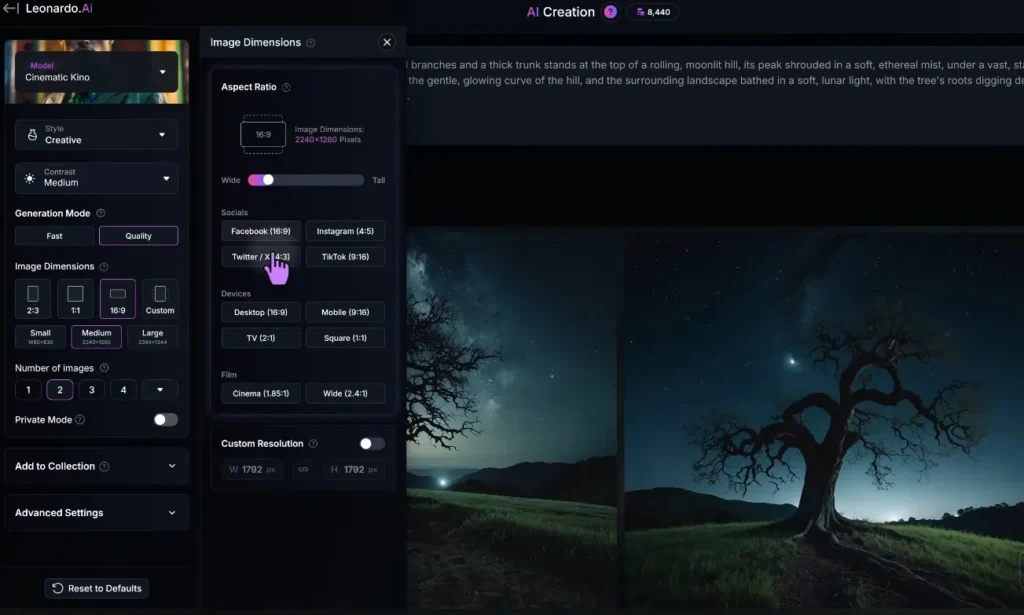
Leonardo.AI is a web-based AI image generator focused on ease of use and game/character art. It offers a generous free tier and intuitive interface.
Key advantage: Best free tier of any premium AI image generator tool.
Specialty: Particularly strong at character design, game assets, and fantasy art.
My Testing Results
Overall quality: 7/10 – Good quality, especially for stylized art
Prompt accuracy: 7/10 – Decent but sometimes unpredictable
First-try success: 65% – 6.5 out of 10 prompts worked well first try
Professional usability: 6/10 – Good for certain niches, less versatile overall
Speed: 15-30 seconds per image
Cost per image: Free tier available, or $0.04-0.08 on paid plans
Real Examples from My Testing
Project 5 (Presentation Illustration): Result: Very good. Leonardo excels at clean illustrations and icon-style graphics. This looked professional and polished.
Quality: 8/10
Project 8 (Abstract Background): Result: Excellent. Abstract backgrounds and textures are where Leonardo shines. Generated beautiful, usable backgrounds quickly.
Quality: 8/10
Project 3 (Blog Header): Result: Decent but not photorealistic. Looked more illustrated than photographic, which isn’t always what you want.
Quality: 6/10
What Leonardo.AI Does Best
✅ Best free tier – 150 tokens daily (roughly 30-50 images)
✅ Easy to use – Most beginner-friendly interface
✅ Character and game art – Excellent for this specific niche
✅ Abstract and stylized work – Great for illustrations and backgrounds
✅ Community models – Hundreds of pre-trained styles
Where Leonardo.AI Struggles
❌ Photorealism is weaker – Not as good as DALL-E or Midjourney for realistic images
❌ Less consistent quality – More variation in outputs
❌ Niche reputation – Seen as “game art tool” more than general purpose
❌ Smaller user community – Less resources and examples than bigger tools
Leonardo.AI Pricing
Free Plan:
- 150 tokens daily (resets every 24 hours)
- Access to community models
- Basic features
- Good for learning and testing
Apprentice: $10/month
- 8,500 tokens monthly
- Private generations
- Priority processing
Artisan: $24/month
- 25,000 tokens monthly
- All features
- Highest priority
Maestro: $48/month
- 60,000 tokens monthly
- Maximum priority
- Early access features
My recommendation: Start with free tier, upgrade to Apprentice ($10) if you like it.
Who Should Use Leonardo.AI
This AI image generator is perfect for:
Complete beginners wanting to experiment free
Game developers needing character and asset art
Illustrators creating stylized artwork
Budget users wanting good free tier
Students learning AI image generation
Skip Leonardo.AI if you need photorealistic outputs (DALL-E better), highest artistic quality (Midjourney better), or full professional features (Adobe Firefly).
My Verdict on Leonardo.AI
Rating: 7/10
Leonardo.AI is the best starting point for beginners exploring AI image generator tools. The free tier is genuinely usable, the interface is intuitive, and for specific niches (game art, illustrations), it’s excellent.
Not the best at any one thing, but a solid all-around option especially for newcomers.
Side-by-Side Comparison: All 5 AI Image Generators
| Tool | Best For | Quality | Ease of Use | Starting Price | Free Tier |
|---|---|---|---|---|---|
| Midjourney | Artistic quality | 9/10 | 6/10 | $10/mo | No |
| DALL-E 3 | Photorealism | 8.5/10 | 9/10 | $20/mo | No |
| Stable Diffusion | Customization | 8/10 | 4/10 | Free | Yes (self-host) |
| Adobe Firefly | Commercial safety | 7.5/10 | 8/10 | $5/mo | Limited |
| Leonardo.AI | Beginners | 7/10 | 9/10 | $10/mo | Yes (generous) |
How to Choose the Right AI Image Generator
After testing all five tools extensively, here’s my honest recommendation guide:
Choose Based on Your Primary Need:
If you want the most beautiful, artistic images: → Midjourney ($30/month Standard plan)
If you want the easiest, most photorealistic images: → DALL-E 3 ($20/month via ChatGPT Plus)
If you want complete control and don’t mind complexity: → Stable Diffusion (Free self-hosted or $10 DreamStudio)
If you need legally safe commercial use: → Adobe Firefly ($5/month or included in CC)
If you’re a beginner wanting to experiment free: → Leonardo.AI (Free tier, upgrade to $10/month if needed)
Choose Based on Your Budget:
$0/month: Leonardo.AI (free tier) or Stable Diffusion (self-hosted)
$5-10/month: Adobe Firefly ($5) or Leonardo paid ($10)
$20-30/month: DALL-E 3 ($20) or Midjourney ($30)
Unlimited: Stable Diffusion self-hosted (requires GPU investment)
Choose Based on Your Skill Level:
Complete beginner: Leonardo.AI or DALL-E 3
Comfortable with tech: Midjourney or Adobe Firefly
Advanced user: Stable Diffusion
My Personal Stack
I currently use:
- Midjourney ($30/month) – For client work requiring artistic quality
- ChatGPT Plus/DALL-E 3 ($20/month) – For quick realistic images and brainstorming
- Stable Diffusion (self-hosted) – For high-volume personal projects
Total cost: $50/month
Value generated: Easily $500-1000/month in time saved versus stock photos or hiring designers
Common Mistakes When Using AI Image Generators
After testing these tools and watching others use them, here are mistakes that ruin results:
Mistake 1: Vague Prompts
Bad prompt:
beautiful sunsetWhy it fails: Too generic, AI doesn’t know what style, composition, or mood you want.
Better prompt:
Dramatic ocean sunset with vibrant orange and pink clouds, silhouette of palm trees in foreground, golden hour lighting, cinematic composition, professional photographyMistake 2: Not Specifying Style
Problem: You get random style unless you specify.
Solution: Add style descriptors:
- “photorealistic”
- “watercolor painting”
- “vector illustration”
- “3D render”
- “oil painting”
- “minimalist line art”
Mistake 3: Expecting Perfect First Try
Reality: Even professional prompt engineers iterate 3-5 times.
Solution: Generate multiple variations, pick best, refine.
Mistake 4: Ignoring Aspect Ratio
Problem: Default is usually square, but you might need landscape or portrait.
Solution: Specify aspect ratio:
- Midjourney: Add
--ar 16:9to prompt - DALL-E: Request specific dimensions
- Others: Use aspect ratio settings
Mistake 5: Not Learning from Good Prompts
Solution: Save prompts that work well. Build a prompt library. Study what patterns produce good results.
Advanced Tips for Better AI Images
Tip 1: Use Specific References
Instead of “professional photo,” say “professional photography in the style of Annie Leibovitz” or “commercial product photography like Apple ads.”
Tip 2: Describe Lighting Explicitly
Lighting makes or breaks images:
- “soft diffused lighting”
- “dramatic side lighting with deep shadows”
- “golden hour warm sunlight”
- “studio lighting with softbox”
- “natural window light”
Tip 3: Add Quality Boosters
These phrases often improve outputs:
- “high quality”
- “professional”
- “detailed”
- “4K” or “8K”
- “award winning”
- “trending on artstation”
Tip 4: Use Negative Prompts
Tell the AI what NOT to include:
- Midjourney: Add
--no text, watermark, blur - Stable Diffusion: Use negative prompt field
- DALL-E: Include in main prompt “without text or watermarks”
Tip 5: Generate in Batches
Don’t generate one image and give up. Generate 4-8 variations, pick the best, refine from there.
Frequently Asked Questions About AI Image Generators
Q: Can I use AI-generated images commercially?
A: Depends on the tool:
- Midjourney: Yes, if you have paid subscription
- DALL-E 3: Yes, you own the images
- Stable Diffusion: Yes, completely open
- Adobe Firefly: Yes, clearest commercial license
- Leonardo.AI: Yes, on paid plans
Always check current terms of service.
Q: Will people know my images are AI-generated?
A: Sometimes yes, sometimes no. Midjourney and DALL-E 3 can produce images indistinguishable from human-created work. But AI has “tells” like certain smoothness in textures, issues with hands/text, and sometimes an uncanny feeling.
Best practice: Use AI for concepts, then have human designer refine for critical uses.
Q: Can AI image generators create logos?
A: Sort of. They can create logo concepts and inspiration, but they struggle with:
- Text/typography
- Precise geometric shapes
- Scalability requirements
- Brand guideline precision
Use AI for brainstorming, then have human designer execute final logo.
Q: Which AI image generator is best for product photos?
A: DALL-E 3 or Midjourney. Both can create convincing product photography. Adobe Firefly is also good for commercial product shots.
Q: How do I get consistent results?
A: Consistency is hard across all tools. Tips:
- Use same prompt structure
- Save settings that work
- Use style references when available
- Consider fine-tuning custom models (Stable Diffusion)
Q: Are AI image generators legal?
A: Yes, using them is legal. Copyright of outputs is complex:
- US: Generally you can’t copyright AI outputs, but you can copyright your creative selection/arrangement
- EU: Laws are evolving
- Commercial use: Depends on tool’s terms of service
Consult lawyer for important commercial projects.
Q: Can I edit AI-generated images?
A: Yes, absolutely. Most professional use involves:
- Generate with AI
- Edit in Photoshop/Figma
- Refine details manually
- Combine multiple AI generations
AI is a starting point, not usually the final output.
Q: Which tool has the best free option?
A: Leonardo.AI has the most generous free tier (150 daily tokens). Stable Diffusion is “free” if self-hosted but requires technical setup and GPU.
My Final Recommendation: Which AI Image Generator to Actually Use
After four months of intensive testing, here’s my honest bottom-line advice:
For Most People:
Start with DALL-E 3 ($20/month via ChatGPT Plus)
Why:
- Easiest to use
- Excellent quality
- ChatGPT integration is incredibly useful
- Photorealistic outputs
- Best value (includes ChatGPT)
Then add Midjourney ($30/month Standard) if you need artistic quality for professional work.
For Beginners/Students:
Start with Leonardo.AI (free tier)
Why:
- Genuinely free
- Easy interface
- Good for learning
- Upgrade only if you like it
For Professional Designers:
Use Midjourney ($30-60/month)
Why:
- Best artistic quality
- Professional outputs
- Worth the investment for client work
For Businesses:
Use Adobe Firefly ($5/month or CC included)
Why:
- Safest commercial licensing
- Brand-appropriate
- Adobe integration
For Advanced Users:
Use Stable Diffusion (free self-hosted)
Why:
- Complete control
- Unlimited generations
- Total privacy
- Customization
My Personal Recommendation:
If you can only afford one AI image generator, get ChatGPT Plus ($20/month) for DALL-E 3. You get excellent image generation PLUS the best AI assistant for writing, coding, and research.
If you’re doing serious creative work, add Midjourney ($30/month) for artistic projects.
That $50/month combination covers 95% of professional AI image generator needs.
Final Thoughts: The State of AI Image Generation in 2026
AI image generators have matured dramatically. The gap between “obviously AI” and “indistinguishable from human-created” is closing fast.
What’s changed in 2026:
- Quality is professional-grade across top tools
- Pricing is reasonable for what you get
- Usability is much better than even 6 months ago
- Commercial use is clearer legally and ethically
What hasn’t changed:
- Prompting skill matters more than the tool
- Human refinement still needed for best results
- Text rendering still problematic across all tools
- Consistency remains challenging
The best AI image generator isn’t necessarily the most advanced. It’s the one you’ll actually use consistently that fits your needs and skill level.
My advice: Pick one tool from this guide, commit to using it for 30 days, learn it thoroughly, then decide if you need to explore others.
The tools are ready. The question is: are you?

Comments are closed.
[…] is perfect for animating AI-generated images or turning still scenes into […]