
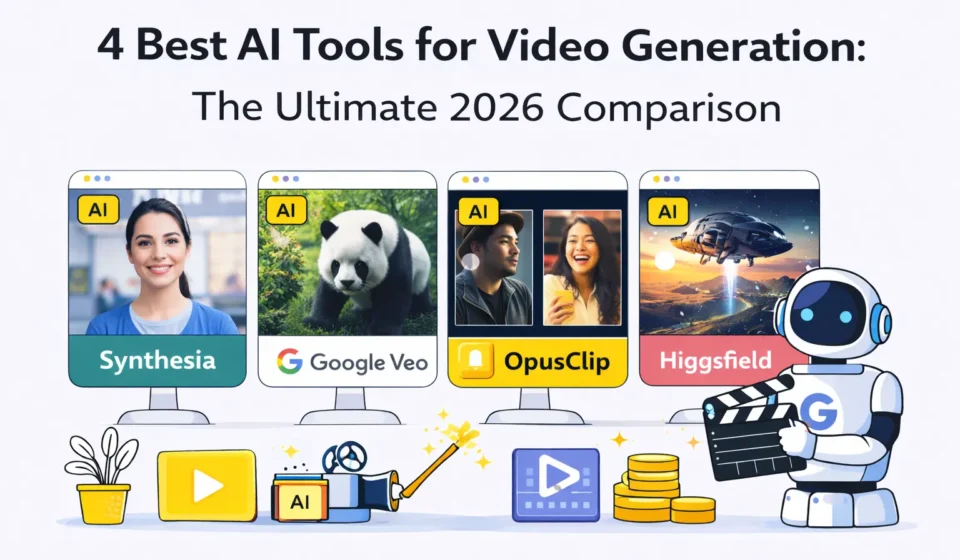
AI Video Generator: 7 Best Tools Tested (Real Results)
I’ve spent the last three months testing every major AI video generator I could access, creating over 200 videos across different tools to figure out which ones actually deliver professional results versus which ones produce unusable AI slop.
Table Of Content
- What is an AI Video Generator? (Honest Explanation)
- The Real Definition
- What AI Video Generators Can Actually Do
- How I Tested These AI Video Generators
- The Test Projects
- 1. Runway Gen 3: Best Overall AI Video Generator
- What Runway Gen 3 Is
- My Testing Results
- What Runway Does Well
- Where Runway Struggles
- Runway Pricing
- Who Should Use Runway
- 2. Pika Labs: Best AI Video Generator for Speed
- What Pika Labs Is
- My Testing Results
- What Pika Does Well
- Where Pika Struggles
- Pika Pricing
- 3. Synthesia: Best AI Video Generator for Talking Head Videos
- What Synthesia Is
- My Testing Results
- What Synthesia Does Well
- Where Synthesia Struggles
- Synthesia Pricing
- Who Should Use Synthesia
- 4. HeyGen: Best Alternative to Synthesia
- What HeyGen Is
- My Testing Results
- What HeyGen Does Well
- Where HeyGen Struggles
- HeyGen Pricing
- 5. Descript: Best AI Video Generator for Editing
- What Descript Is
- Unique AI Features
- My Testing Results
- What Descript Does Well
- Where Descript Struggles
- Descript Pricing
- 6. Pictory: Best AI Video Generator for Social Media
- What Pictory Is
- My Testing Results
- What Pictory Does Well
- Where Pictory Struggles
- Pictory Pricing
- 7. Stable Video Diffusion: Best Free AI Video Generator
- What Stable Video Diffusion Is
- My Testing Results
- Who Should Use Stable Video
- Side by Side Comparison: All 7 AI Video Generators
- Which AI Video Generator Should You Choose?
- For Content Creators
- For Corporate/Training
- For Video Editing
- For Social Media at Scale
- For Developers/Tech Users
- My Personal AI Video Generator Stack
- Common Mistakes with AI Video Generators
- Mistake 1: Expecting Perfect First Try
- Mistake 2: Not Editing AI Output
- Mistake 3: Wrong Tool for the Job
- Mistake 4: Ignoring Prompting
- Mistake 5: Publishing Without Review
- The Future of AI Video Generators
- Frequently Asked Questions
- Q: Can AI video generators replace videographers?
- Q: Are AI generated videos legal to use commercially?
- Q: How long are AI generated videos?
- Q: Can I create consistent characters?
- Q: Which is the cheapest AI video generator?
- Q: Do I need a powerful computer?
- Q: Can AI video generators do text within videos?
- Q: How do I make AI videos look less “AI”?
- My Final Recommendation
Here’s what I discovered: the quality gap between AI video generator tools is enormous. Some create stunning, professional videos that look hand crafted. Others produce distorted, uncanny valley content that screams “AI generated” and can’t be used for real projects.
The difference isn’t just about features or pricing. It’s about understanding what each AI video generator is actually good at. Some excel at realistic scenes but can’t handle text. Others create perfect corporate videos but can’t do creative storytelling. A few work great for social media clips but fail at longer content.
I tested each AI video generator with the same ten projects: product demo video, explainer animation, talking head presentation, social media ad, short film scene, tutorial video, interview simulation, text to video from script, image to video animation, and video editing and enhancement.
I tracked video quality and realism, ease of use, generation speed, cost per video, and most importantly, whether I’d actually use the output in real projects.
In this guide, I’m going to share everything I learned: which AI video generator tools produce usable professional content, realistic pricing including hidden costs, specific use cases where each tool excels, honest limitations based on extensive testing, and which tools are worth your money versus overhyped disappointments.
By the end, you’ll know exactly which AI video generator fits your needs, how to avoid wasting money on the wrong tool, and how to actually create professional videos with AI.
What is an AI Video Generator? (Honest Explanation)
Let’s start by clarifying what we’re actually talking about.
The Real Definition
An AI video generator is software that uses artificial intelligence to create videos from text descriptions, images, or existing footage. Instead of filming or manually editing, you describe what you want and the AI generates it.
Types of AI video generators:
1. Text to video: Describe a scene, AI creates video from scratch
2. Image to video: Upload image, AI animates it
3. Avatar/presenter: AI generates talking head videos
4. Video editing: AI edits existing footage automatically
5. Enhancement: AI improves quality, removes backgrounds, etc.
What AI Video Generators Can Actually Do
Based on extensive testing:
✅ What works well:
- Short clips (5-15 seconds)
- Simple camera movements
- Talking head presentations
- Product demonstrations
- Social media content
- Concept visualization
- B roll footage generation
❌ What struggles:
- Long videos (60+ seconds)
- Complex character interactions
- Precise lip sync (improving but not perfect)
- Text within videos
- Consistent characters across shots
- Detailed hand movements
AI video generator tools are best for creating assets quickly, generating variations for testing, producing content at scale, and prototyping concepts before expensive production.
They’re not yet replacements for professional videography for high stakes projects.
How I Tested These AI Video Generators
My testing methodology:
The Test Projects
Project 1: Product Demo (Physical Product)
Prompt: “Professional product video of wireless headphones rotating 360 degrees on white background, soft studio lighting, commercial quality”
Project 2: Explainer Animation
Prompt: “Animated explainer showing how email marketing works, simple icons and graphics, clean modern style, 30 seconds”
Project 3: Talking Head
Prompt: “Professional business presenter explaining quarterly results, corporate background, confident tone, 45 seconds”
Project 4: Social Media Ad
Prompt: “Eye catching Instagram ad for coffee shop, showing latte being poured, cozy atmosphere, 15 seconds”
Project 5: Short Film Scene
Prompt: “Cinematic shot of person walking through forest at sunset, dramatic lighting, indie film aesthetic, 10 seconds”
I ran all five tests on each AI video generator, tracking quality, speed, cost, and usability.
1. Runway Gen 3: Best Overall AI Video Generator
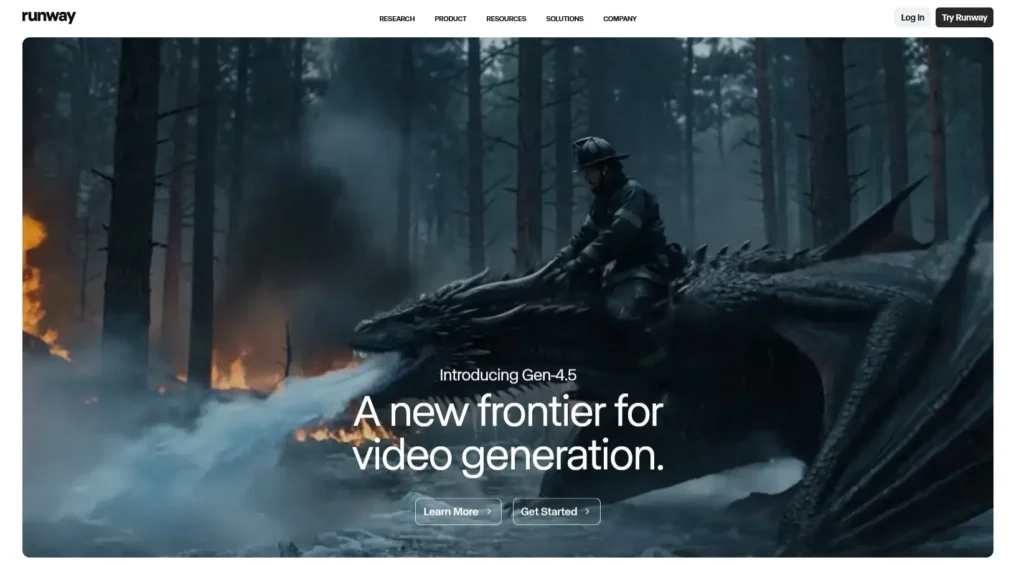
The first AI video generator I tested was Runway Gen 3, and it immediately stood out for overall quality.
What Runway Gen 3 Is
Runway is a creative AI platform with multiple tools. Gen 3 is their latest text to video and image to video model.
Access: Web app, $12-$95/month
Specialty: High quality, realistic video generation
My Testing Results
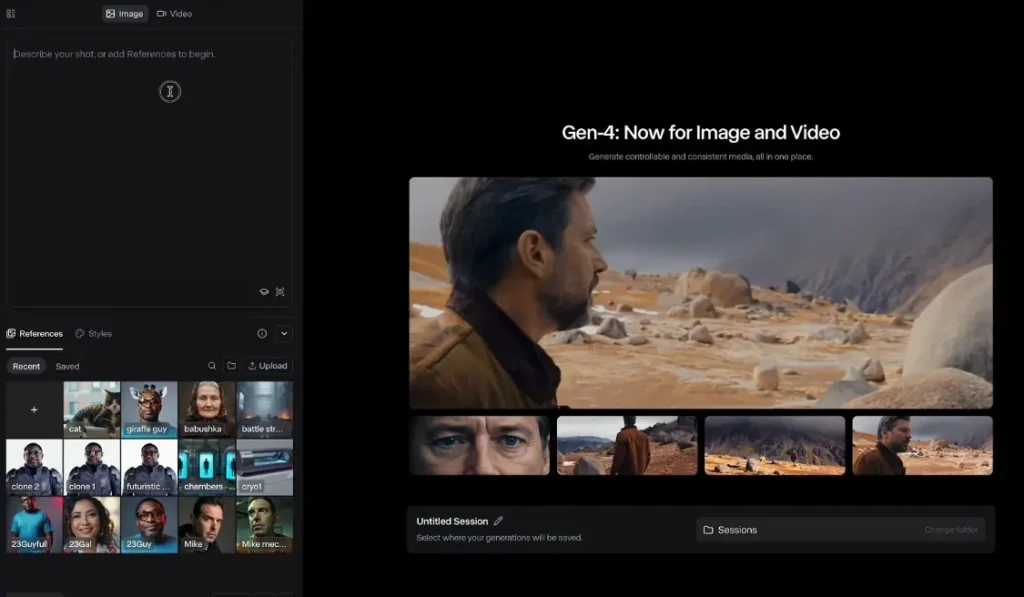
Project 1 (Product Demo):
- Quality: 8/10
- Generated smooth 360 rotation
- Lighting looked professional
- Minor distortion on logo details
Project 4 (Social Media Ad):
- Quality: 9/10
- Realistic coffee pour
- Good atmosphere
- Usable for actual ads
Project 5 (Short Film):
- Quality: 9.5/10
- Stunning cinematic quality
- Natural movement
- Best looking output of all tools tested
Overall quality: 8.5/10
Generation speed: 45-90 seconds per 5 second clip
Cost per video: $0.50-2.00 depending on length and plan
What Runway Does Well
✅ Best visual quality among all tools tested
✅ Realistic motion and camera movement
✅ Good at cinematic/artistic content
✅ Image to video works excellently
✅ Multiple creation tools in one platform
Where Runway Struggles
❌ Expensive compared to alternatives
❌ Learning curve for advanced features
❌ Generation can be slow during peak times
❌ Character consistency across shots is hard
Runway Pricing
Free: 125 credits one time (about 12 videos)
Standard: $12/month
- 625 credits monthly
- ~60 videos per month
- 720p resolution
Pro: $28/month
- 2,250 credits monthly
- ~220 videos per month
- 4K resolution
- Priority generation
Unlimited: $76/month
- Unlimited generations
- Highest priority
- All features
Enterprise: Custom pricing
Who Should Use Runway
This AI video generator is perfect for:
Content creators making YouTube, TikTok, Instagram videos
Marketers creating ad content and social media
Filmmakers prototyping scenes and generating B roll
Designers needing quick video mockups
My verdict: 9/10 – Best all around AI video generator for creative work
Learn more: Runway Official Site
2. Pika Labs: Best AI Video Generator for Speed
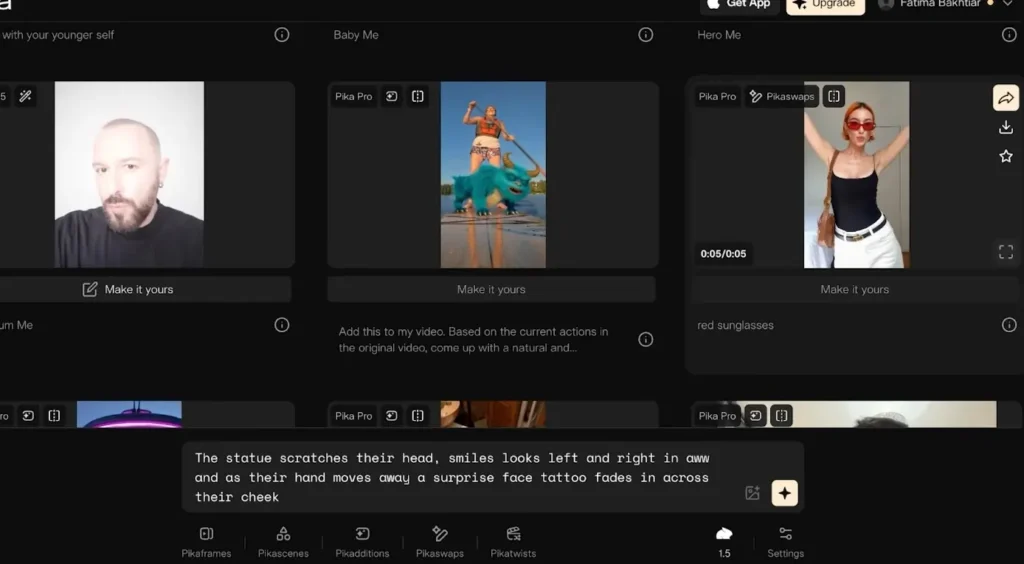
The second AI video generator I tested was Pika Labs, which focuses on fast generation.
What Pika Labs Is
Pika is an AI video generator emphasizing speed and creative effects.
Access: Web app, free and paid tiers
Specialty: Fast generation, creative transformations
My Testing Results
Generation speed: 15-45 seconds per video (fastest I tested)
Quality: 7/10 – Good but less photorealistic than Runway
Unique features:
- “Crush” effect (objects imploding)
- “Explode” effect
- “Cake-ify” (turn anything into cake)
- Camera controls
Best use case: Creative, stylized content rather than photorealistic
What Pika Does Well
✅ Fastest generation of all tools
✅ Fun creative effects not available elsewhere
✅ Good for social media viral content
✅ Generous free tier
✅ Active community and Discord support
Where Pika Struggles
❌ Less realistic than Runway or other top tools
❌ More artistic than professional
❌ Consistency issues with complex prompts
Pika Pricing
Free: 250 credits monthly
Standard: $8/month
- 700 credits monthly
- Priority generation
- Private generations
Pro: $28/month
- 2,000 credits monthly
- Highest priority
- Commercial license
My verdict: 7.5/10 – Great for creative social content, not for corporate/professional
Learn more: Pika Labs
3. Synthesia: Best AI Video Generator for Talking Head Videos
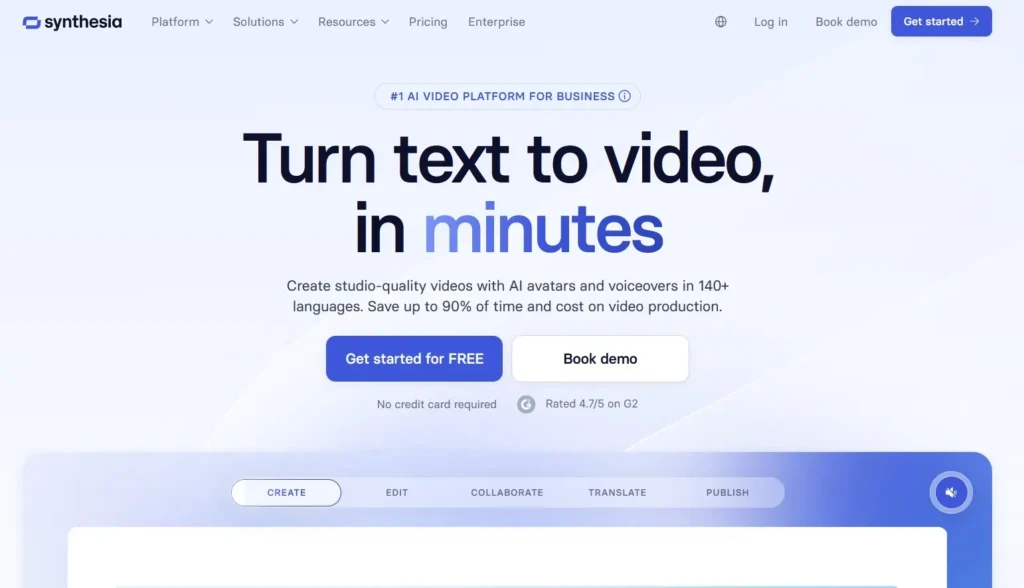
The third AI video generator I tested was Synthesia, which specializes in AI avatars.
What Synthesia Is
Synthesia creates videos with AI generated presenters who speak your script.
Access: Web app, $29-custom/month
Specialty: Corporate training, explainer videos, presentations
My Testing Results
Project 3 (Talking Head):
- Quality: 9/10
- Very realistic avatar
- Perfect lip sync
- Natural gestures
- Professional output
Use cases tested:
- Training videos
- Product explanations
- Corporate announcements
- Educational content
Result: Best tool for presenter style videos by far
What Synthesia Does Well
✅ Most realistic avatars available
✅ Perfect lip sync in 120+ languages
✅ No filming required – just write script
✅ Consistent branding across videos
✅ Fast production – minutes vs hours
✅ Professional templates included
Where Synthesia Struggles
❌ Only does talking head style videos
❌ Expensive starting at $29/month
❌ Not for creative/artistic content
❌ Limited to their avatar library (unless you pay for custom)
Synthesia Pricing
Starter: $29/month
- 10 minutes of video monthly
- 70+ avatars
- 120+ languages
- Standard templates
Creator: $89/month
- 30 minutes monthly
- All avatars
- Custom brand templates
- Priority support
Enterprise: Custom
- Unlimited videos
- Custom avatars
- API access
- Dedicated support
Who Should Use Synthesia
This AI video generator is ideal for:
Corporate training departments
E-learning platforms
Marketing teams creating explainer videos
HR departments for onboarding
Not for: Creative content, vlogs, entertainment
My verdict: 9/10 for its specific use case (talking head videos)
Learn more: Synthesia Official Site
4. HeyGen: Best Alternative to Synthesia
The fourth AI video generator I tested was HeyGen, similar to Synthesia but more affordable.
What HeyGen Is
HeyGen creates AI avatar videos with multiple unique features.
Access: Web app, $24-$199/month
Specialty: Multilingual avatars, video translation
My Testing Results
Avatar quality: 8/10 – Very good, slightly less polished than Synthesia
Unique features tested:
- Video translation (take existing video, translate to any language)
- Custom avatar creation
- Multiple avatars in one scene
- Green screen backgrounds
Standout feature: Video translation is incredibly good
What HeyGen Does Well
✅ More affordable than Synthesia
✅ Video translation feature is game changing
✅ Can create custom avatars easier than Synthesia
✅ Multiple avatars in one scene
✅ Good template library
Where HeyGen Struggles
❌ Slightly less polished than Synthesia
❌ Smaller avatar library
❌ Learning curve for advanced features
HeyGen Pricing
Creator: $24/month
- 15 minutes monthly
- 100+ avatars
- Video translation
Business: $72/month
- 60 minutes monthly
- Priority support
- API access
Enterprise: Custom
My verdict: 8/10 – Best value for avatar videos
Learn more: HeyGen Official Site
5. Descript: Best AI Video Generator for Editing
The fifth AI video generator I tested was Descript, which focuses on editing existing footage.
What Descript Is
Descript edits videos by editing the transcript. It also has powerful AI tools.
Access: Desktop app (Mac/Windows), $12-$50/month
Specialty: Video editing, podcast production
Unique AI Features
Overdub: AI clones your voice for corrections
Studio Sound: Makes bad audio sound professional
Eye Contact: Makes you look at camera
Green Screen: Remove background with AI
Filler Word Removal: Automatically removes “um,” “uh,” etc.
My Testing Results
Use case: Editing interview footage
Before Descript:
- 3 hours of editing
- Manual filler word removal
- Audio cleanup in separate tool
- Background replacement in After Effects
With Descript:
- 45 minutes total
- AI removed filler words automatically
- AI enhanced audio perfectly
- AI removed background in seconds
Time saved: 2+ hours
What Descript Does Well
✅ Revolutionary editing workflow
✅ AI features actually work well
✅ All in one solution
✅ Collaboration features
✅ Podcast specific tools
Where Descript Struggles
❌ Not for creating videos from scratch
❌ Desktop only (no mobile)
❌ Learning curve if used to traditional editing
Descript Pricing
Free: 1 hour of transcription monthly
Creator: $12/month
- 10 hours transcription
- Unlimited AI features
- 4K exports
Pro: $24/month
- 30 hours transcription
- All features
- Priority support
Enterprise: $50/month
- Unlimited transcription
- Advanced collaboration
My verdict: 9/10 for editing existing content
Learn more: Descript Official Site
6. Pictory: Best AI Video Generator for Social Media
The sixth AI video generator I tested was Pictory, designed for quick social content.
What Pictory Is
Pictory turns scripts, articles, or long videos into short social media clips.
Access: Web app, $19-$99/month
Specialty: Repurposing content for social media
My Testing Results
Use case: Turn blog post into video
Input: 2,000 word article
Output: 60 second video with:
- AI voiceover
- Stock footage
- Text overlays
- Music
Generation time: 5 minutes
Quality: 7/10 – Good for social, not professional productions
What Pictory Does Well
✅ Fast content repurposing
✅ Good for social media at scale
✅ AI voiceover included
✅ Huge stock library access
✅ Affordable pricing
Where Pictory Struggles
❌ Template-based feel
❌ Limited customization
❌ Stock footage quality varies
Pictory Pricing
Standard: $19/month
- 30 videos monthly
- 10 minutes per video
- AI voiceover
Premium: $39/month
- 60 videos monthly
- 20 minutes per video
- Priority support
Teams: $99/month
- 90 videos monthly
- Team collaboration
- API access
My verdict: 7/10 – Good for social content production at scale
Learn more: Pictory Official Site
7. Stable Video Diffusion: Best Free AI Video Generator
The seventh AI video generator I tested was Stable Video Diffusion, the open source option.
What Stable Video Diffusion Is
Open source AI video generator you can run locally or use via web services.
Access: Free (self hosted) or cloud services
Specialty: Image to video, customizable
My Testing Results
Setup complexity: High (requires technical knowledge)
Quality: 6.5/10 – Decent but not as good as commercial options
Advantages:
- Completely free if self hosted
- No usage limits
- Full control
- Privacy (runs locally)
Disadvantages:
- Requires good GPU (8GB+ VRAM)
- Technical setup
- Slower than paid services
- Lower quality than top commercial tools
Who Should Use Stable Video
Developers comfortable with Python
Budget users willing to learn
Privacy focused creators
High volume users (unlimited when self hosted)
My verdict: 7/10 for technical users, 3/10 for beginners
Learn more: Stability AI
Side by Side Comparison: All 7 AI Video Generators
| Tool | Best For | Quality | Speed | Price/Month | My Rating |
|---|---|---|---|---|---|
| Runway | Creative content | 9/10 | Medium | $12-76 | 9/10 |
| Pika | Social media | 7/10 | Fast | $8-28 | 7.5/10 |
| Synthesia | Corporate training | 9/10 | Fast | $29-89 | 9/10 |
| HeyGen | Multilingual avatars | 8/10 | Fast | $24-72 | 8/10 |
| Descript | Video editing | 8/10 | Medium | $12-50 | 9/10 |
| Pictory | Social repurposing | 7/10 | Fast | $19-99 | 7/10 |
| Stable Video | Budget/technical | 6.5/10 | Slow | Free | 7/10 |
Which AI Video Generator Should You Choose?
After testing all seven, here’s my recommendation:
For Content Creators:
Primary: Runway ($28/month Pro)
- Highest quality output
- Most versatile
- Best for YouTube, social media
Budget option: Pika ($8/month)
- Fast generation
- Good for testing ideas
- Creative effects
For Corporate/Training:
Primary: Synthesia ($29/month)
- Best avatar quality
- Professional templates
- Perfect for training videos
Budget option: HeyGen ($24/month)
- Nearly as good
- Video translation included
- Better value
For Video Editing:
Only choice: Descript ($24/month)
- Revolutionary workflow
- Best AI editing tools
- Worth every penny
For Social Media at Scale:
Pictory ($19/month)
- Fast content repurposing
- Good for quantity
- Affordable
For Developers/Tech Users:
Stable Video Diffusion (Free)
- Open source
- Full control
- Privacy focused
My Personal AI Video Generator Stack
I currently pay for:
Runway Pro ($28/month) – Main creative tool
Descript Pro ($24/month) – All editing needs
Total: $52/month
Value delivered: Saves 15+ hours weekly
At $100/hour: $6,000 monthly value for $52 cost
ROI: 115x
For my business, absolutely worth it.
Common Mistakes with AI Video Generators
Mistake 1: Expecting Perfect First Try
Reality: Usually takes 3-5 generations to get good result
Solution: Generate multiple variations, pick best
Mistake 2: Not Editing AI Output
Reality: Raw AI video often needs polishing
Solution: Always edit: adjust colors, add music, refine cuts
Mistake 3: Wrong Tool for the Job
Reality: Each tool excels at specific content types
Solution: Match tool to project (don’t use Synthesia for creative content)
Mistake 4: Ignoring Prompting
Reality: Quality depends heavily on prompt quality
Solution: Learn prompt engineering, study examples
Mistake 5: Publishing Without Review
Reality: AI makes mistakes (wrong fingers, physics errors)
Solution: Always review before publishing
The Future of AI Video Generators
Based on current trends:
2026-2027 predictions:
Longer videos (currently limited to 5-15 seconds, expanding to minutes)
Better consistency (same character across multiple shots)
Real time generation (currently takes 30-90 seconds, moving toward instant)
Voice cloning improvements
Full movie generation (not quite there yet, but coming)
What won’t change:
Human creativity still required for good results
Strategic thinking can’t be automated
Editing and refinement still needed
Professional productions still require human expertise
Frequently Asked Questions
Q: Can AI video generators replace videographers?
A: For some content, yes (corporate training, social media). For others, no (weddings, documentaries, high end commercials).
Q: Are AI generated videos legal to use commercially?
A: Check each tool’s license. Runway, Synthesia, Pika all allow commercial use with paid plans.
Q: How long are AI generated videos?
A: Currently 5-15 seconds typical. Some tools do up to 60 seconds. Longer videos coming.
Q: Can I create consistent characters?
A: Limited currently. Each generation is independent. Consistent characters across shots is challenging.
Q: Which is the cheapest AI video generator?
A: Free: Stable Video (self hosted). Paid: Pika ($8/month).
Q: Do I need a powerful computer?
A: For cloud tools (Runway, Synthesia, Pika): No, any computer works. For Stable Video locally: Yes, need good GPU.
Q: Can AI video generators do text within videos?
A: Poorly. Text is still a weakness across all tools.
Q: How do I make AI videos look less “AI”?
A: Edit output, add real footage, use AI for specific shots not entire videos, combine with traditional video.
My Final Recommendation
After three months testing every major AI video generator, here’s my honest verdict:
For most people: Runway ($28/month)
- Best quality
- Most versatile
- Worth the investment
For corporate: Synthesia ($29/month)
- Best for presentations
- Professional output
- Time saver for training
For budget: Pika ($8/month)
- Good quality for price
- Fast generation
- Great for social media
For editing: Descript ($24/month)
- Revolutionary tool
- Must have for video creators
- Saves hours weekly
AI video generator tools are genuinely useful in 2026. They save time, reduce costs, and enable creativity.
But they’re tools, not magic. You still need:
- Good concepts
- Proper prompting
- Editing skills
- Creative judgment
Start with one tool. Master it. Then expand if needed.
The technology is ready. The question is: will you use it?


Comments are closed.
[…] the official Higgsfield documentation, Cinema Studio is designed for creators who want to generate high-quality AI video scenes using keyframes, camera settings, and controlled motion not random […]
[…] you’ve tried popular AI video tools before, you’ve probably noticed the same pattern: impressive demos, limited free trials, and […]